24
BRAVO Analyzer - User Manual Bruker Optik GmbH
BRAVO analyzer - Overview 3
3.4 Button panel - Control buttons
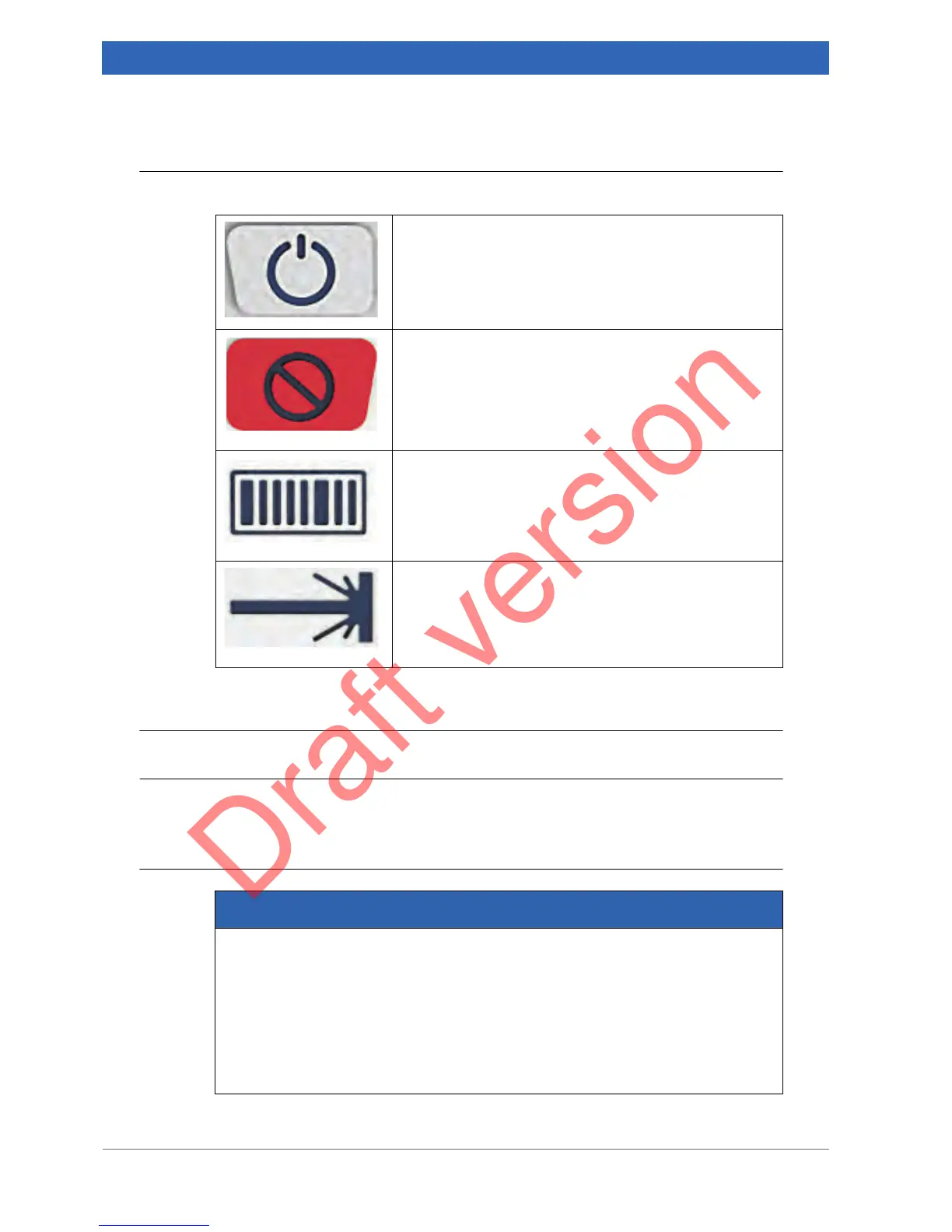
The button panel includes the following control buttons:
3.5 Touchscreen
General information
BRAVO is equipped with high-resolution TFT display with touchscreen 7" (15.0 cm x
9.4 cm).
Handling instructions
ON / OFF button
Depending on whether the BRAVO analyzer is currently
on or off, pressing this button switches BRAVO on or off.
Laser enabling / disabling button
Pressing this button enables or disables the laser. (Note:
In the enabled state, the laser is ready to emit radiation.)
➣ An enabled laser is indicated by a blue laser LED.
When the laser is disabled, the laser LED is off.
Barcode scanner button
When you press this button, the barcode reader scans the
barcode placed in front of it.
Note: Alternatively, you can start the barcode scanning
process using the BRAVO software.
Start measurement button
Pressing this button starts the spectroscopic measure-
ment.
Note: Alternatively, you can start the measurement using
the BRAVO software.
NOTICE
Damaged touchscreen because of improper handling
Observe the following handling and operating instructions to avoid damages.
➣ Operate the touchscreen only with your fingers. Do not use a sharp object
because it can damage of scratch the display surface.
➣ Do not touch the touchscreen with a conducting metallic object as this can cause
interferences / lead to a touchscreen disfunction.
➣ Operate the touchscreen only with clean and dry fingers.
➣ Clean the touchscreen only as described in section 5.1.2.


 To Next Page