37
BRAVO Analyzer - User Manual
Operation 4
4.8.3 Recharging the battery via the docking station
i
With the docking station, two batteries can be charged at the same time: the battery
inside the BRAVO analyzer and the spare battery placed in the battery storage compart-
ment of the docking station.
i
To have always a charged battery at hand, make a habit of putting the spare battery into
the battery storage compartment of the docking station.
☞ For more information about the optional docking station, see section 3.6.
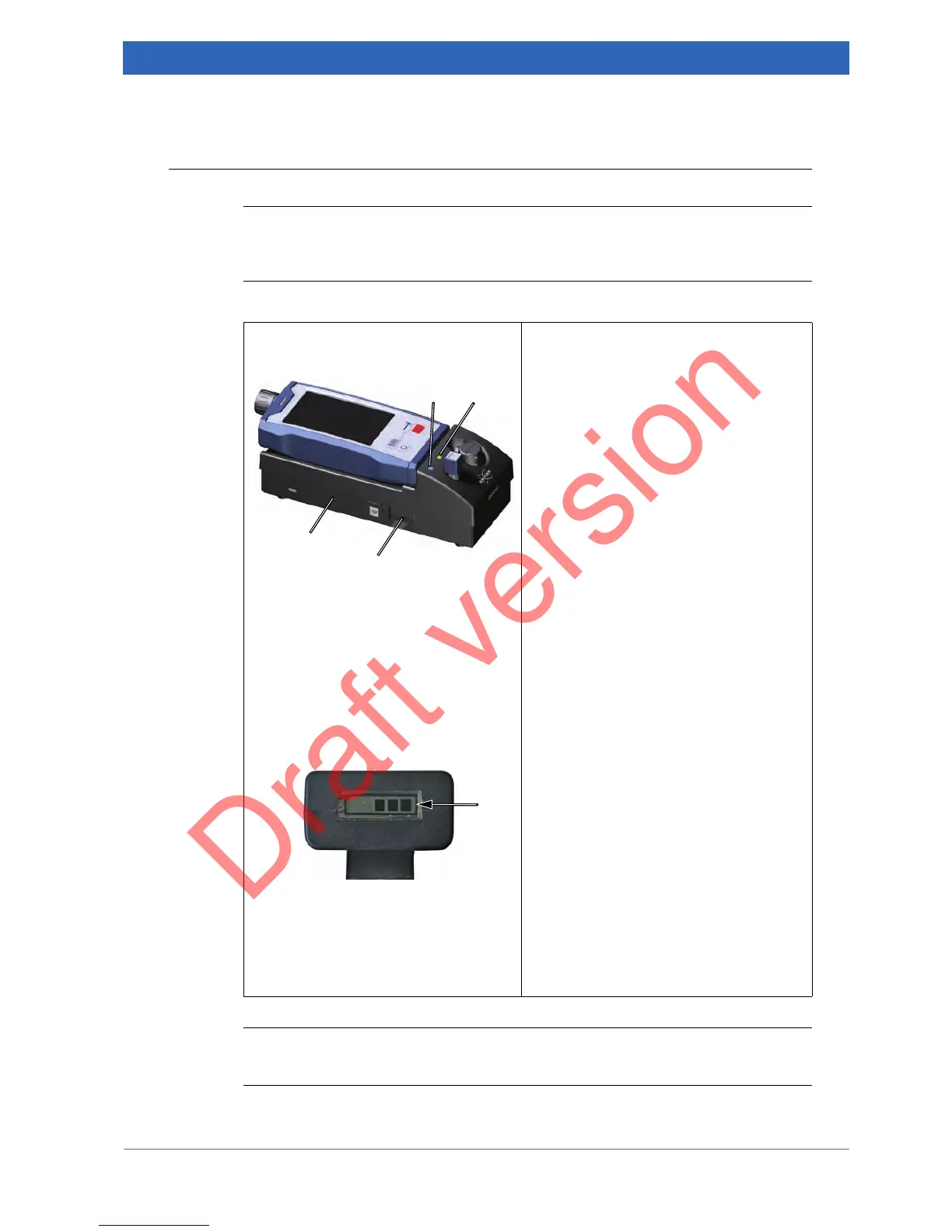
1. Connect the power cord to both the
docking station
① and the wall
socket.
Charging the battery inside BRAVO
2. Put the BRAVO analyzer with
inserted battery into the docking sta-
tion as shown in the left image.
3. Make sure that the blue lamp
② at
the docking station lights. This indi-
cates that the BRAVO analyzer is
properly connected with docking sta-
tion.
The green lamp
③ at the docking station
indicates the charge state of the battery as
follows:
• The green lamp is flashing. --> The bat-
tery is recharging.
• The green lamp lights continuously. -->
The battery is fully recharged.
4. As soon as the battery is fully
recharged, you can take BRAVO out
of the docking station and proceed
with your work.
Charging the spare battery
5. Insert the spare battery into storage
compartment
④ of the docking sta-
tion.
➣ Note: Insert the battery with the elec-
tric contact strip pointing upwards.
The current battery state of charge is dis-
played on the battery itself by a five-seg-
ment bar-graph display
⑤ (in steps of
20%).


 To Next Page