36
BRAVO Analyzer - User Manual Bruker Optik GmbH
Operation 4
4.8.2 Recharging the battery with the battery charger
In this case, the battery needs to be removed from the BRAVO analyzer.
☞ For detailed information about how to remove and re-insert the battery, see
section 4.7.
Battery charger - Safety notes
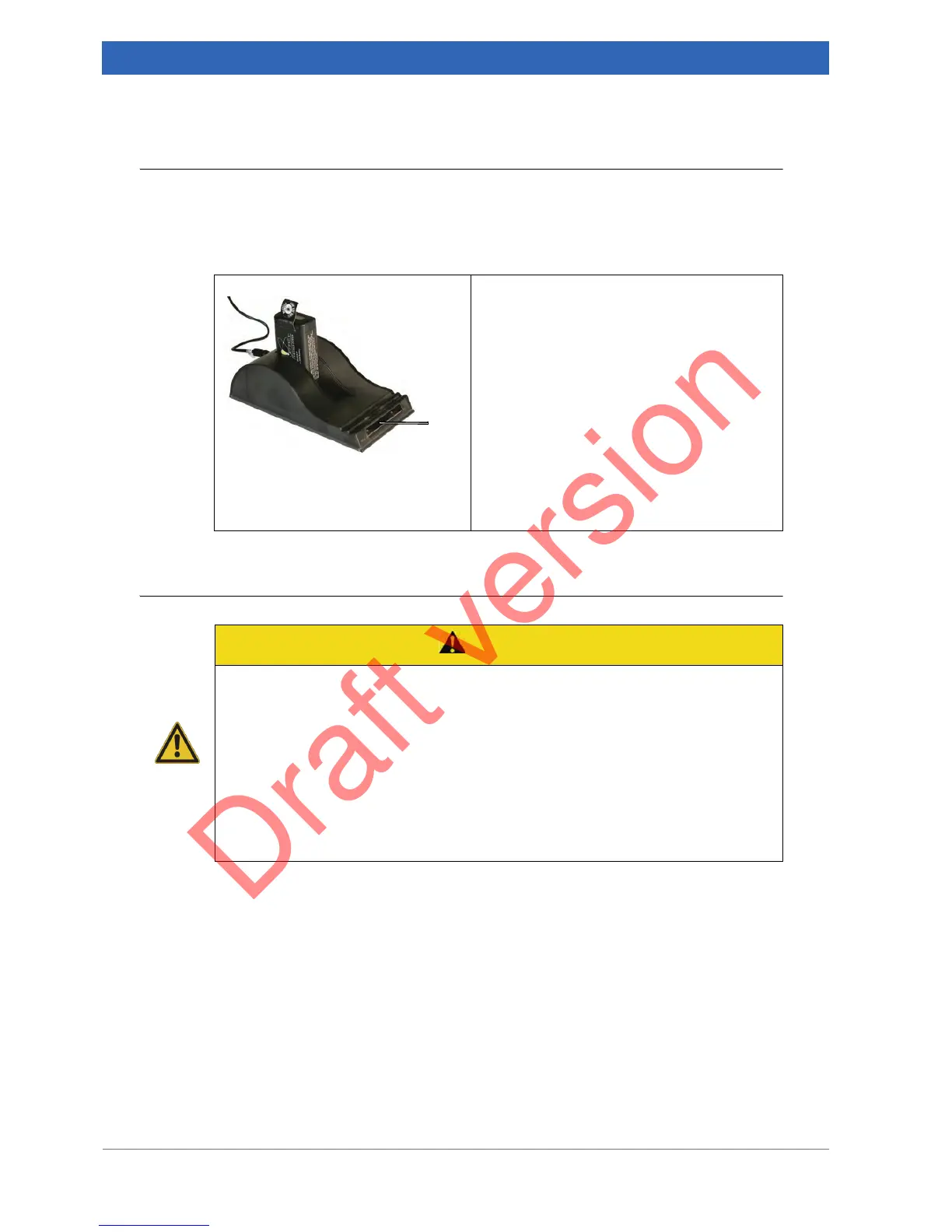
1. Connect the battery charger to the mains
power supply.
2. Place the battery into the battery bay of the
charger ensuring that the 5-way connector
is fully seated.
➣ The charger will automatically begin
charging the battery.
LEDs
① at the battery charger indicate the
charge state of the battery as follows:
• Green flashing: The battery is charging.
• Green solid: The battery is fully charged.
• Red solid: Error
CAUTION
Non-observance of the following safety instructions may result in minor
or moderate (reversible) injury and minor property damage.
➣ Do not expose the charger or power supply to water or liquids. It is not a sealed
case.
➣ Place the charger in a cool spot, away from external heat sources.
➣ Do not cover the air vent or obstruct the air flow. This will cause overheating.
➣ Do not open the charger or the power supply unit. There are no serviceable parts
inside.
➣ Use only the manufacturer’s power supply and observe the terminal polarity.


 To Next Page