41
BRAVO Analyzer - User Manual
Operation 4
4.9.3 Connecting the data station to BRAVO via WLAN
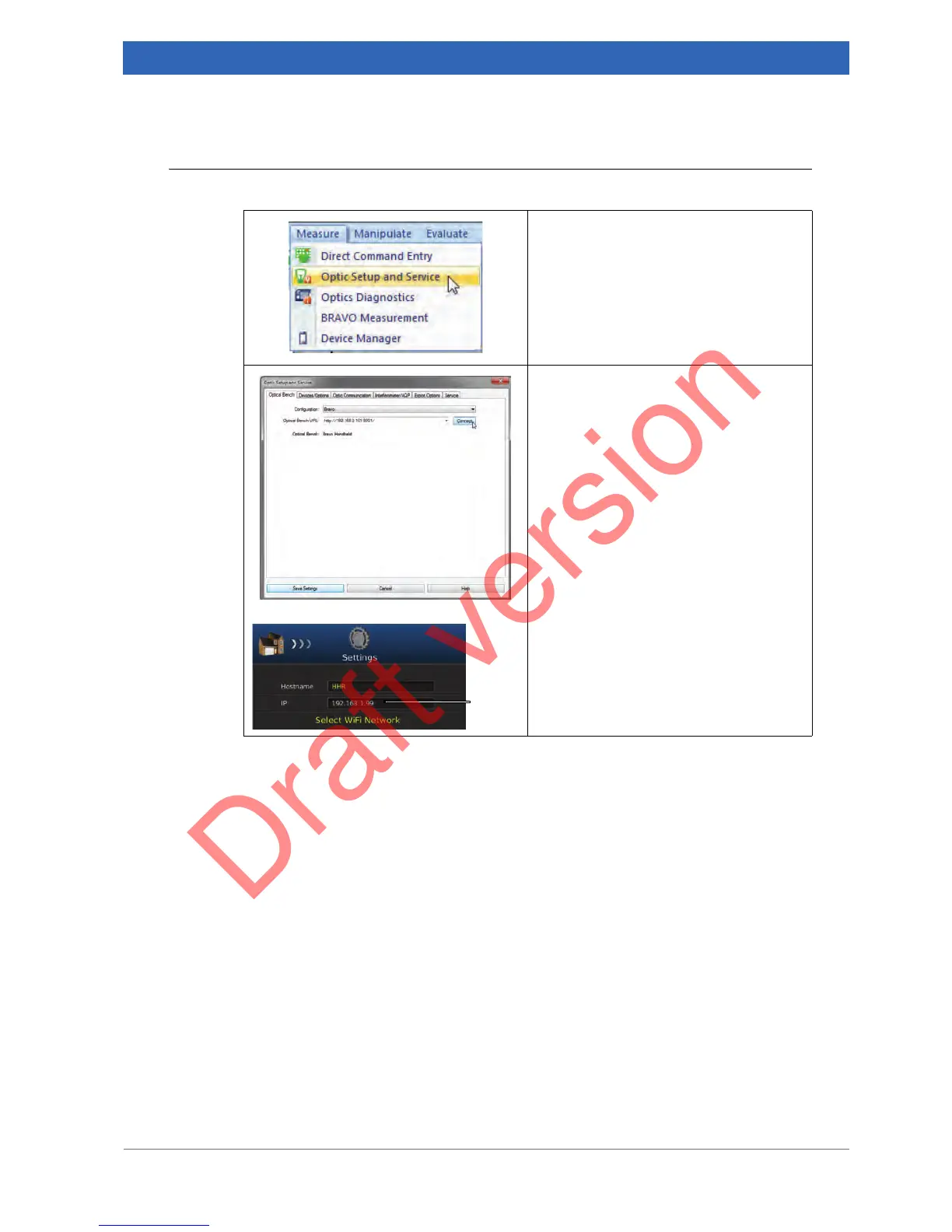
1. Select in the OPUS Measure menu
the Optic Setup and Service func-
tion.
2. Select in the Configuration drop-
down list the option BRAVO.
3. Enter the Optical Bench URL of the
BRAVO analyzer to which you want
to connect. The Optical Bench URL
has the following syntax: http://<IP
address of the BRAVO ana-
lyzer>:8443.
➣ Note: You find the IP address
① of
the BRAVO analyzer in the Network
screen of the BRAVO software.
4. Click on the Connect button.
5. Exit this dialog by clicking on the
Save Settings button.


 To Next Page