47
BRAVO Analyzer - User Manual
Operation 4
4.10.4 Connecting BRAVO to data station
4.10.5 Checking the connection between BRAVO and data station
To find out whether there is a communication connection between the BRAVO analyzer
and the data station, proceed as follows:
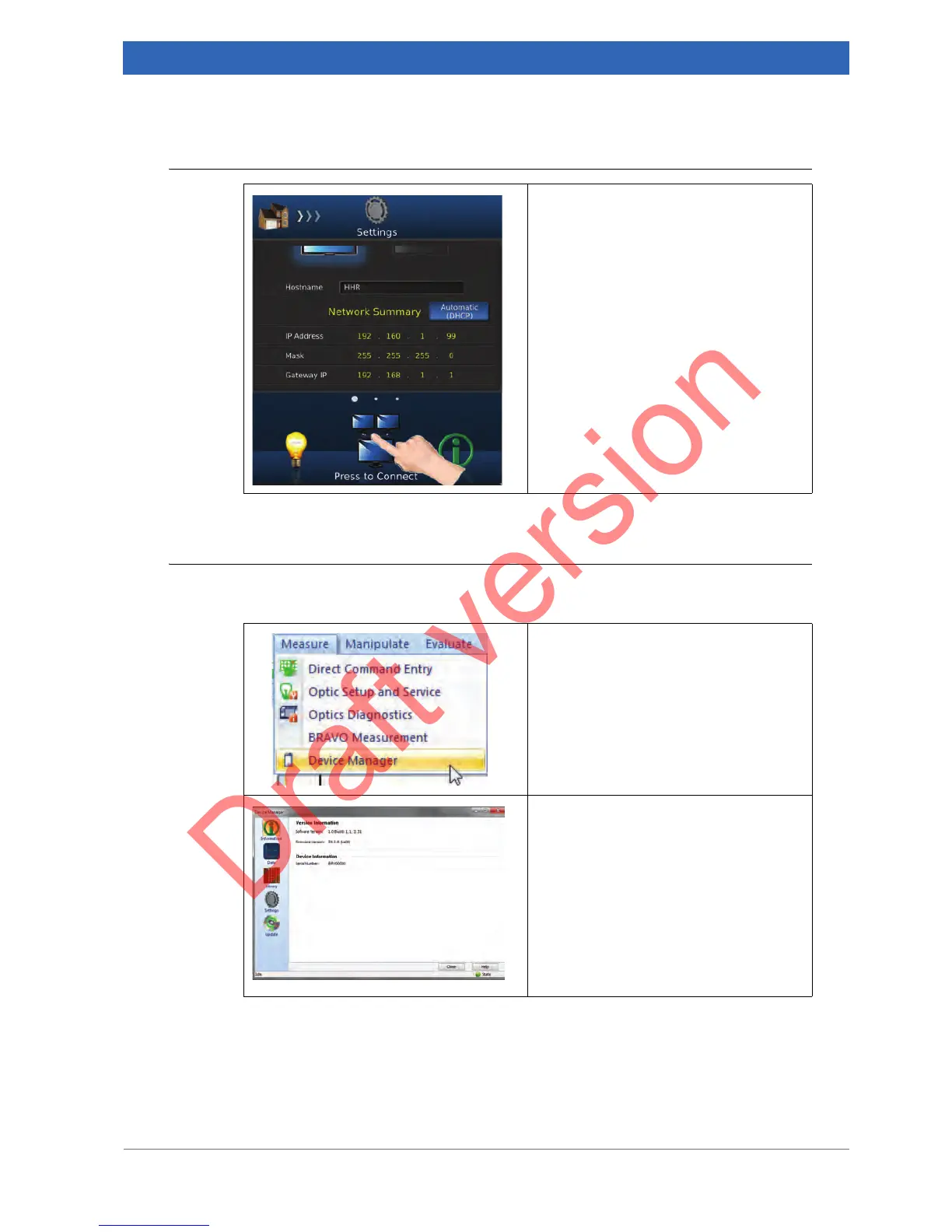
In the toolbar, press the network icon to
establish the connection.
1. Select in the OPUS Measure menu
the Device Manager function.
On the Device Manager page General
Settings you see the serial number of the
BRAVO analyzer to which the data sta-
tion is currently connected.
In case there are no version information
and device information displayed, this
means that the data station is not con-
nected to a BRAVO analyzer at all.


 To Next Page