27
Bruker Optik GmbH BRAVO Analyzer - User Manual
4Operation
i
This manual is restricted mainly to the hardware-related aspects of operation. For
detailed information about the software-related aspects of operating BRAVO, refer to the
BRAVO Software Manual.
4.1 Switching on / off BRAVO
i
in the switched-on state, there is typically a slightly increased heat dissipation at the bot-
tom side of the BRAVO analyzer.
i
It is recommended to switch off BRAVO when it is not in use for a longer period of time in
order to prevent the rechargeable battery from discharging unnecessarily.
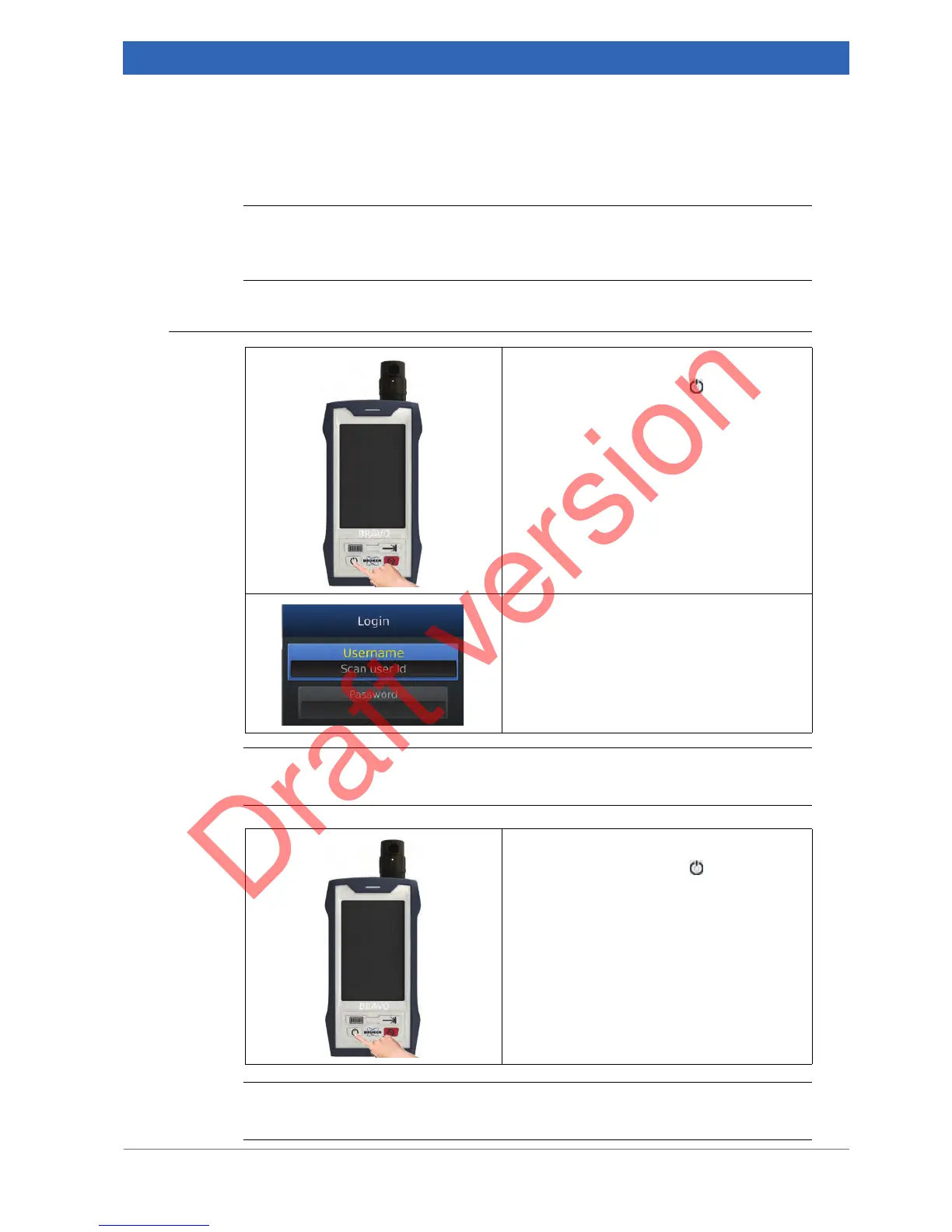
1. Switching on BRAVO
Press the ON / OFF button .
➣ BRAVO starts to boot up. The boot-up
process takes approx. 10 seconds.
2. Waiting for BRAVO to boot up
Wait until the boot-up process is finished and
the Login screen is displayed on the touch-
screen.
☞ For information about how to log in, see
the following section 4.2.
1. Switching off BRAVO
Press the ON / OFF button .
➣ This action switches off the handheld
Raman spectrometer BRAVO. The laser
LED turns off as well.


 To Next Page