32
BRAVO Analyzer - User Manual Bruker Optik GmbH
Operation 4
4. Waiting until the measurement is
finished and the result is displayed on
the touchscreen
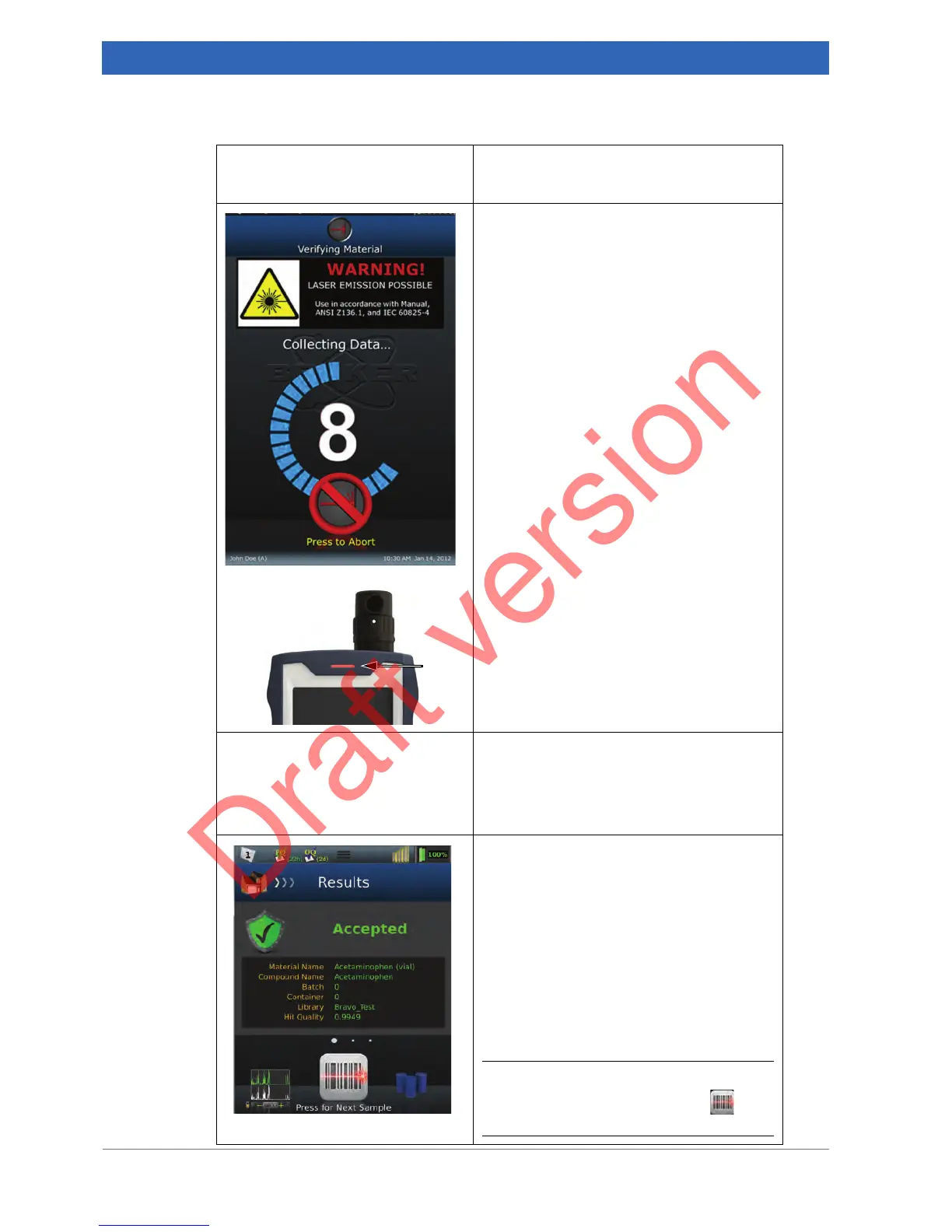
Sample measurement in progress
WARNING! LASER EMISSION POSSIBLE!
☞ For detailed information about the laser
exit points and laser safety, refer to
section 1.4.
The measurement progress is indicated by a
countdown timer showing the remaining
measurement time.
Note: If additional time is required, a second
countdown timer will appear after the pre-
scan.
Important Note: As long as the measure-
ment is in progress, the BRAVO spectrome-
ter emits laser radiation. This is indicated by
a red laser status LED
①. As soon as the
measurement is finished, the laser status
LED returns to blue (solid). This means, the
laser is enabled but it emits no radiation.
Automatic comparison of spectra
Immediately after the data collection, the
BRAVO software compares automatically the
measured sample spectrum with the refer-
ence spectra of the used spectra library.
Automatic display of the result
Afterwards, the result of the spectra compari-
son is displayed automatically. The result cat-
egories Accepted and Rejected tell the user
whether the expected material is confirmed
clearly on the basis of the used spectra
library or not.
☞ For detailed information about this topic,
refer to the BRAVO Software user man-
ual. This manual is delivered as pdf file
on an USB flash drive.
i To proceed with scanning the barcode of
the next sample, touch the icon in the
navigation bar.


 To Next Page