SMART MATRIX CUBE Operation
MATRIX CUBE - 30 -
2.2.2 Windows Swap
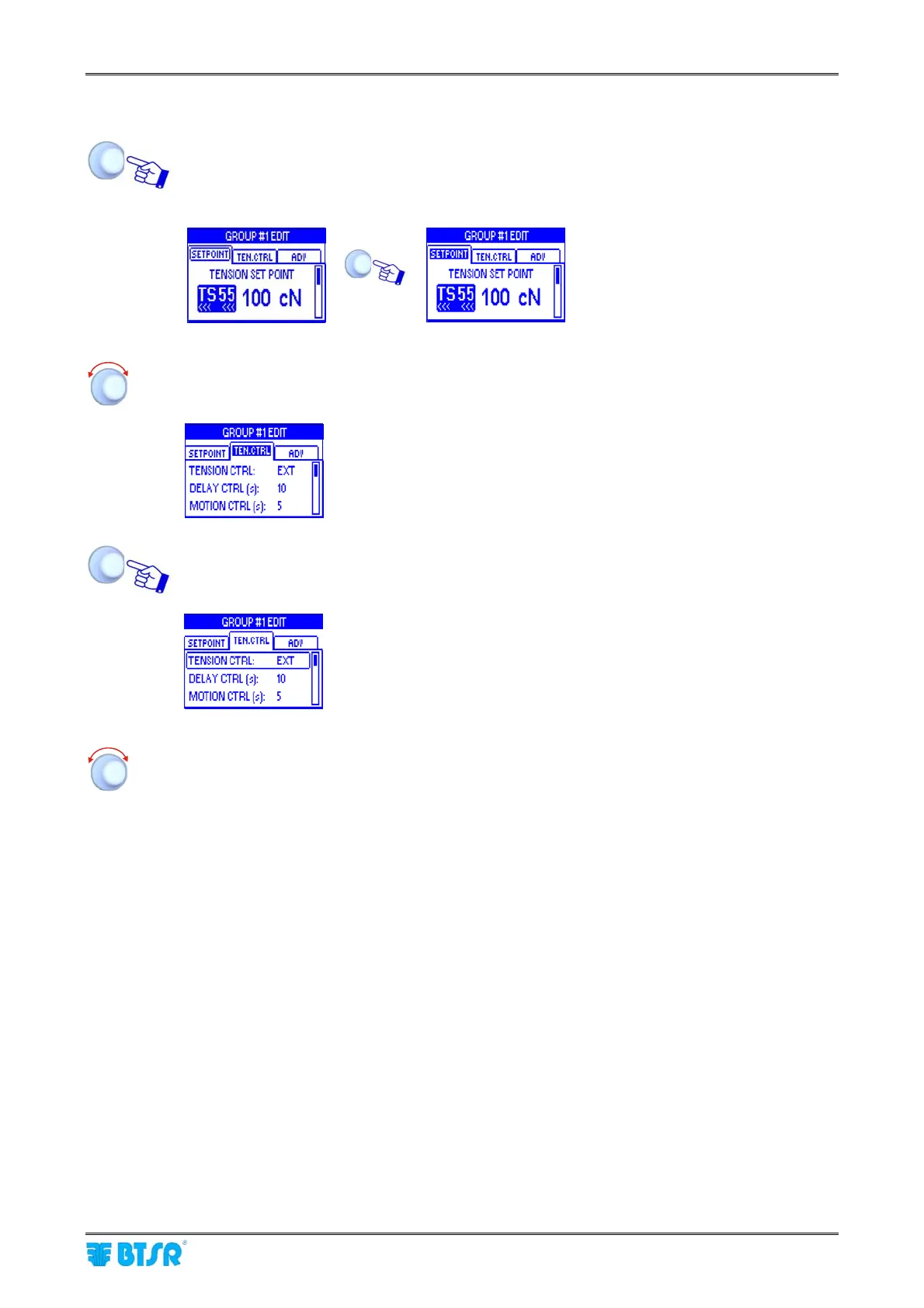
Turn the selector to “Point” the label of the current window (SETPOINT) and click to select it.
Example:
Î
SETPOINT window
highlighted
Turn the selector to “Point” the remaining window (TEN.CTRL).
TEN.CTRL window
highlighted
Click to select the TEN.CTRL window and enable the access to its parameters .
The TEN.CTRL
window is now the
current one
Select the desired parameter as explained on previous paragraph:
1 – Navigation throughout the Display Windows (SETPOINT)











 To Next Page