19
• When accessing shared folders through WebAccess from a remote location, the username and password may be
required for certain operations. For best results, create a user account with permissions on the WebAccess share
before using WebAccess.
8 Click Edit.
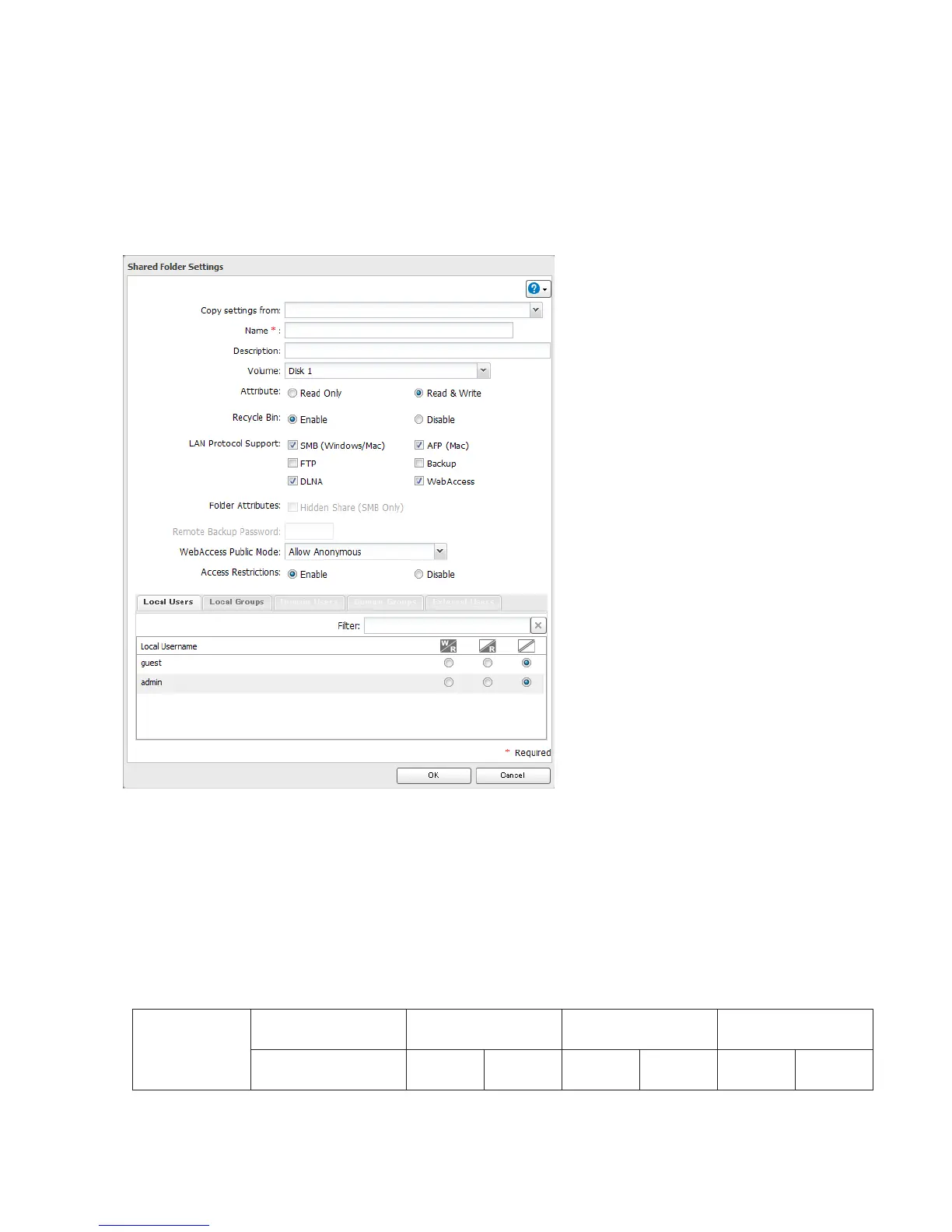
9 Navigate to File Sharing - Folder Setup and choose the folder you will use for WebAccess. Enable “WebAccess LAN
protocol support”.
Notes:
• The following levels of security are available:
“Allow Anonymous” - Anyone can access (view) shared folders.
“Allow All Groups and Users” - All groups and users registered on the LinkStation or TeraStation can use
WebAccess.
“Use Inherited Folder Permissions” - Users and groups have the same access permissions with WebAccess that
they do locally. If access restrictions are not set for the shared folder, then this option will not be shown.
• When a user or group can access a folder through WebAccess depends on a combination of WebAccess settings
and the shared folder’s settings.
Folder Setup
WebAccess Public
Mode
Allow Anonymous
Allow All Groups and
Users
Use Inherited Folder
Permissions
Folder Attribute
Read &
Write
Read
Only
Read &
Write
Read
Only
Read &
Write
Read
Only















 To Next Page