42
Adjustment and functions
9.5.4. Setting the flow rate range
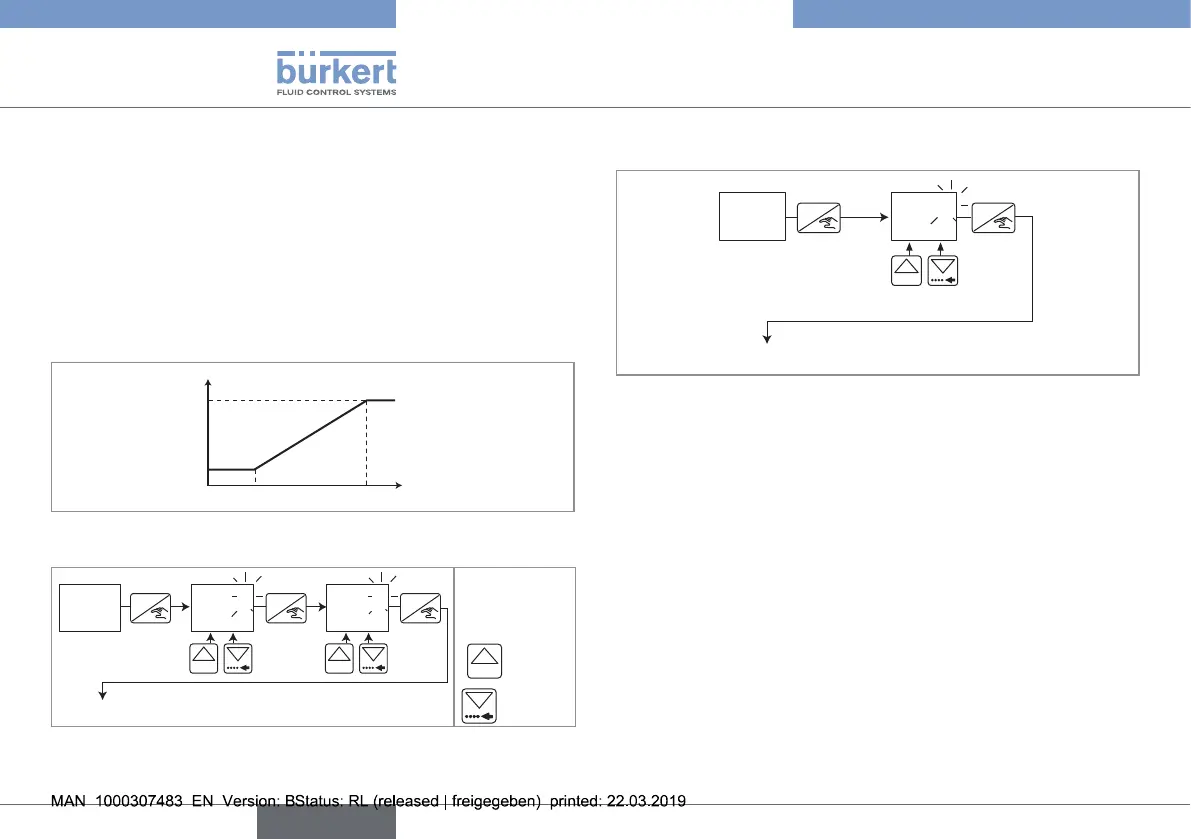
associated to the 4...20 mA output
The 4...20 mA output provides an electrical current, the value of
which reflects the flow rate measured by the device.
• The signal may be inverted, i.e. the flow rate value associated
to the 20-mA-current is lower than the one associated to the
4-mA-current.
• The current output gives a 22-mA-current when the device shows
an operating error.
4
20
20 180
mA
l/min
Fig. 34 : Example of relation between the measuring range and the
current output
ENTER
0......9
*
0......9
*
ENTER ENTER
MA
0.200
4ma
1.000
20ma
To function "FILT"
* to move the
decimal point,
simultaneously
press keys
0......9
and
→ Enter the flow rate values, in the unit that has been chosen in the
UNIT parameter, related to the 4...20-mA-current range.
9.5.5. Choosing the filter of the flow rate
To function "BRGR"
ENTER
0......9
ENTER
FILT
2
FILT
The "Filter" function is used to attenuate the display and 4...20 mA
output, if any, fluctuations when the flow rate varies in the process.
Ten attenuation levels, from 0 (means no attenuation) to 9 (maximum
attenuation of the fluctuations) are available.
English
Type 8032 - SE32



 To Next Page