37
Start-up
10.2 Setting with Bürkert Communicator
The Bürkert Communicator can be used to make all settings on the device.
The settings in the Bürkert Communicator can be found in the operating manual.
10.2.1 Connecting IO-Link device with Bürkert Communicator
Required components:
• Communications software: Bürkert Communicator for PC
• büS standard set (see accessories)
• büS adapter for büS service interface (see accessories)
• If necessary, a büS cable extension (see accessories)
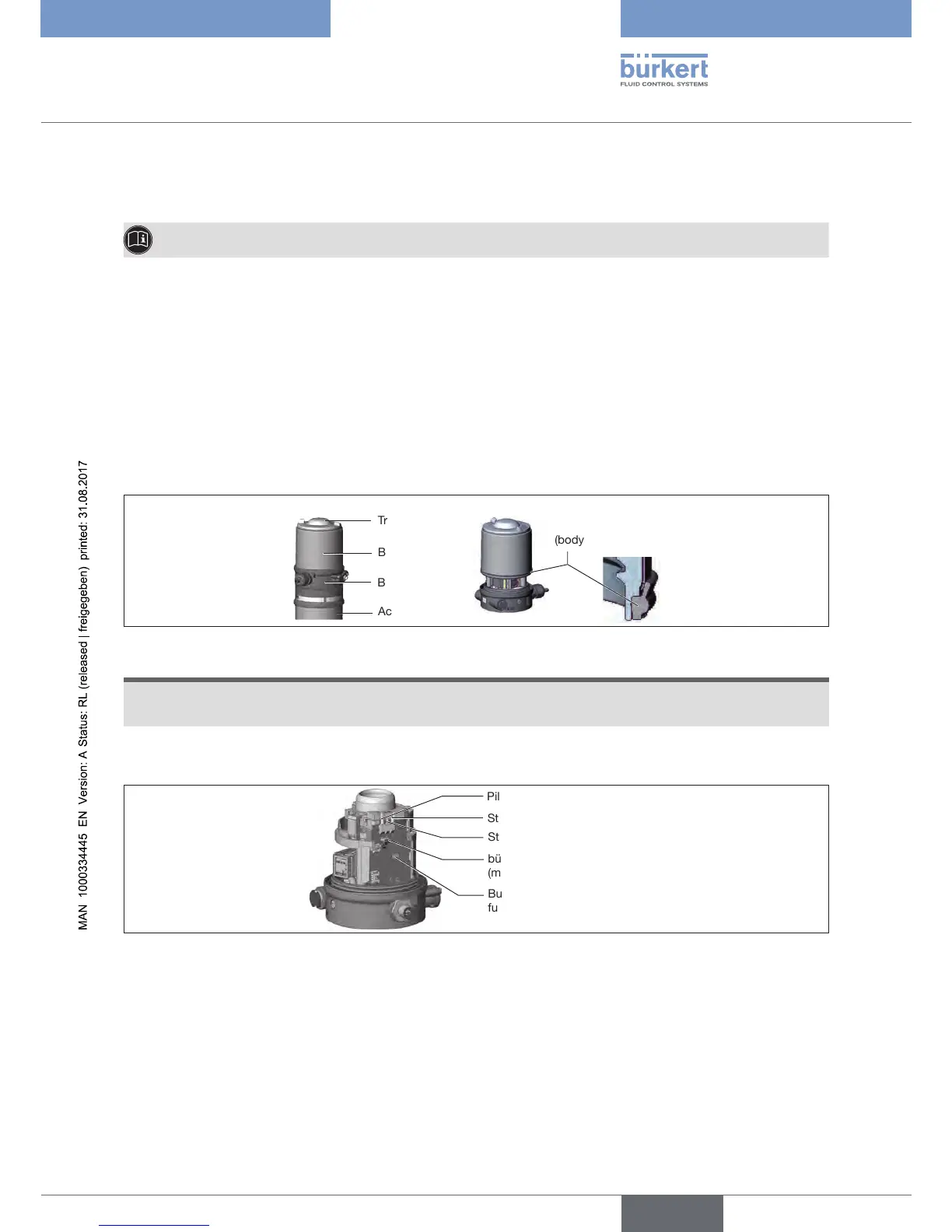
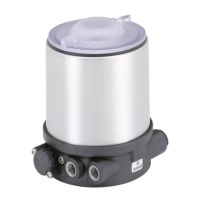
Body casing
Basic housing
Actuator
Transparent cap
Seal
(body casing)
Closing device:
Figure 29: Opening or closing the device
NOTE
Breakageofthepneumaticconnectionpiecesduetorotationalimpact.
▶ When opening or closing the device, do not press against the actuator, but against the basic housing.
→ Screwothebodycasingbyturningcounterclockwise.
Pilot valve LED (V)
Status LED (red)
Status LED (green)
Button to start the teach
function
büS service interface
(micro USB plug)
Figure 30: büS service interface
→ Insert micro USB plug in büS service interface.
→ Establish connection to PC with büS stick.
→ Starting Bürkert Communicator.
→ Implementing settings.


 To Next Page