CALREC Putting Sound in the Picture 101
CONTRIBUTION MODE
Contribution mode allows the user to
see all contributing paths that have
been routed to a selected bus, this
feature, previously known as reverse
routing interrogation also provides
the user with the ability to AFL the
selected Aux, Track and Group
buses as they are routed and further
provides the ability to put Aux Sends
on Faders to allow aux mixes to be
created from the fader bed.
Accessing Bus Contribution
To get into Contribution mode set a panel
on the surface to SEND & ROUTE assign
mode by pressing the Send & Route
button. The assign touchscreen then
shows controls for routing the assigned
path to the many destinations available, as
shown in “Making a Route” on page 96.
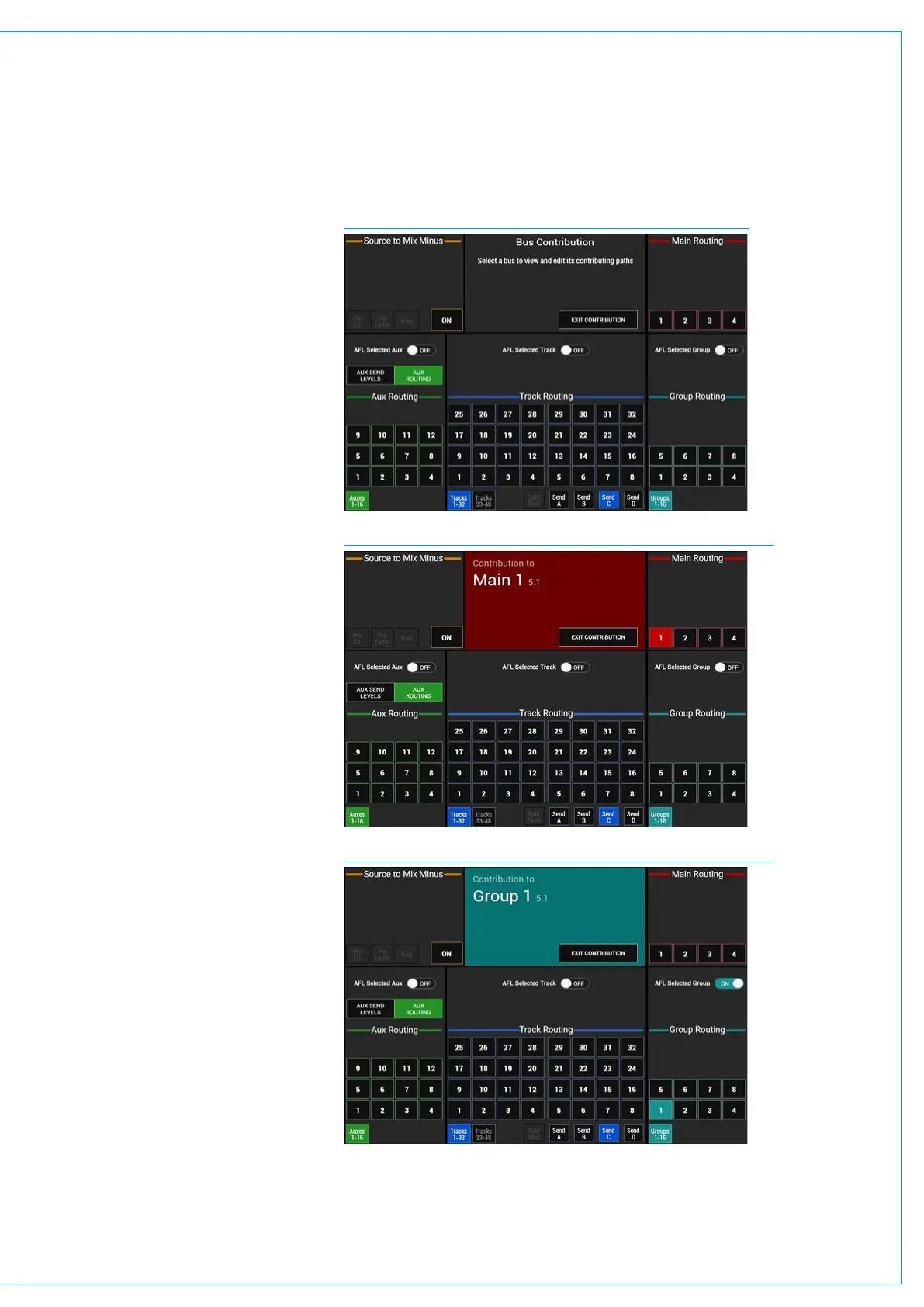
Notice in the central title area at the top
right of the screen containing the text
‘View Bus Contribution’ touching this area
will switch the screen into the No Bus
Selected configuration screen as shown
in Fig 1 above right.
When the screen is switched to bus
contribution mode, tap to select any
destination that you wish to interrogate.
If a path on the current layer is routed
to the selected main, group, track, aux
or mix minus bus, it’s path assign button
will strobe. The path assignment buttons
of any paths that are not routed to the
selected bus will be unlit.
This alerts users to paths routed from
any fader layer on the surface, including
those located within other user sections,
allowing operators to check routing is
correct, or quickly find offending paths
that are incorrectly routed.
Fig 2 to the right shows ‘Main 1’ on the
contribution screen and Fig 3 below
right shows ‘Group 1’ on the contribution
screen.
FIG 1 - NO BUS SELECTED ON ROUTING SCREEN
FIG 2 - MAIN 1 ON BUS CONTRIBUTION ROUTING SCREEN
FIG 3 - GROUP 1 ON BUS CONTRIBUTION ROUTING SCREEN



 To Next Page