134 ARTEMIS Digital Broadcast Production Console Communications
TALKBACK
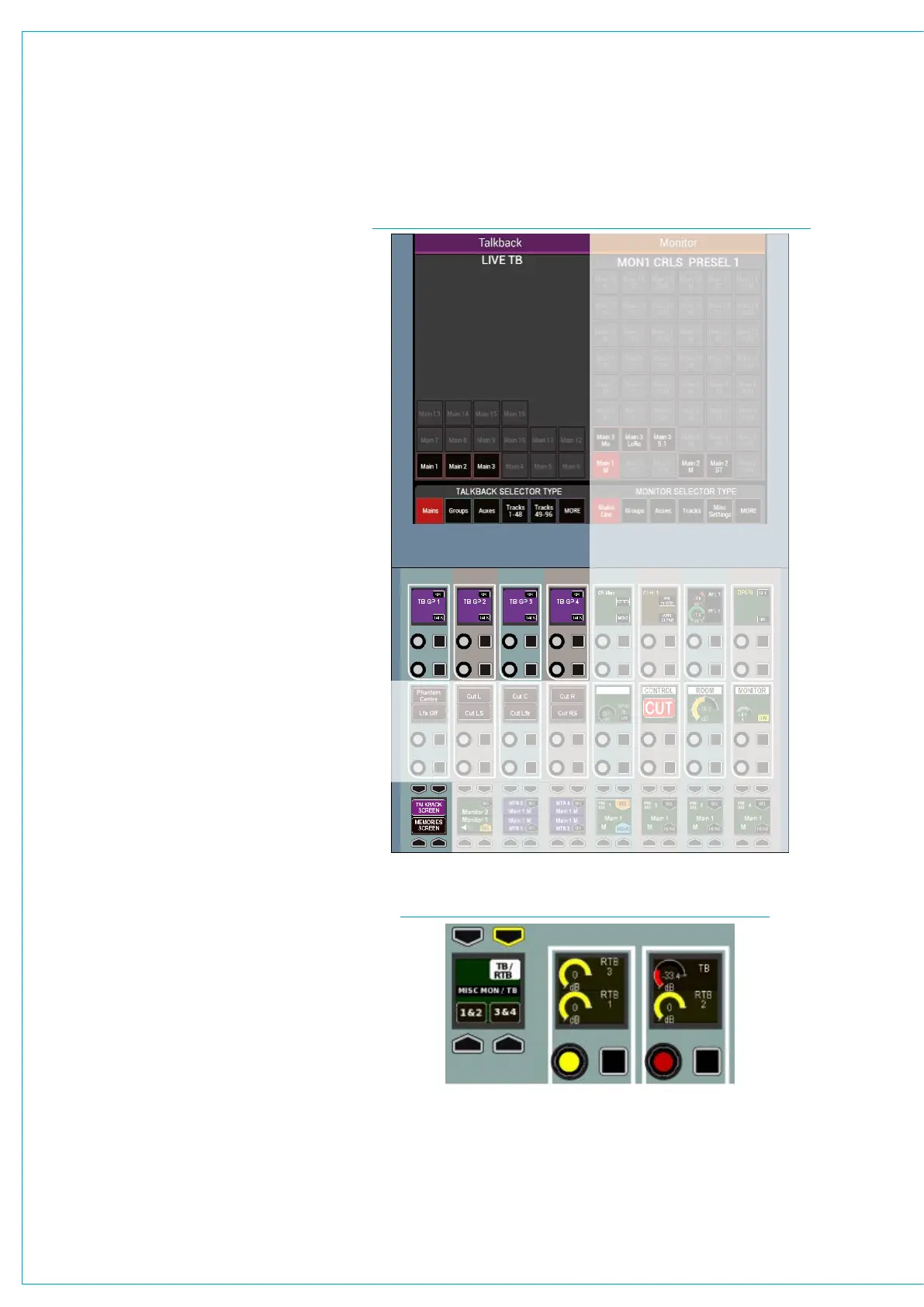
Talkback facilities can be set up and
activated through the monitor panel,
shown in Fig 1.
The left hand side of the TFT panel, when
in monitor mode, can switch between
viewing talkback selection and user
memories from the button cell in the
bottom left corner of the mode area, as
shown in Fig 1.
Live talkback routing
To toggle talkback, touch a destination
in the left hand side of the touchscreen,
below the words ‘Live Talkback’.
The talkback latches, allowing
multiple destinations to be selected
simultaneously.
Talkback groups
There are four talkback groups
available which can be set up to allow
multiple talkback destinations to be fed
simultaneously with a single button press.
These group controls are located in the
middle row of control cells at the left hand
side of the panel and are also repeated on
the monitor panel.
To set talkback group destinations, press
and hold the upper SEL button in the
relevant control cell, then tap the required
destinations on the touchscreen.
To toggle talkback to a group, press the
lower TALK button in the relevant control
cell.
Talkback & Reverse Talkback levels
On the fully featured monitor panel, or on
the fader/monitor panel, the level of the
talkback may be adjusted using the TB
control.
There are three reverse talkback inputs
into the system. The level of these reverse
feeds may be adjusted using the RTB 1, 2
or 3 controls.
FIG 1 - TALKBACK CONTROLS IN MONITOR MODE
FIG 2 - TALKBACK LEVELS ON MONITOR PANEL



 To Next Page