38 ARTEMIS Digital Broadcast Production Console
Control Panel Modes
A/B path indicator
There is an indicator below each
routing strip on the TFT which shows
the fader number and path label. This
changes colour to indicate whether the
A (green) or B (yellow) path is selected
on the fader. The currently assigned
path is coloured blue.
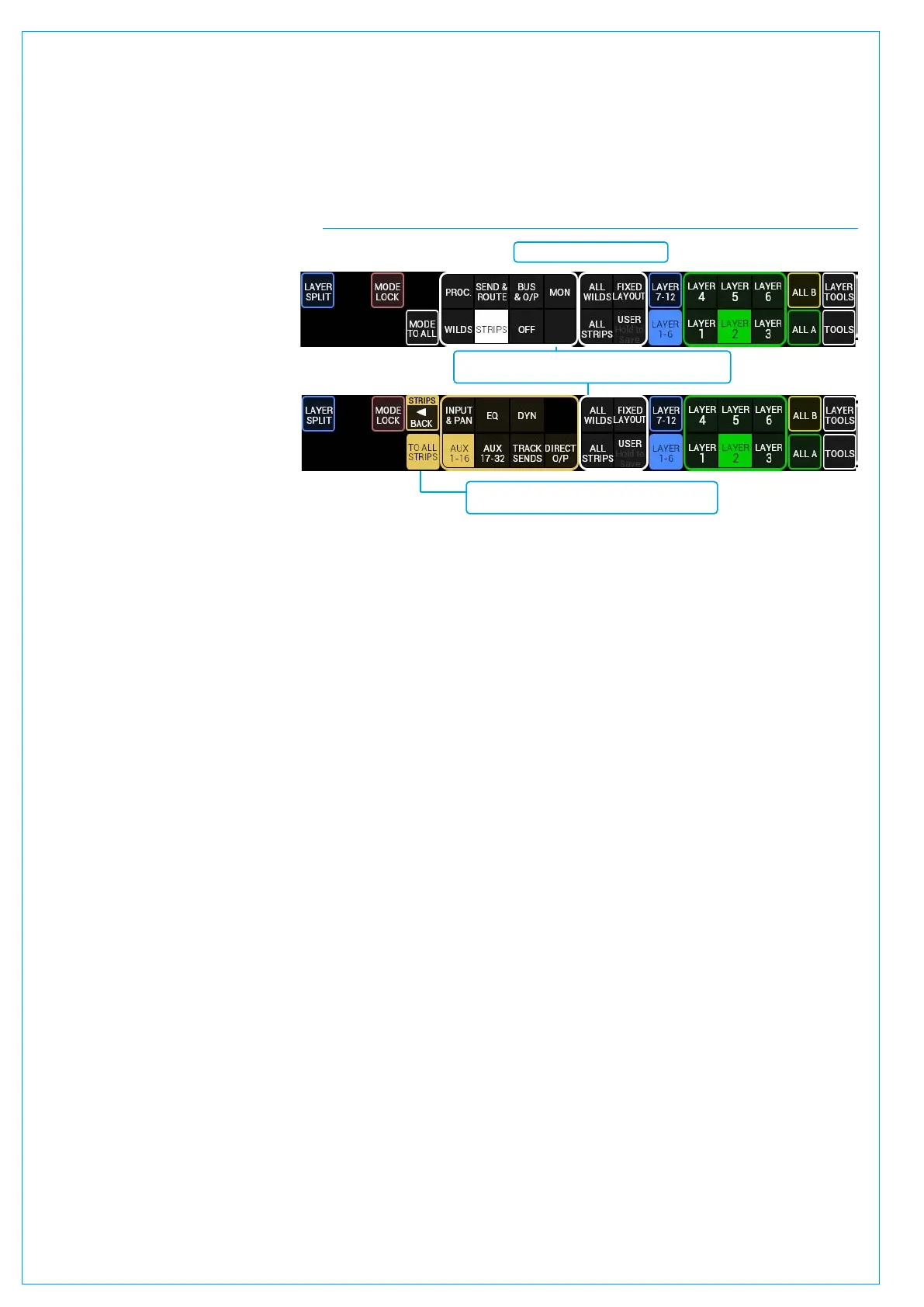
Changing Strips types
When STRIPS mode is selected
on the Modes and Layers row, the
available strips types are shown here
(Input & Pan, EQ, Dynamics, Aux 1-16,
Aux 17-32, Track Sends and Direct
Outputs). To select an arrangement of
strips, touch the desired strip to assign
it to the panel. Touch the BACK TO
MODES button to return to the typical
Modes and Layers row display. This
process is illustrated in Fig 2.
FIG 2 - SETUP STRIPS ON THE MODES ROW
Modes row in its typical state.
After touching the STRIPS button, the different Strip
control options are shown.
Touching the BACK TO MODES button re-
turns the Modes row back to its typical state.
PROCESSING



 To Next Page