164 ARTEMIS Digital Broadcast Production Console Console Facilities
ON AIR AND REHEARSE MODES
In addition to the normal operation mode,
the console can be switched into one of
two modes which impose restrictions on
console operations.
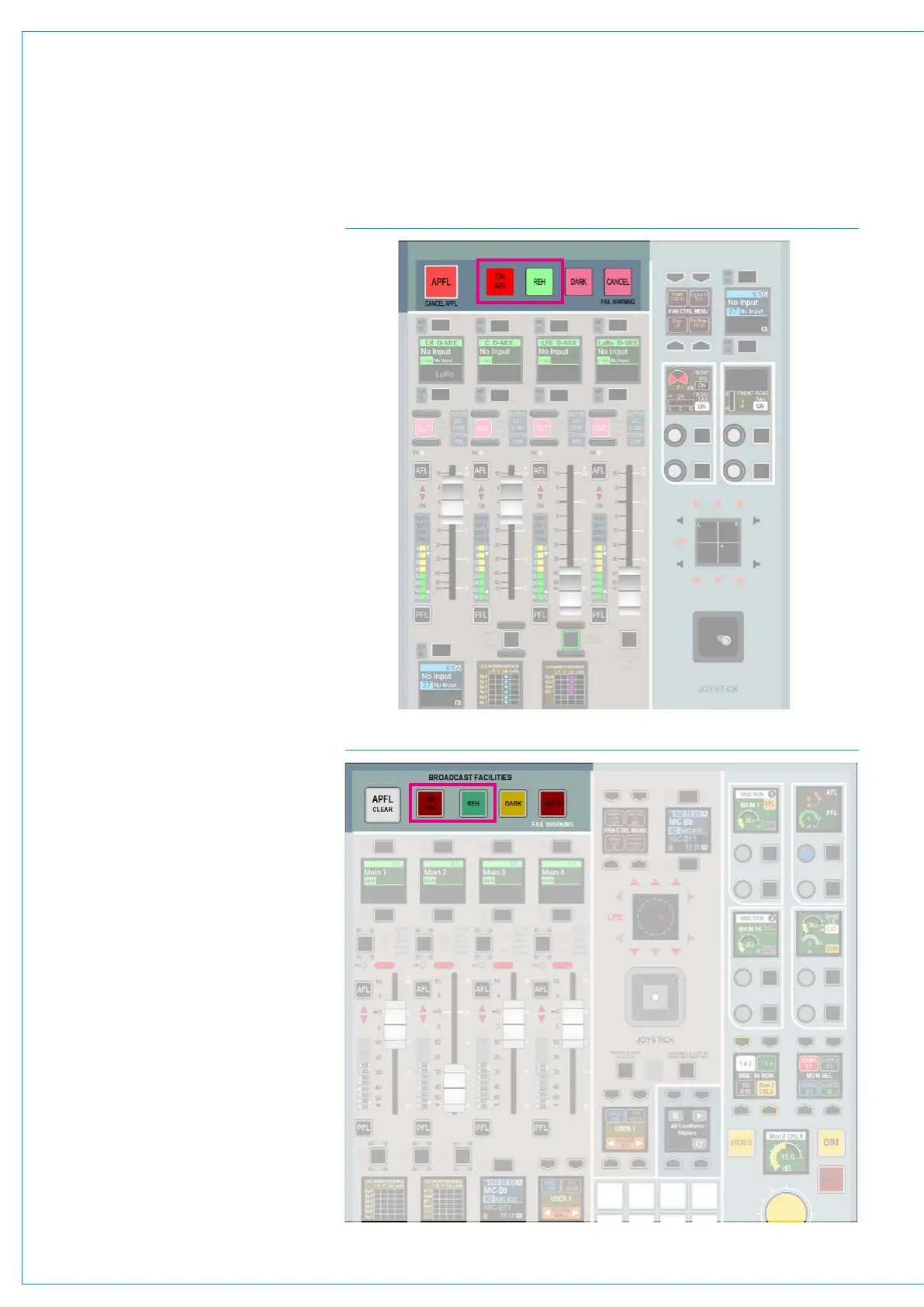
The broadcast facilities area of the panel
contains two buttons labelled REH
(Rehearse) and ON AIR. Pressing either of
these buttons sets the console to run in the
relevant mode, see Fig 1 & Fig 2.
External interfaces can also trigger the
console into switching these modes on or off
with a signal sent via the console’s general
purpose inputs. For GPIO configuration see
“GPIO” on page 170.
On Air
On Air mode prevents the operator from
performing certain actions that could be
disastrous to the continued output of intended
programme material. It currently imposes the
following restrictions:
• Talkback to main outputs is disabled
• All other talkback dims control room
loudspeakers
• All tone is disabled
It can also be used to control an external
interface (such as an On Air light in the
studio) via the console’s general purpose
outputs. In this case, when the console was
switched into On Air mode, the restrictions
would be put in place and the On Air light
would be lit.
Rehearse
The Rehearse mode provides similar
functionality to the On Air mode but imposes
a different and usually less severe set of
restrictions on the console.
Currently Rehearse mode sets all talkback
to dim the control room loudspeakers. It
also allows control over a separate external
interface via GPOs than the On Air mode,
such as a Rehearse light.
Neither mode selected
Restrictions can also be put in place when
neither mode is selected. Currently the
restrictions are the same as for rehearse
mode.
FIG 1 - ON AIR AND REHEARSE BUTTONS ON DEDICATED MONITOR PANEL
FIG 2 - ON AIR AND REHEARSE BUTTONS ON FADER/MONITOR PANEL



 To Next Page