130 ARTEMIS Digital Broadcast Production Console Monitoring
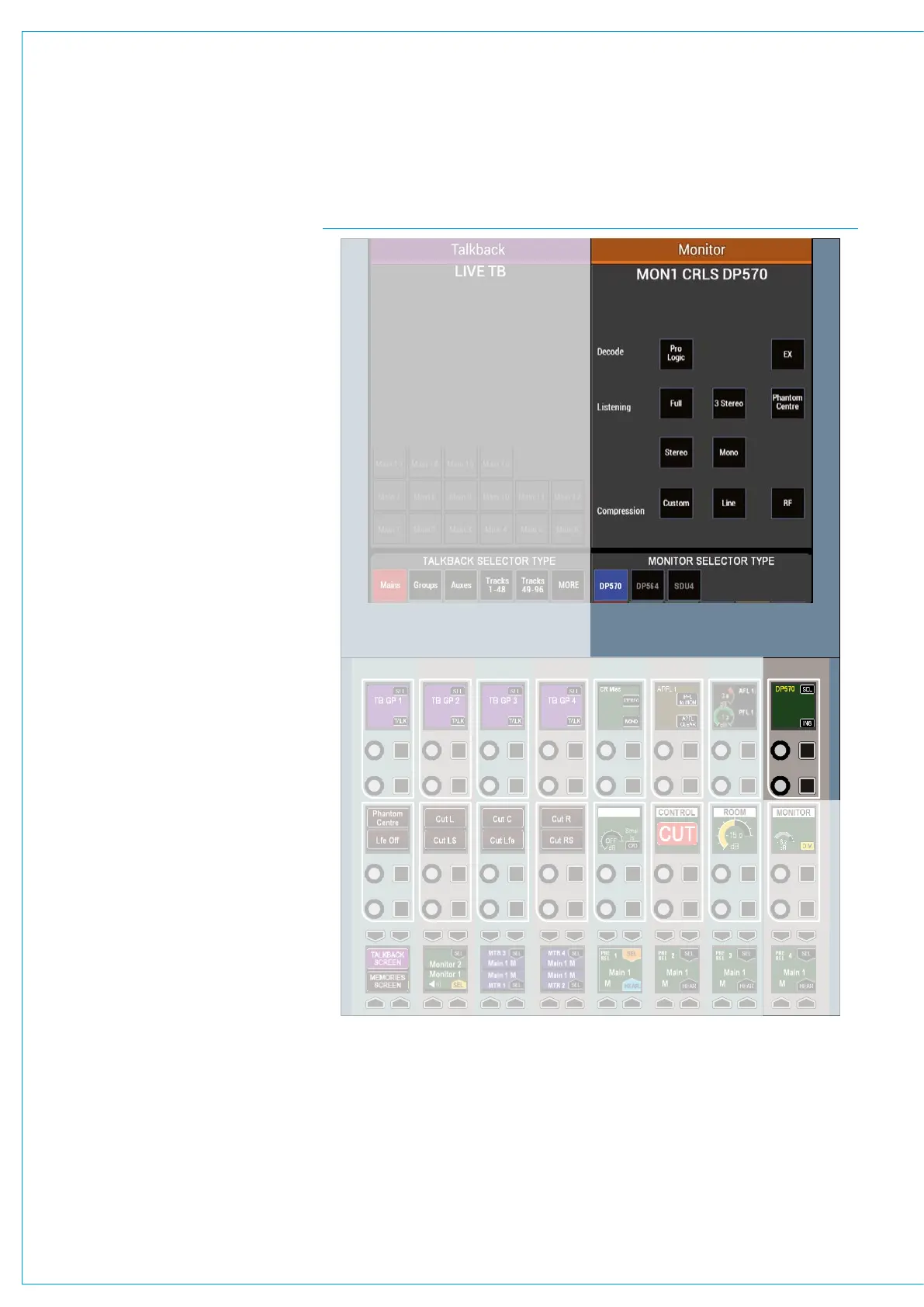
FIG 2 - MONITOR INSERTThe monitor insert can be placed in the
signal path, or alternatively be bypassed
using controls on a fader panel in monitor
mode, see Fig 2.
To manage the mode of the surround
encoder/decoder use the SEL button
to bring up a remote encoder screen in
the right half of the TFT touchscreen.
The software has specific touchscreen
controls and indicators for three different
models of Dolby unit and the required one
is chosen at the bottom of the panel. The
upper part of the screen provides mode
selection for the chosen unit.
The modes can be chosen by touching
on the buttons which illuminate to show
the current status. It should be noted that
whilst the SDU4 uses latched outputs
from the console, the DP570 and DP564
only show status information as returned
by signals from the encoder/decoder
units.
The control outputs and tally inputs are via
the console’s GPIO system so can also be
used to control other models and brands.
The detailed hardware connections
for remote controlling Dolby units is
described in the Installation Manual.
To assign the GPIO ports use the
>Hydra2 Settings page, filtering the
GPO functions to the chosen relay in a
convenient I/O box and the opto return
input to the relevant GPI function.



 To Next Page