Chapter 2
2-6
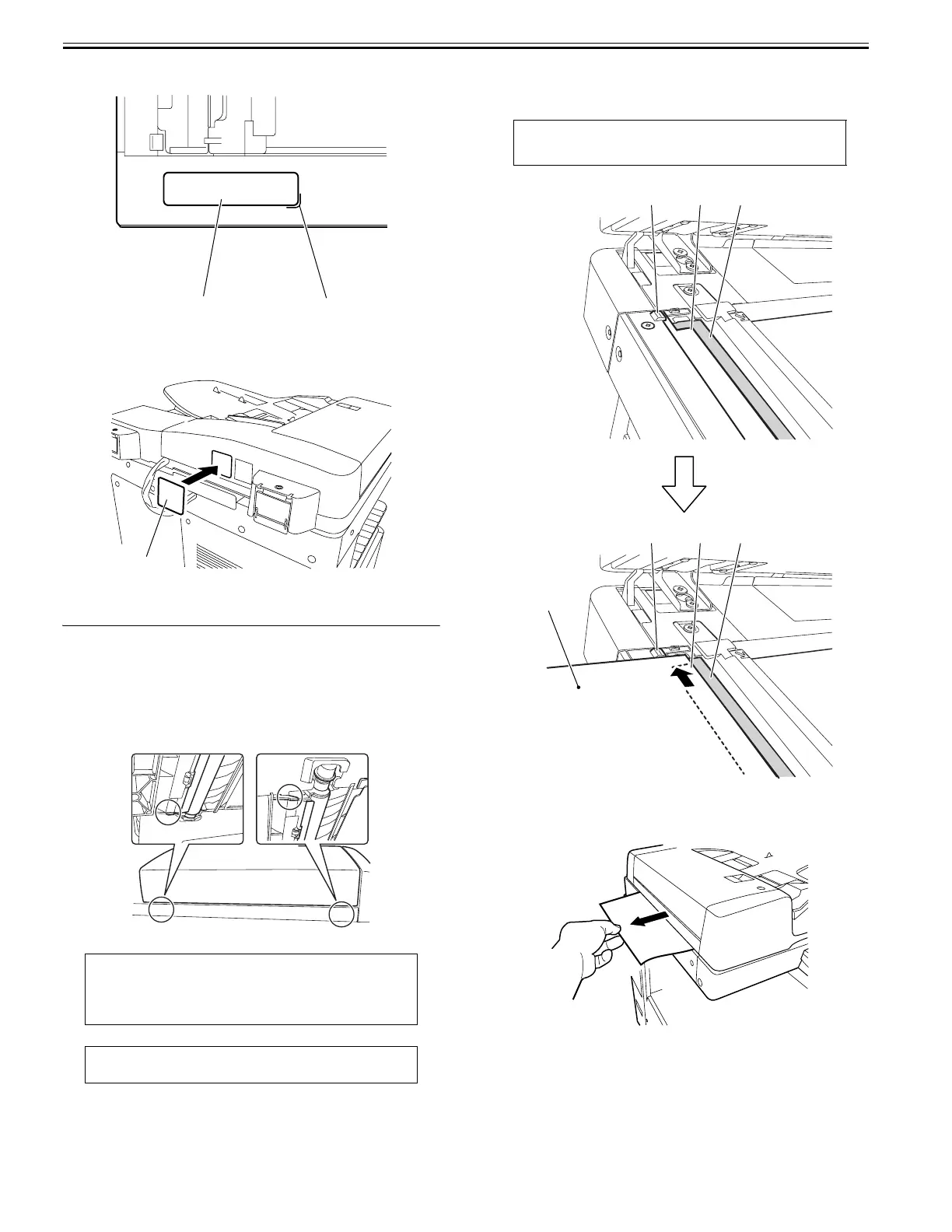
2) Affix the supplied glass cleaning/lamp caution label [1] of the appropriate
language to the reader front cover aligning with the mark-offline [2].
F-2-17
4) Close the DADF and move to the rear of the host machine.
5) Attach the supplied finger pinch caution label 1 [1] of the appropriate lan-
guage to the DADF rear cover, if necessary.
F-2-18
2.3 Making Adjustments
2.3.1 Adjusting the Height
0024-3816
1. Pre-check
Check whether the front and rear document glass spacers provided under
the bottom of the DADF are in close contact with the document glass
when the DADF is closed.
If visual check is difficult, perform the check with reference to the next
and subsequent pages.
F-2-19
2. Checking the left hinge height
1) Checking the rear-left height of the DADF
Set paper against the protrusions [1] of the stream reading glass in such a
manner that the seat [2] of the stream reading glass is nearly hidden.
F-2-20
2) Pulling out the set paper
Pull out the paper in the direction of the arrow to check that you feel slight
resistance.
F-2-21
MEMO:
Insert a sheet of paper between the DADF stream reading glass and the
document glass spacers (two) and pull out the sheet. It is recommended that
slight resistance is felt when pulling out the sheet.
CAUTION:
- Use plain paper.
[1]
[2]
[1]
CAUTION:
Set paper so that it does not reach the document reading area [3].
[1]
[2]
[3]
[1]
[2]
[3]
Paper










 To Next Page