Chapter 2
2-8
[Right side view]
F-2-26
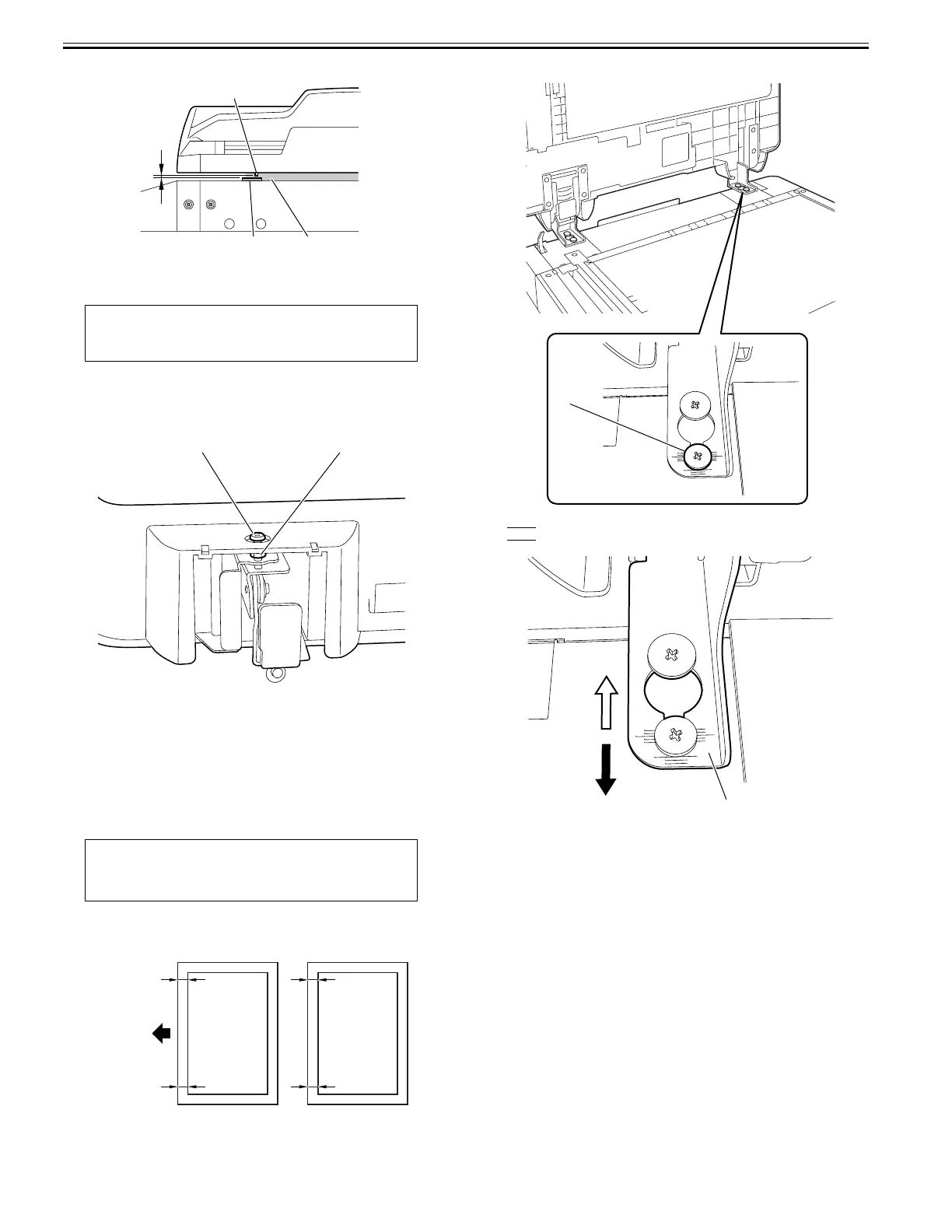
6. Adjust the height of the right hinge
1) If the height is improper, adjust it with the right hinge adjusting screw [1].
* Turning the adjusting screw clockwise reduces the front-right side height
of the DADF.
* Turning the adjusting screw counter clockwise increases the front-right
side height of the DADF.
F-2-27
2) Check the height of the left hinge. If the height is inappropriate, adjust it
again.
2.3.2 Turning On the Host Machine
0024-3817
1) Connect the power cable plug to the wall outlet.
2) Turn on the main power switch.
2.3.3 Adjusting the Perpendicularity
0024-3819
1) Load a test chart in the DADF to make a copy.
2) Check the perpendicularity at the leading edges of the test chart and copy.
Measure dimensions A and B on the test chart and dimensions A' and B'
on the copy. If it is not (A-B)=(A'-B'), go through Step 3) and later.
F-2-28
3) Loosen the screw to adjust the right hinge position.
F-2-29
A'>B': Slide the hinge [1] forward [F].
B'>A'
: Slide the hinge [1] backward [R].
F-2-30
4) Tighten the fixing screw loosened in Step 3).
CAUTION:
Loosen the lock nut [2] before adjustment, and tighten it after adjustment.
MEMO:
The test chart is printed on the back cover of the Installation Procedure (this
manual). Copy it or clip it out.
A
[2]
[1]
[3]
[1] [2]
B
A
B’
A’
AA
B
B
Chart feed
direction
Test chart copy
[1]
[1]
[F]
[R]










 To Next Page