Chapter 4
4-3
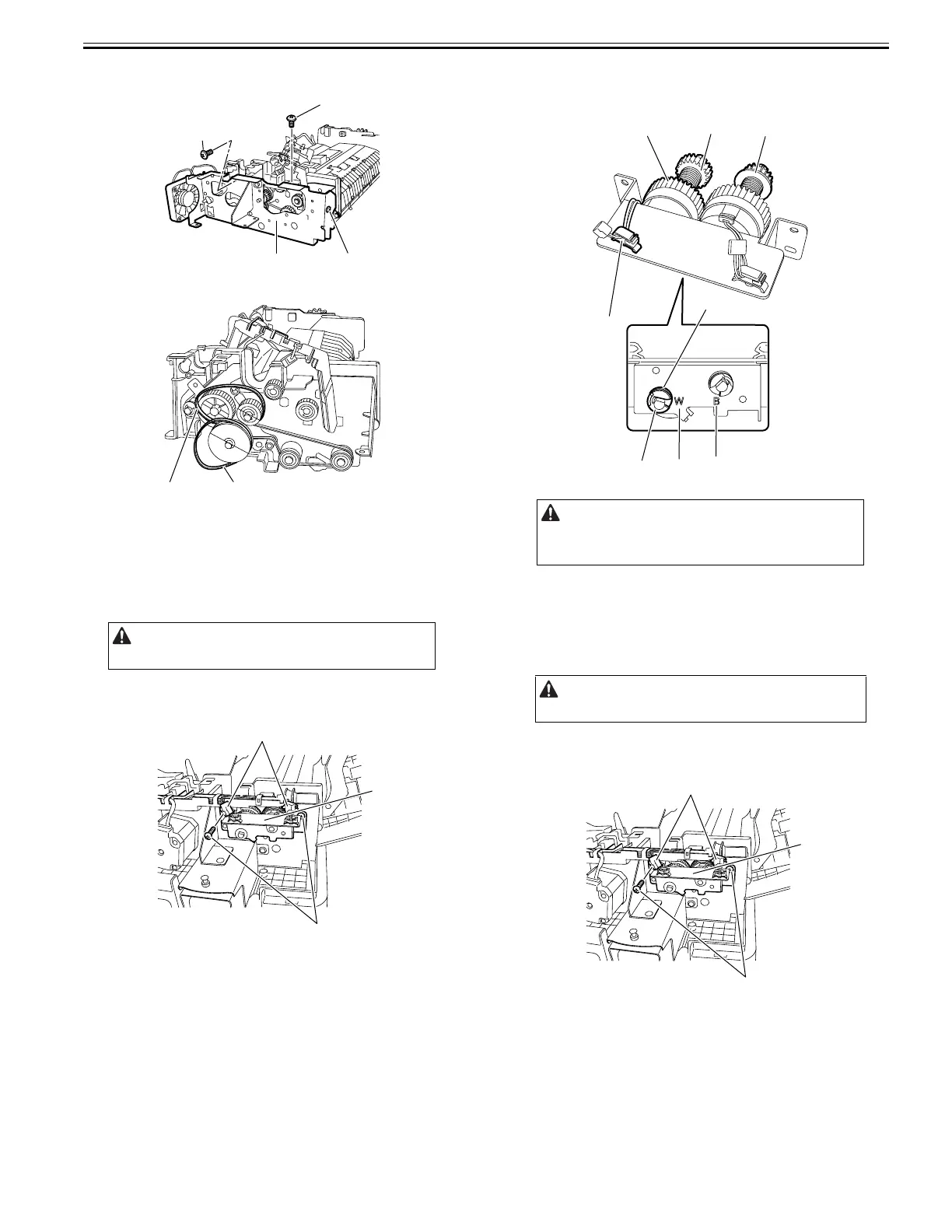
14) Remove the metal plate [1].
- Screw [2], 3 pcs.
F-4-10
15) Remove the two timing belts [1].
F-4-11
4.3.4 Pickup Clutch
4.3.4.1 Removing the Pickup Clutch
0024-7015
1) Open the feeder cover.
2) Move to the back of the host machine and detach the rear cover.
- Screw, 2 pcs.
3) Remove the clutch support base [1].
- Connector [2], 2 pcs.
- Screw [3], 2 pcs.
F-4-12
4) Remove the pickup clutch [1].
- Harness clamp [2]
- Resin ring [3]
- Bearing [4]
F-4-13
4.3.5 Registration Clutch
4.3.5.1 Removing the Registration Clutch
0024-7016
1) Open the feeder cover.
2) Move to the back of the host machine and detach the rear cover.
- Screw, 2 pcs.
3) Remove the clutch support plate [1].
- Connector [2], 2 pcs.
- Screw [3], 2 pcs.
F-4-14
Remove the rear cover with the two claws released.
[1] [2]
[2]
[2]
[1] [1]
[1]
[3]
[2]
Install the pickup clutch with the clutch gear [5] (white) aligned with
the mark "W" (white) on the clutch support plate.
Install the registration clutch with the gear [6] (black) aligned with the
mark "B" (black) on the clutch support plate.
Remove the rear cover with the two claws released.
[4]
[3]
[5]
[1]
[2]
WB
[6]
[1]
[3]
[2]










 To Next Page