Silencing the beeper
You can silence the beeper so it does not sound
in
any shooting mode.
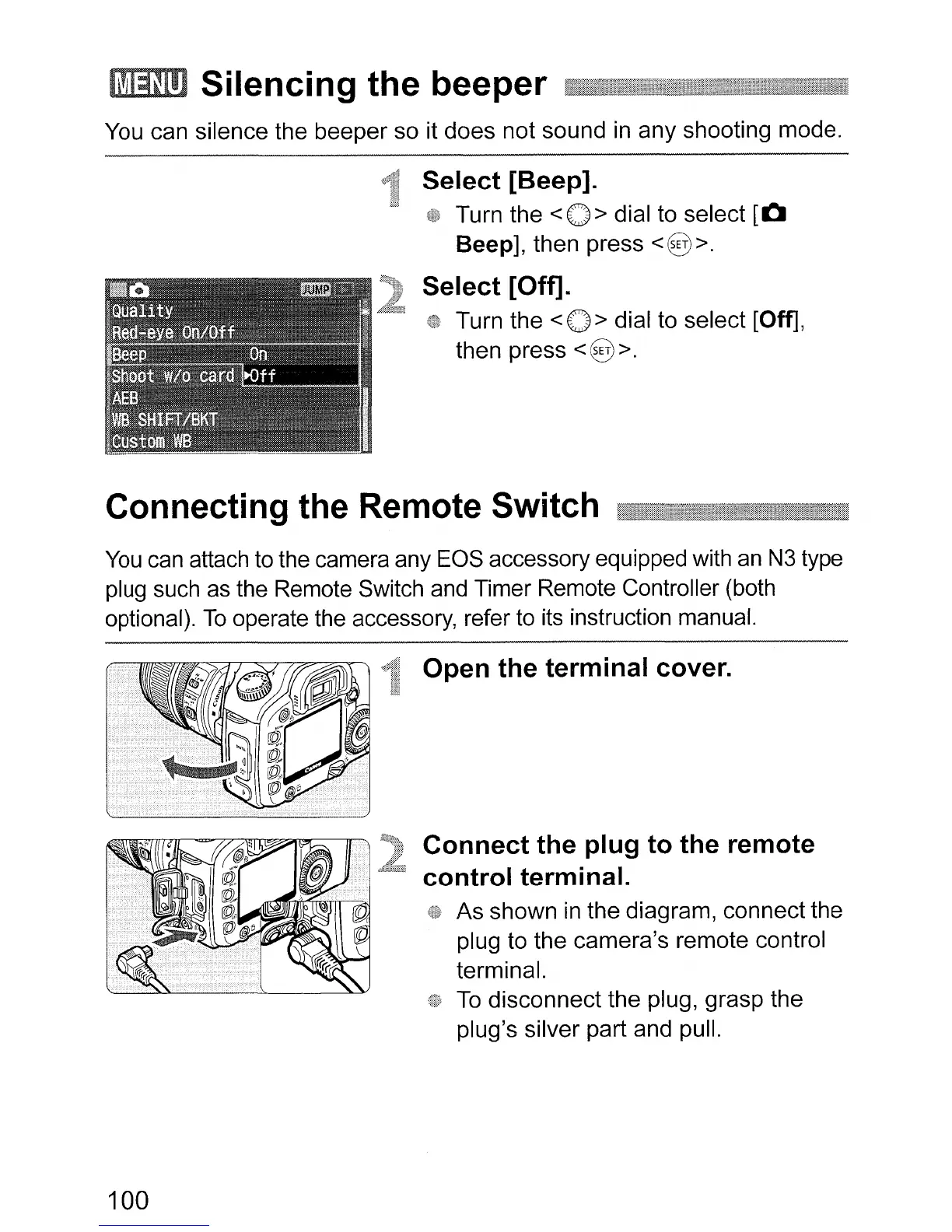
Select [Beep].
Turn the
<0>
dial to select
[0
Beep], then press
<§>.
Select [Off].
Turn the < 0 > dial to select [Off],
then press
<§ >.
Connecting the Remote Switch
You
can attach to the camera any EOS accessory equipped with
an
N3
type
plug such as the Remote Switch and Timer Remote Controller (both
optional).
To
operate the accessory, refer to its instruction manual.
Open the terminal cover.
Connect the plug to the remote
control terminal.
As shown
in
the diagram, connect the
plug to the camera's remote control
terminal.
To
disconnect the plug, grasp the
plug's silver part and pull.
100












 To Next Page