mm
Custom White Balance*
If the exposure obtained
in
step 1
is
underexposed or overexposed, a
correct white balance might not
be
obtained.
If
an image was captured while the Picture Style was set to
[Monochrome]
(p.57), it cannot be selected
in
step
3.
[i]
Instead of a white object,
an
180/0
gray card (commercially available) can
produce a more accurate white balance.
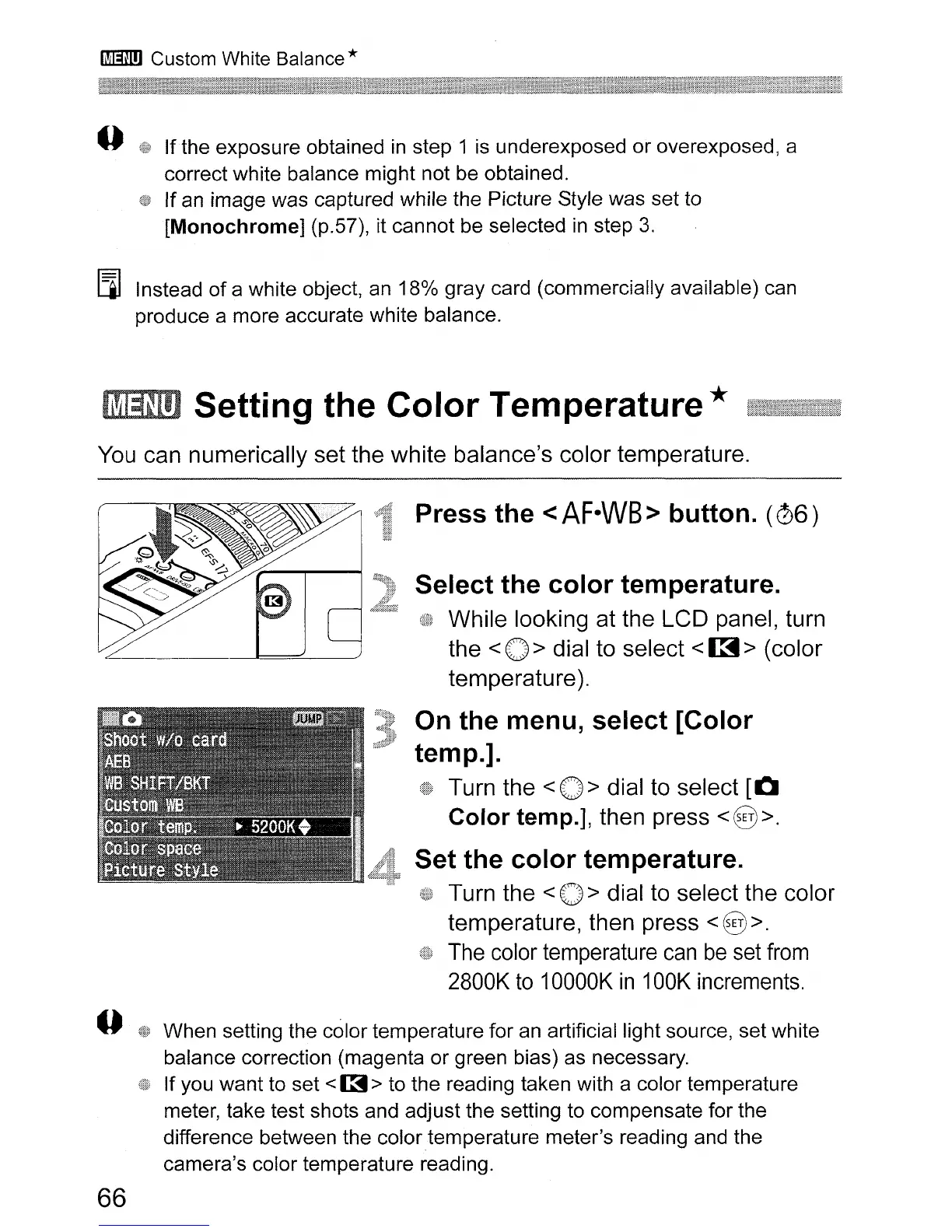
Setting the Color Temperature *
You can numerically set the white balance's color temperature.
Press the <
AF·WB
> button.
(06)
Select the color temperature.
While looking at the LCD panel, turn
the
<0>
dial to select
<~>
(color
temperature
).
On the menu, select [Color
temp.].
Turn the
<0>
dial to select
[0
Color temp.], then press
<8>.
Set the color temperature.
Turn the < 0 > dial to select the color
temperature, then press
<8>.
The
color temperature
can
be
set
from
2800K
to
10000K
in
100K increments.
When setting the color temperature for an artificial light source, set white
balance correction (magenta or green bias) as necessary.
If you want to set
<
[3
> to the reading taken with a color temperature
meter, take test shots and adjust the setting to compensate for the
difference between the color temperature meter's reading and the
camera's color temperature reading.
66












 To Next Page