File Numbering Methods
The file number
is
like the frame number
on
a roll of film. It can start
counting
in
one ofthree different ways:
[Continuous],
[Auto
reset], and
[Manual reset]. The images you take are automatically assigned a file
number from
0001 to 9999 and saved
in
a folder that can hold up to
9999 images. The folders will be automatically numbered from 100 to
999.
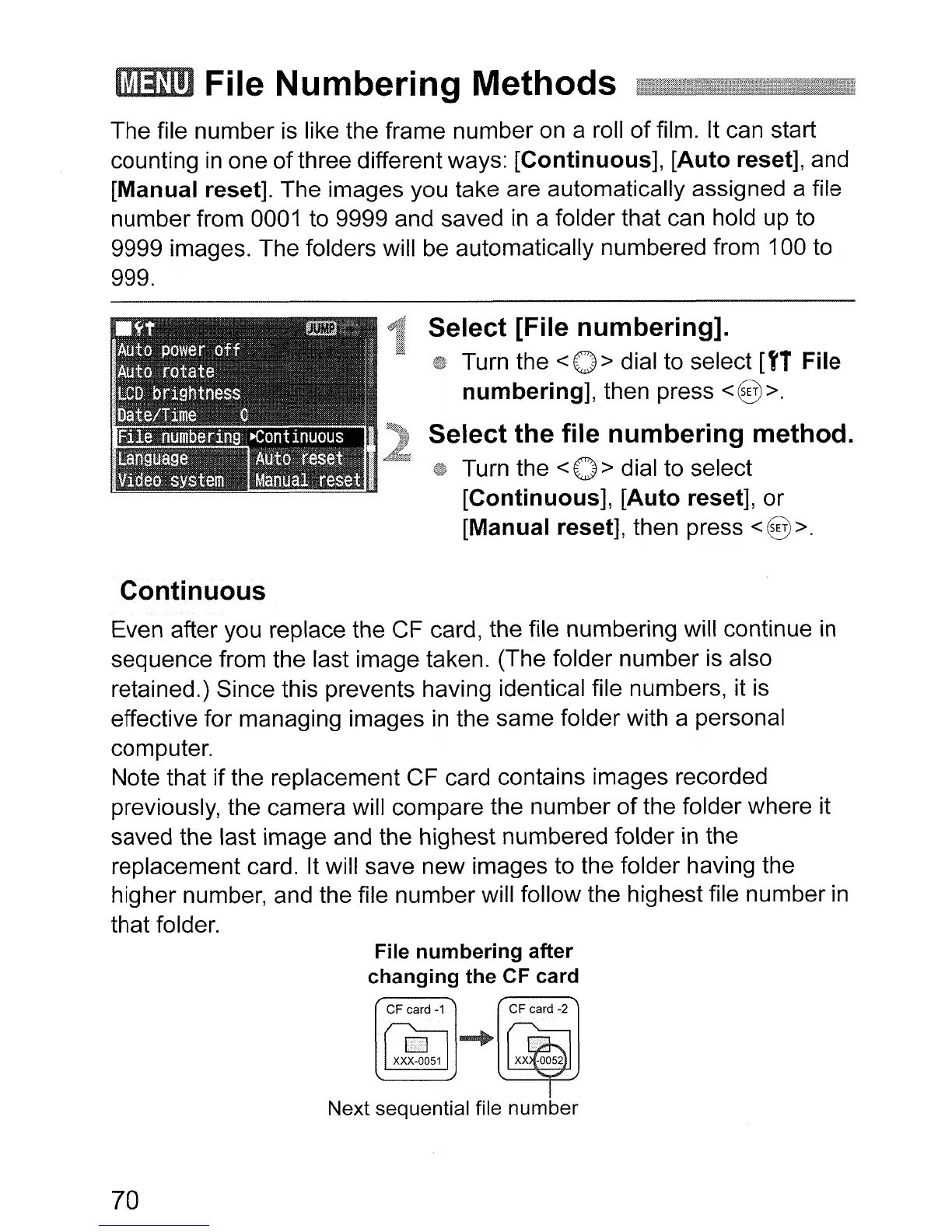
Select [File
numbering].
Turn the < 0 > dial
to
select [f1 File
numbering],
then press <@>.
Select
the
file
numbering
method.
Turn the < 0 > dial to select
[Continuous],
[Auto
reset], or
[Manual reset], then press
<8
>.
Continuous
Even after you replace the CF card, the file numbering will continue
in
sequence from the last image taken. (The folder number
is
also
retained.) Since this prevents having identical file numbers, it
is
effective for managing images
in
the same folder with a personal
computer.
Note that if the replacement CF card contains images recorded
previously, the camera will compare the number
of
the folder where it
saved the last image and the highest numbered folder
in
the
replacement card. It will save new images to the folder having the
higher number, and the file number will follow the highest file number
in
that folder.
File
numbering
after
changing
the
CF
card
Next sequential file number
70












 To Next Page