~
Selecting the Drive Mode*
Single and continuous drive modes are provided.
In
the Basic Zone
modes, the optimum drive mode is set automatically.
Press the <
DRIVE-ISO>
button.
(06)
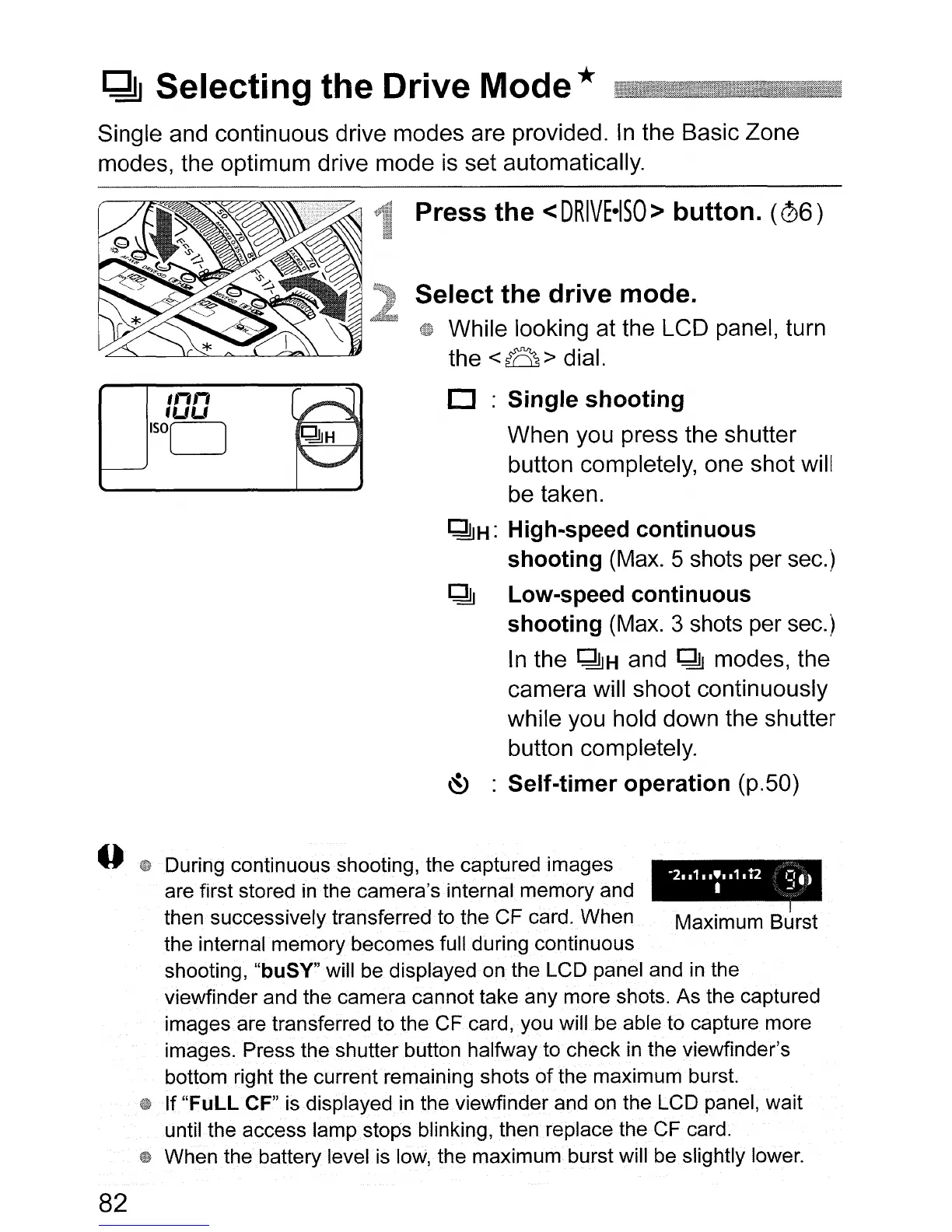
Select the drive mode.
While looking at the LCD panel, turn
the
<B>
dial.
o :Single shooting
When you press the shutter
button completely, one shot will
be taken.
~H:
High-speed continuous
shooting
(Max. 5 shots per sec.)
~
Low-speed continuous
shooting
(Max. 3 shots per sec.)
In
the
~H
and
~
modes, the
camera will shoot continuously
while you hold down the shutter
button completely.
~
: Self-timer operation (p.50)
During continuous shooting, the captured images
~
are first stored
in
the
camera's.internal memory and
~
then successively transferred to the
CF
card. When Maximum Burst
the internal memory becomes full during continuous
shooting,
"buSY"will
be displayed on the LCD panel and in the
viewfinder and the camera cannot take any more shots. As the captured
images are transferred
to
the CF card, you will be able to capture more
images. Press the shutter button halfway to check
in
the viewfinder's
bottom right the current remaining shots
of
the maximum burst.
If
"FuLL
CF" is displayed
in
the viewfinder and on the LCD panel, wait
until the access lamp stops blinking, then replace the CF card.
When the battery level. is low, the maximum burst will be slightly lower.
82












 To Next Page