White Balance Auto Bracketing *
With
just
one
shot,
three
images
having
a
different
color
tone
can
be
recorded
simultaneously.
Based
on
the
white
balance
mode's
standard
color
temperature,
the
image
will
be
bracketed
with
a
blue/amber
bias
or
magenta/green
bias.
This
is
called
white
balance
bracketing.
It
can
be
set
up
to
±3
levels
in
single-level
increments.
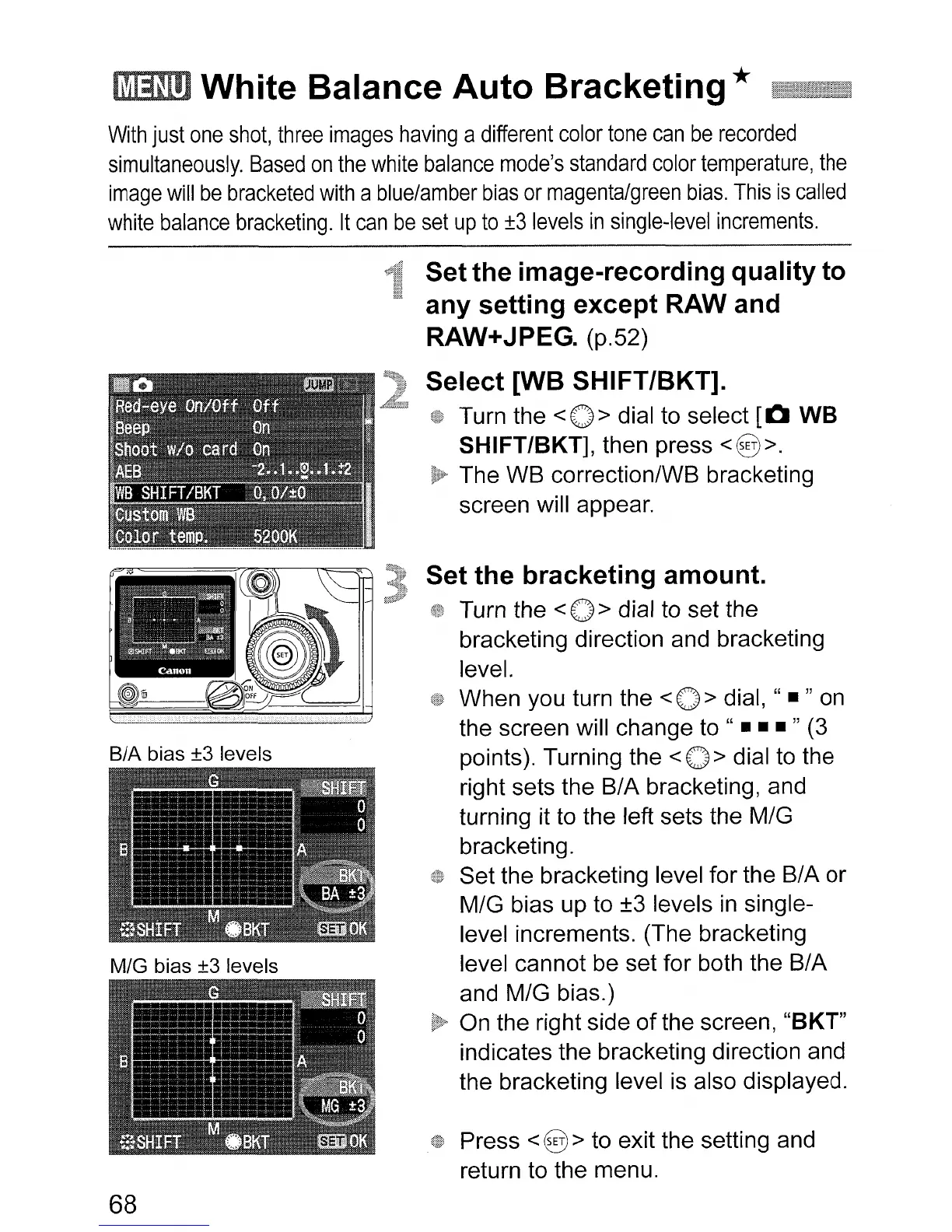
BIA bias ±3 levels
MIG bias ±3 levels
68
Setthe image-recording quality to
any setting except
RAW and
RAW+JPEG. (p.52)
Select [WB SHIFT/BKT].
Turn the
<0>
dial to select
[0
WB
SHIFT/BKT],
then press <@>.
The WB correctionlWB bracketing
screen will appear.
Set the bracketing amount.
Turn the <0 > dial to set the
bracketing direction and bracketing
level.
When you turn the <0 > dial, " • " on
the screen will change to "
•••
" (3
points). Turning the < 0 > dial to the
right sets the BIA bracketing, and
turning it to the left sets the MIG
bracketing.
Set the bracketing level for the
BI
A or
MIG bias up to ±3 levels
in
single-
level increments. (The bracketing
level cannot be set for both the BIA
and MIG bias.)
On the right side
of
the screen, "BKT"
indicates the bracketing direction and
the bracketing level is also displayed.
Press <@> to exit the setting and
return to the menu.












 To Next Page