Basic Operation
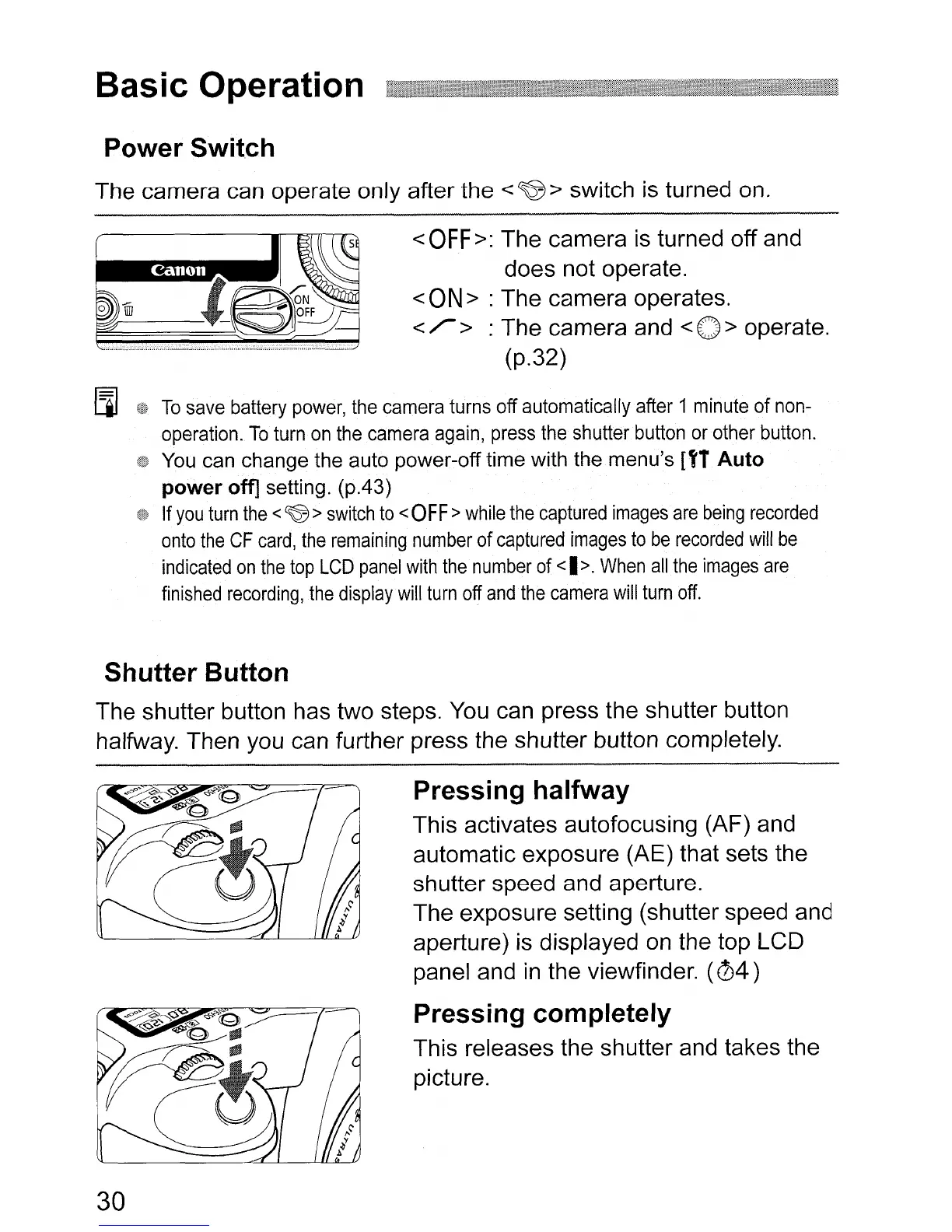
Power Switch
The camera can operate only after the <
~
> switch is turned on.
<
OFF
>:
The camera is turned off and
does not operate.
<ON>
: The camera operates.
</'>
: The camera and
<0>
operate.
(p.32)
~
To
save
battery
power,
the
camera
turns
off
automatically
after
1
minute
of
non-
operation.
To
turn
on
the
camera
again,
press
the
shutter
button
or
other
button.
You
can change the auto power-off time with the menu's [f1
Auto
power
off] setting. (p.43)
If
you
turn
the
<
~
>
switch
to
<
OFF>
while
the
captured
images
are
being
recorded
onto
the
CF
card,
the
remaining
number
of
captured
images
to
be
recorded
will
be
indicated
on
the top
LCD
panel
with
the
number
of
<I
>.
When
all
the
images
are
finished
recording,
the
display
will
turn
off
and
the
camera
will
turn
off.
Shutter Button
The shutter button has two steps. You can press the shutter button
halfway. Then you can further press the shutter button completely.
Pressing halfway
This activates autofocusing (AF) and
automatic exposure (AE) that sets the
shutter speed and aperture.
The exposure setting (shutter speed and
aperture) is displayed on the top LCD
panel and
in
the viewfinder.
(04)
Pressing completely
This releases the shutter and takes the
picture.
30












 To Next Page