M Manual Exposure
In
this mode, you set both the shutter
speed and aperture as desired.
To
determine the exposure, refer to the
exposure level indicator
in
the viewfinder
or use a handheld exposure meter. This
method
is
called manual exposure.
* <M> stands for Manual.
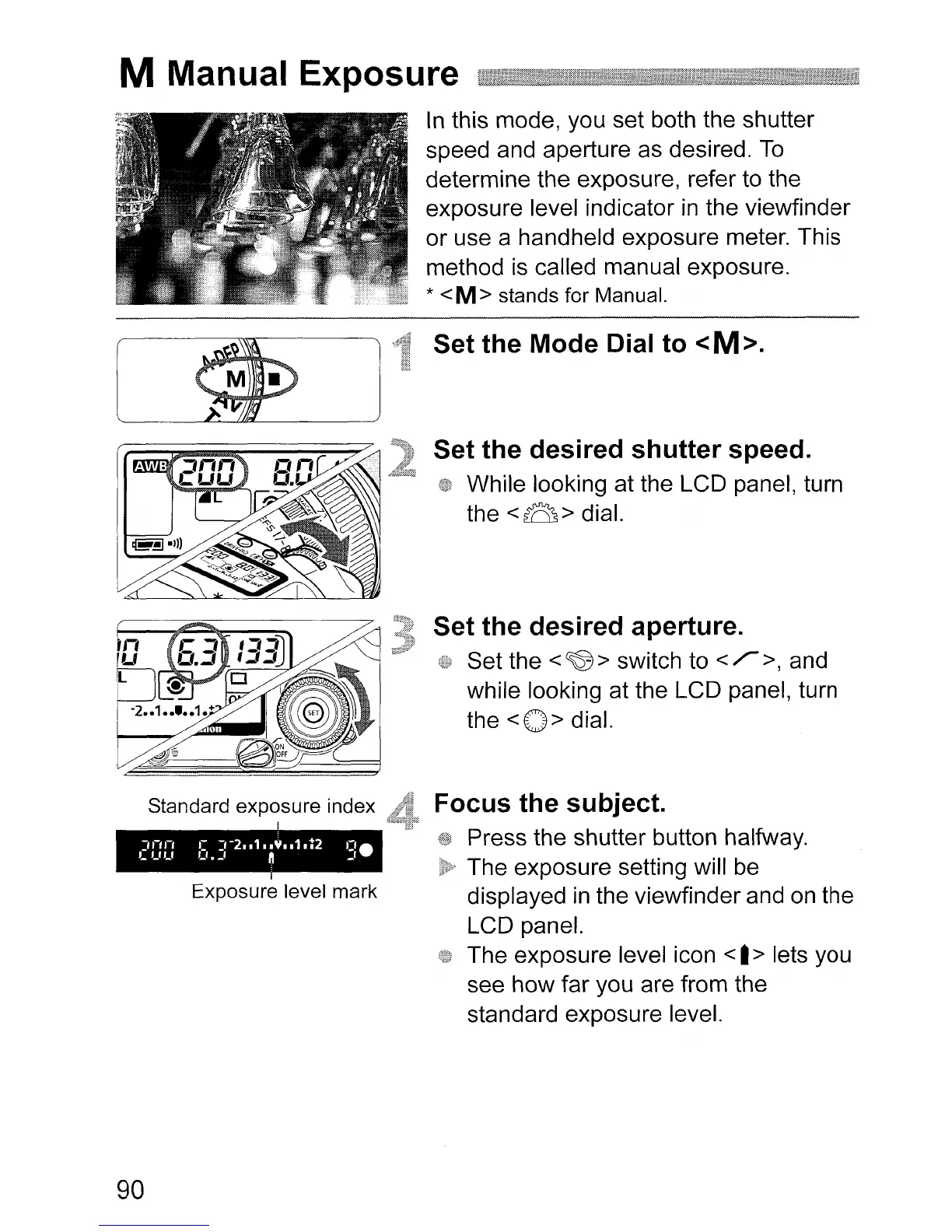
Set the Mode Dial to <M>.
Set the desired shutter speed.
While looking at the LCD panel, turn
the
<8>
dial.
Set the desired aperture.
Set the
<~>
switch to
</">,
and
while looking at the LCD panel, turn
the
<0>
dial.
Standard exposure index
Exposure level mark
90
Focus the subject.
Press the shutter button halfway.
The exposure setting will
be
displayed
in
the viewfinder and
on
the
LCD panel.
The exposure level icon
<
I>
lets you
see how far you are from the
standard exposure level.












 To Next Page