Installing and Removing the CF Card
Removing the
CF
Card
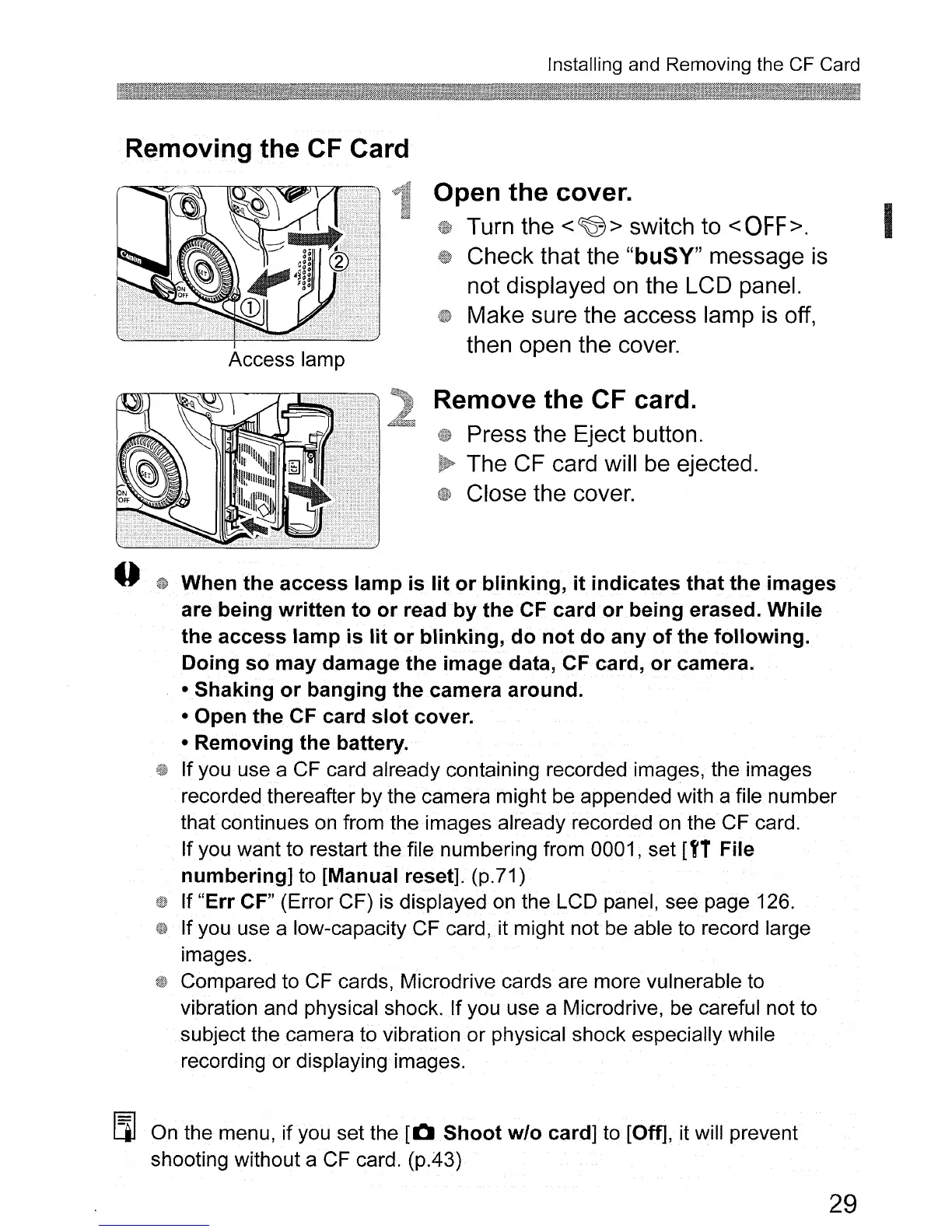
Access lamp
Open
the
cover.
Turn the <
~
> switch to <
OFF>.
Check that the "buSY" message
is
not displayed
on
the LCD panel.
Make sure the access lamp
is
off,
then open the cover.
Remove
the
CF
card.
Press the Eject button.
The CF card will
be
ejected.
Close the cover.
--
fW
When
the
access
lamp
is
lit
or
blinking,
it
indicates
that
the
images
are
being
written
to
or
read
by
the
CF
card
or
being
erased.
While
the
access
lamp
is
lit
or
blinking,
do
not
do
any
of
the
following.
Doing
so
may
damage
the
image
data, CF card,
or
camera.
•
Shaking
or
banging
the
camera
around.
• Open
the
CF card
slot
cover.
•
Removing
the
battery.
If you use a CF card already containing recorded images, the images
recorded thereafter by the camera might be appended with a file number
that continues on from the images already recorded on the CF card.
If you want to restart the file numbering from 0001, set
[f1 File
numbering]
to [Manual reset]. (p.71)
If
"Err
CF" (Error CF)
is
displayed on the LCD panel, see page 126.
Ifyou use a low-capacity CF card, it might not be able to record large
images.
Compared to CF cards, Microdrive cards are more vulnerable to
vibration and physical shock.
If
you use a Microdrive, be careful not to
subject the camera to vibration or physical shock especially while
recording or displaying images.
I.ll
On the menu, if you set
the.
[0
Shoot
w/o
card] to [Off], it will prevent
shooting without a CF card. (p.43)
29












 To Next Page