Menu Operations
Menu Setting Procedure
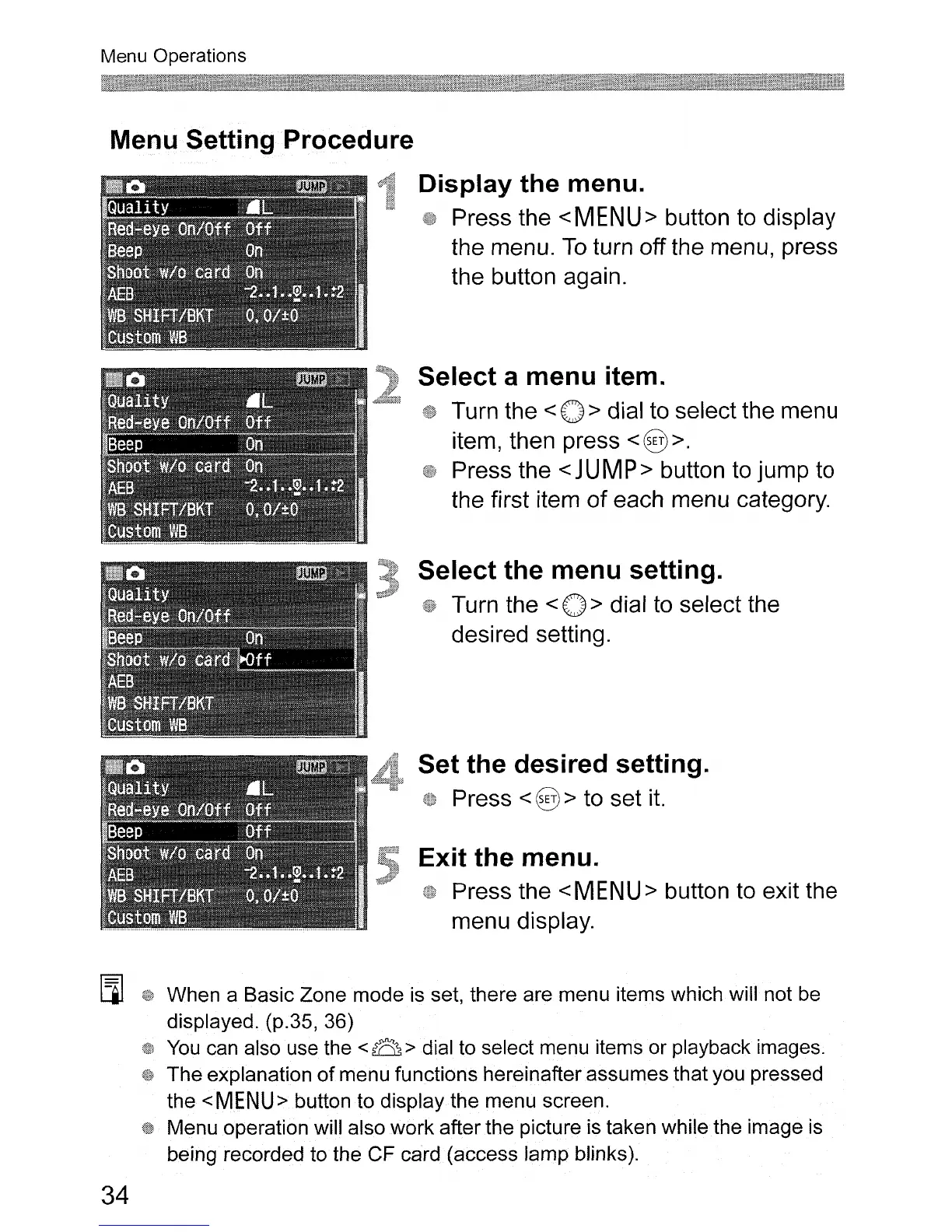
Display the menu.
Press the
<MENU>
button to display
the menu.
To
turn off the menu, press
the button again.
Select a menu item.
Turn the < 0 > dial to select the menu
item, then press
<§ >.
Press the < JUMP> button to jump to
the first item
of
each menu category.
Select the menu setting.
Turn the < 0 > dial
to
select the
desired setting.
Set the desired setting.
Press < § > to set
it.
Exit the menu.
Press the
<MENU>
button to exit the
menu display.
[]]
When a Basic Zone mode is set, there are menu items which will not be
displayed. (p.35, 36)
You
can also use the < B > dial to select menu items or playback images.
The explanation
of
menu functions hereinafter assumes that you pressed
the
<MENU>
button to display the menu screen.
Menu operation will also work after the picture is taken while the image is
being recorded to the CF card (access lamp blinks).
34












 To Next Page