[Eg
Cleaning the CMOS
sensor*
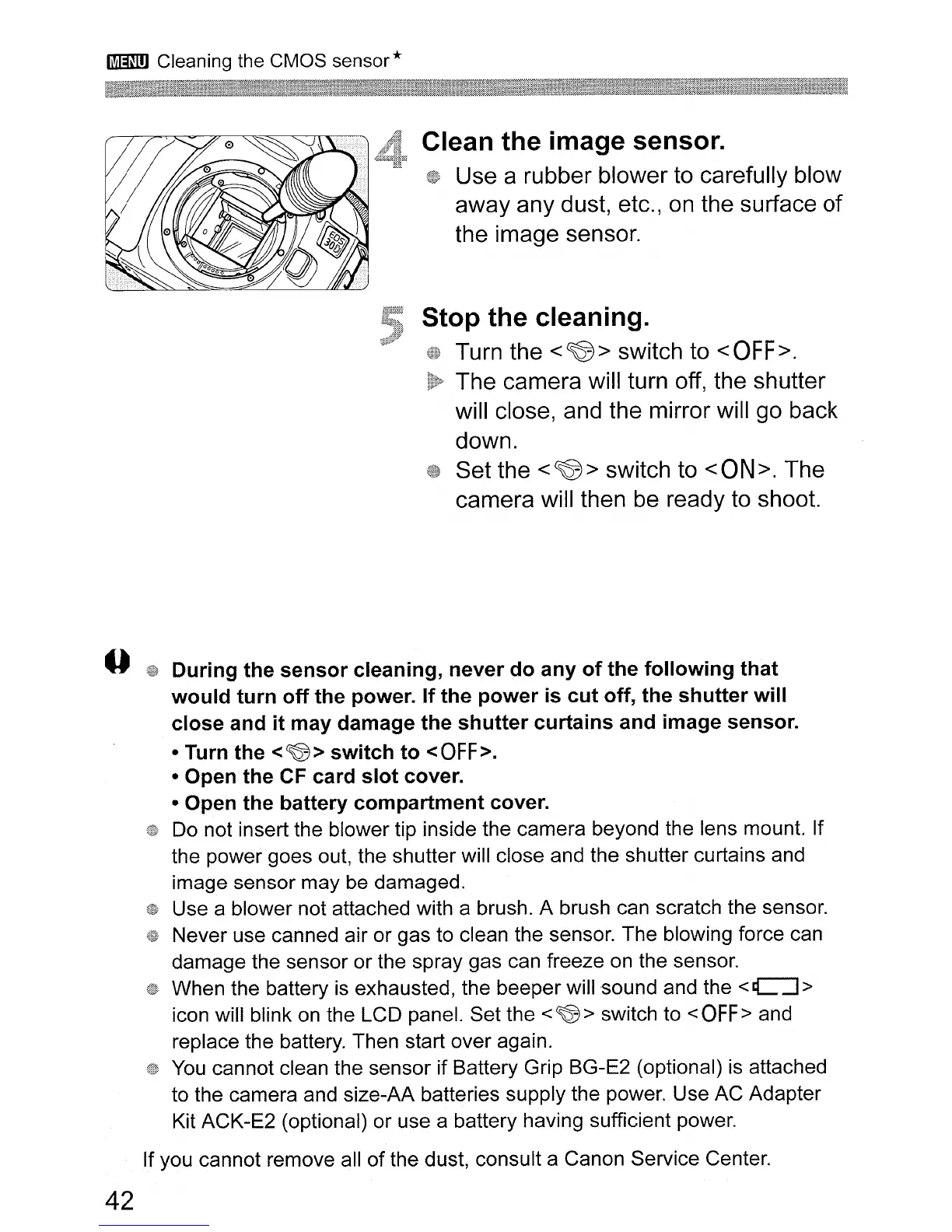
Clean
the
image
sensor.
Use a rubber blower to carefully blow
away any dust, etc.,
on
the surface
of
the image sensor.
Stop
the
cleaning.
Turn the
<~>
switch to
<OFF>.
The camera will turn off, the shutter
will close, and the mirror will go back
down.
Set the
<~>
switch to
<ON>.
The
camera will then
be
ready to shoot.
During
the
sensor
cleaning,
never
do
any
of
the
following
that
would
turn
off
the
power.
If
the
power
is
cut
off,
the
shutter
will
close
and
it
may
damage
the
shutter
curtains
and image sensor.
• Turn the <~>
switch
to
<OFF>.
• Open
the
CF
card
slot
cover.
• Open
the
battery
compartment
cover.
Do not insert the blower tip inside the camera beyond the lens mount. If
the power goes out, the shutter will close and the shutter curtains and
image sensor may be damaged.
Use a blower not attached with a brush. A brush can scratch the sensor.
Never use canned air or gas to clean the sensor. The blowing force can
damage the sensor or the spray gas can freeze on the sensor.
When the battery
is
exhausted, the beeper will sound and the
<C:J>
icon will blink
on
the LCD panel. Set the <
~
> switch to <
OFF>
and
replace the battery. Then start over again.
You
cannot clean the sensor if Battery Grip BG-E2 (optional)
is
attached
to the camera and size-AA batteries supply the power. Use AC Adapter
Kit ACK-E2 (optional) or use a battery having sufficient power.
If you cannot remove all of the dust, consult a Canon Service Center.
42




 To Next Page