li!rnm
Selecting a Picture Style *
• Monochrome
You
can take black-and-white photos.
To
obtain natural-looking, black-and-white images, set a suitable
white balance.
JPEG black-and-white images captured with the
[Monochrome]
setting cannot be converted into color images even with image-
editing software.
RAW images captured with the
[Monochrome] setting can be
converted into color images with the bundled software.
When
[Monochrome]
is
selected, <
B/W
> will appear
on
the LCD
panel.
• User Def. 1-3
You
can register your own Picture Style settings (p.61). Any User
Defined Picture Style which has not been set will have the same
settings as the Standard Picture Style.
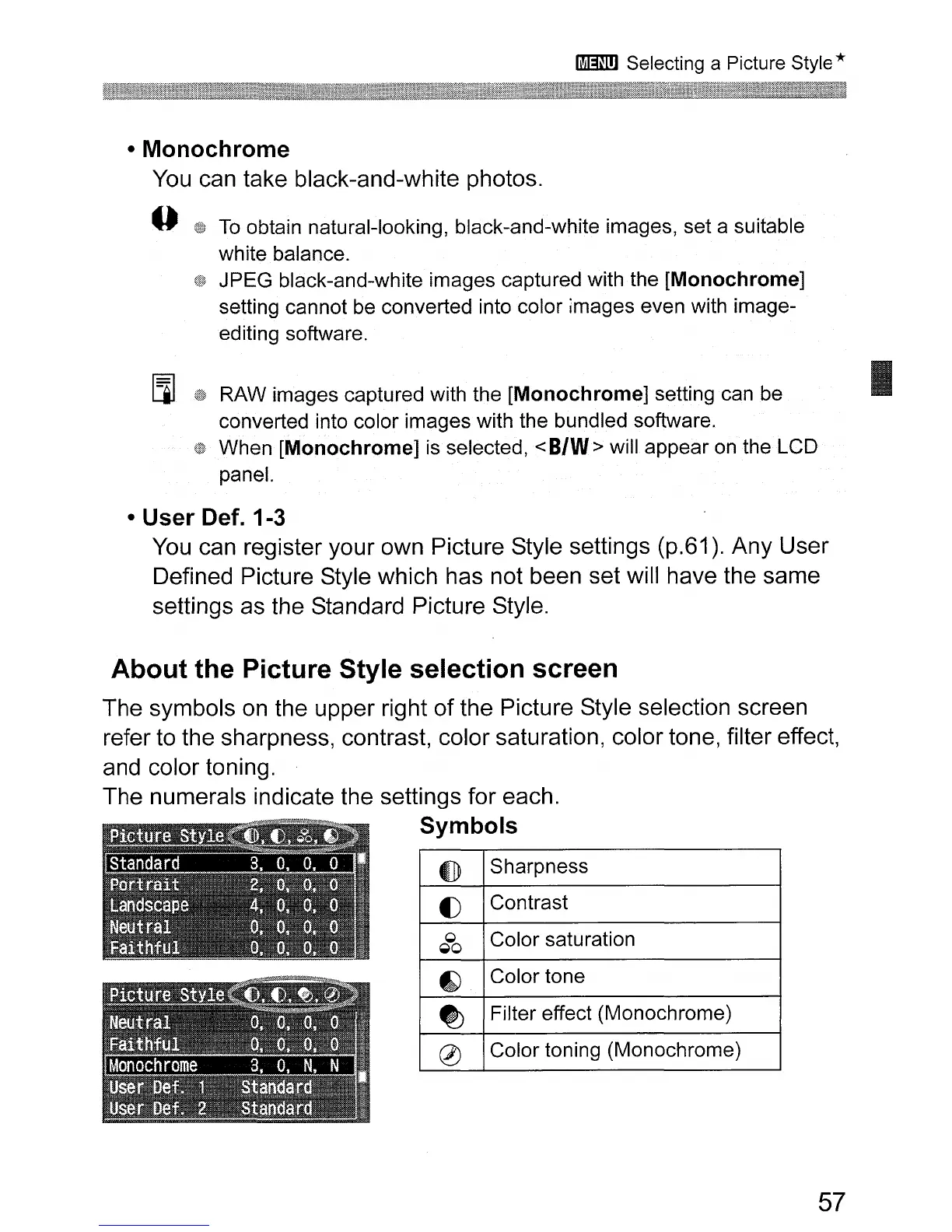
About the Picture Style selection screen
The symbols
on
the upper right of the Picture Style selection screen
refer to the sharpness, contrast, color saturation, color tone, filter effect,
and color toning.
The numerals indicate the settings for each.
Symbols
0
Sharpness
()
Contrast
0
Color saturation
~o
~
Color tone
~
Filter effect (Monochrome)
0
Color toning (Monochrome)
57
I












 To Next Page