IM3ml
Customizing the Picture Style *
Monochrome
Adjustment
For Monochrome, you can also set
[Filter
effect] and [Toning effect]
(p.60)
in
addition to [Sharpness] and [Contrast].
Select
[Monochrome].
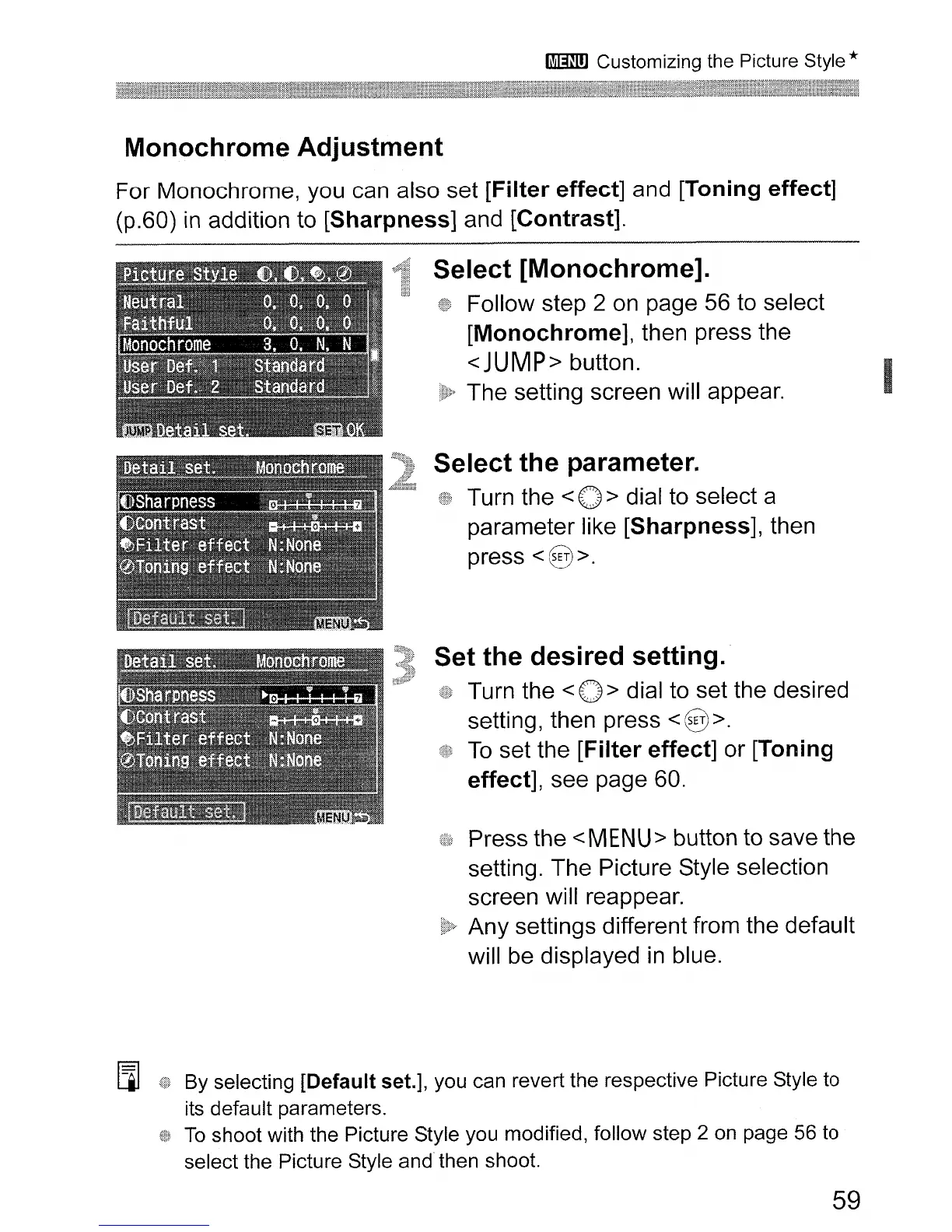
Follow step 2
on
page
56
to select
[Monochrome], then press the
<JUMP> button.
The setting screen will appear.
Select
the
parameter.
Turn the < 0 > dial to select a
parameter like [Sharpness], then
press
<§>.
Set
the
desired
setting.
Turn the < 0 > dial to set the desired
setting, then press
<@>.
To
set the
[Filter
effect] or [Toning
effect], see page
60.
Press the <MENU> button to save the
setting. The Picture Style selection
screen will reappear.
Any settings different from the default
will
be
displayed
in
blue.
[i]
By selecting [Default set.], you can revert the respective Picture Style to
its default parameters.
To
shoot with the Picture Style you modified, follow step 2
on
page
56
to
select the Picture Style
and
then shoot.
59












 To Next Page