EfJ
Selecting the AF Point*
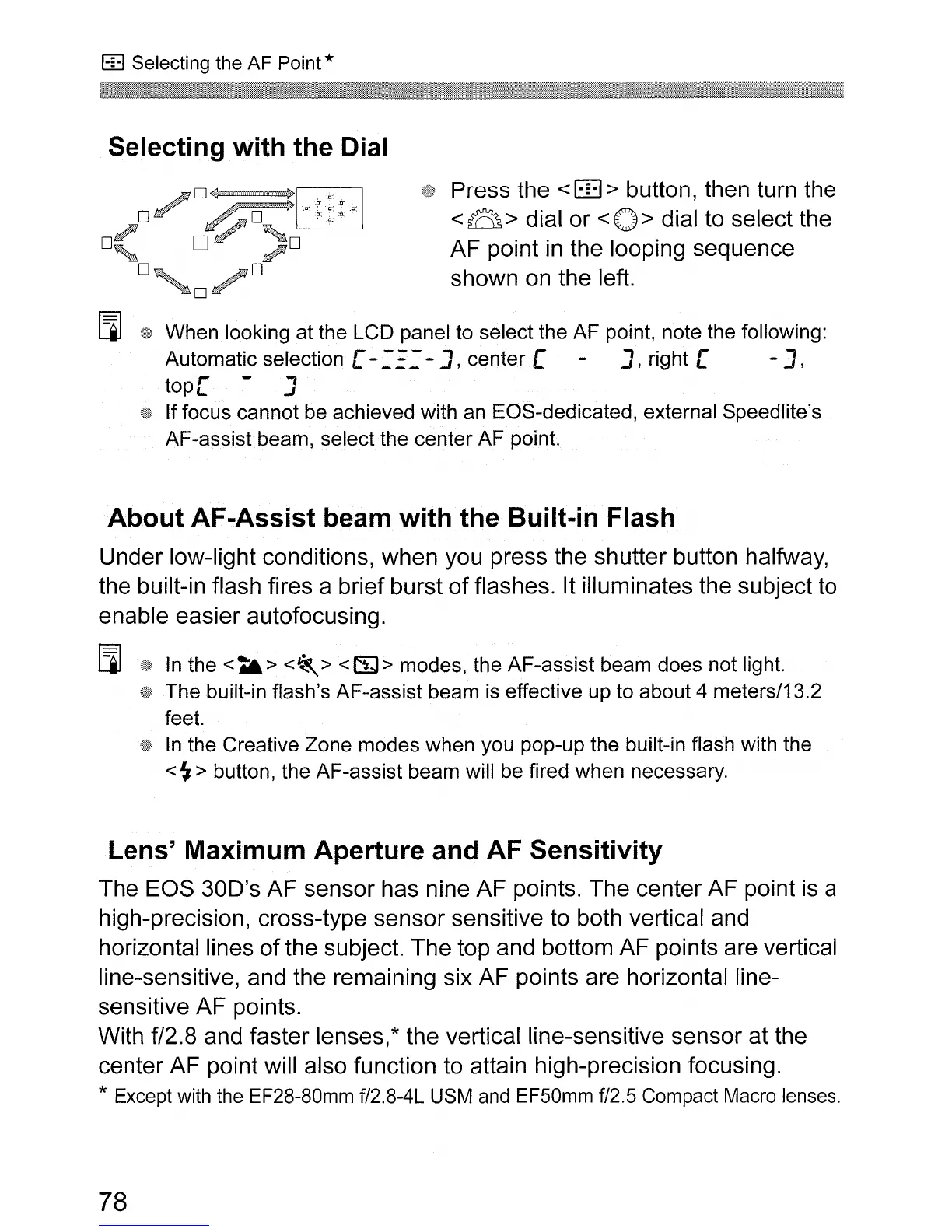
Selecting with the Dial
Press the < m> button, then turn the
<B>
dial or
<0>
dial to select the
AF point
in
the looping sequence
shown
on
the left.
I.lJ
When
looking
at
the
LCD
panel to
select
the
AF
point, note the following:
Automatic
selection [ -
.:
E:
-J,
center
[ J, right [ - J,
tope
J
If
focus
cannot
be achieved with an
EOS-dedicated,
external Speedlite's
AF-assist
beam,
selectthe
center
AF
point.
About AF-Assist beam with the Built-in Flash
Under low-light conditions, when you press the shutter button halfway,
the built-in flash fires a brief burst
of
flashes. It illuminates the subject to
enable easier autofocusing.
I.lJ
In
the
<t&>
<~>
<(%I>
modes,
the
AF-assist
beam
does
not light.
The
built-in flash's
AF-assist
beam
is effective
up
to
about
4 meters/13.2
feet.
In
the
Creative
Zone
modes
when
you
pop-up
the
built-in flash with
the
<
~
> button,
the
AF-assist
beam
will be fired
when
necessary.
Lens' Maximum Aperture and AF Sensitivity
The EOS
300's
AF sensor has nine AF points. The center AF point
is
a
high-precision, cross-type sensor sensitive to both vertical and
horizontal lines
of
the subject. The top and bottom AF points are vertical
line-sensitive, and the remaining six AF points are horizontal line-
sensitive AF points.
With f/2.8 and faster lenses,* the vertical line-sensitive sensor at the
center AF point will also function to attain high-precision focusing.
* Except with the EF28-80mm f/2.8-4L USM and EF50mm f/2.5 Compact Macro lenses.
78












 To Next Page