Basic Shooting Operations
56
(1)
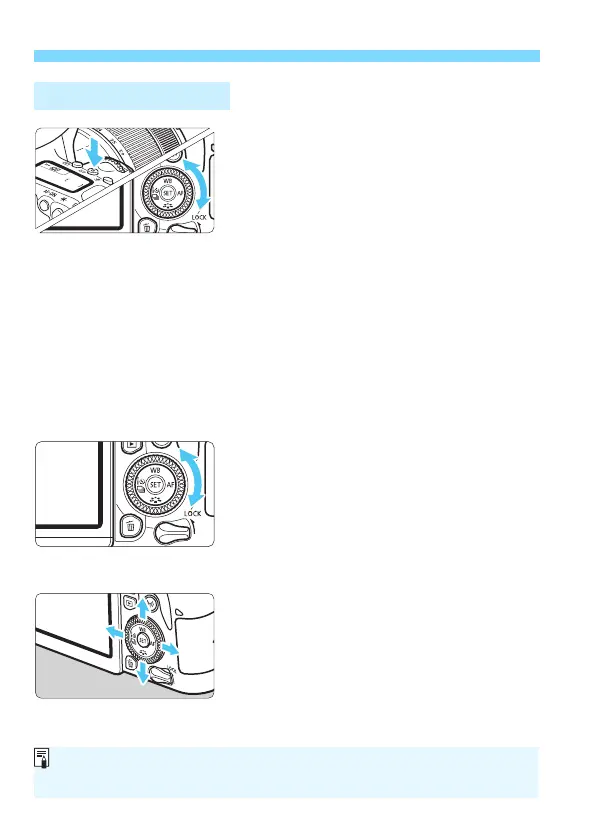
After pressing a button, turn the
<5> dial.
After pressing a button such as <g>
<WB> <XA> <YQi> <Zf>,
turn the <5> dial to change the setting.
For the <g> button, the function
remains selected for approx. 6 sec. (9)
after pressing the button.
When the timer ends or if you press the
shutter button halfway, the camera will
go back to shooting-ready state.
Use this dial to select or set the ISO
speed, white balance, Picture Style,
drive mode, AF operation, AF point,
etc.
(2)
Turn only the <5> dial.
While looking at the viewfinder display or
LCD panel, turn the <
5> dial to change
the setting.
Use this dial to set the exposure
compensation amount, the aperture
setting for manual exposures, etc.
(3)
After pressing a button, press the
<W>, <X>, <Y>, or <Z> key.
After pressing the <M> or <Q>
button, press the <W> <X> or <Y>
<Z> keys to set menus or Quick Control
functions.
5 Quick Control Dial
The operations in (1) and (3) can be performed even when the <R>
switch is set upward (Multi function lock, p.57).



 To Next Page