116
Setting the Aperture Value Before Shooting (Aperture-Priority AE)
Checking the Area in Focus
M
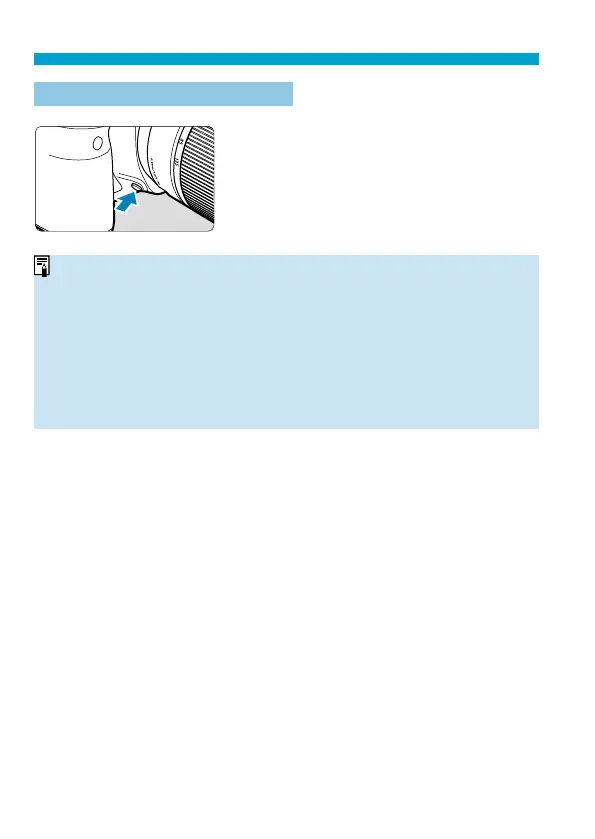
Press the depth-of-fi eld preview button to
stop down the lens to the current aperture
setting and check the area in focus ( depth
of fi eld).
o
The larger the aperture value, the wider the area (from the foreground to the
background) in focus, but the darker the viewfi nder display.
o
The depth-of-fi eld eff ect is readily apparent on the Live View image as
you change the aperture value and press the depth-of-fi eld preview button
(
=
71).
o
Exposure is locked (AE lock) as you hold down the depth-of-fi
eld preview
button.
o
Pressing the depth-of-fi eld preview button when a Speedlite 470EX-AI is
attached with the <
X
> switch set to <
Z
> (full-auto) starts
AI.B full-auto
distance measurement.



 To Next Page