149
Manual Focus
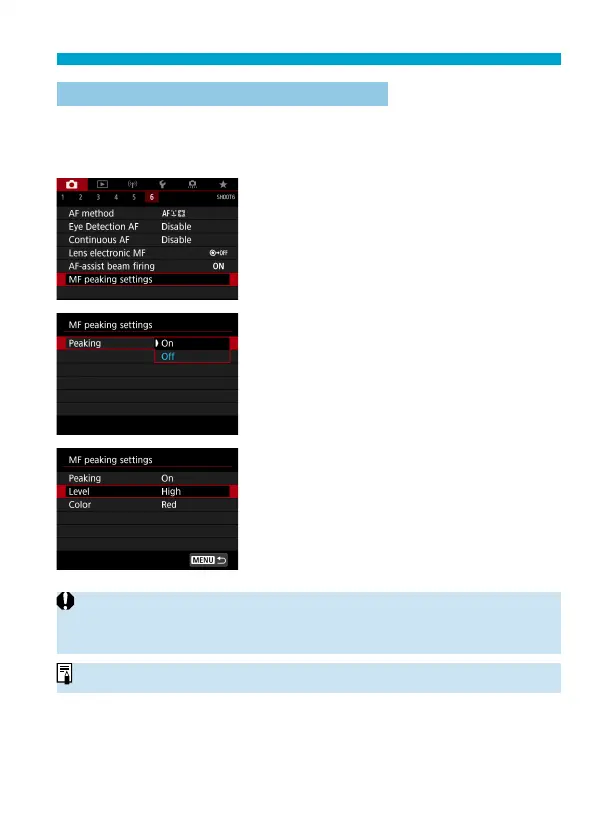
Setting MF Peaking (Outline Emphasis)
In Live View shooting, edges of subjects in focus can be displayed in
color to make focusing easier. You can set the outline color and adjust the
sensitivity (level) of edge detection (except in <
A
> mode).
1
Select [z: MF peaking settings].
2
Select [Peaking].
Select [On].
3
Set the level and color.
Set it as necessary.
o
Peaking display is not shown during magnifi ed display.
o
MF peaking may be hard to discern at high ISO speeds, especially when ISO
expansion is set. If necessary, lower the ISO speed or set [Peaking] to [Off ].
o
Peaking display shown on the screen is not recorded in images.



 To Next Page