287
Movie Recording With Filter Eff ects Applied
n
Dramatic B&W
Creates an atmosphere of dramatic realism with high-contrast black and
white. You can adjust the graininess and black-and-white eff ect.
o
Miniature eff
ect movie
You can record movies with a miniature (diorama) eff ect. Select the
playback speed and shoot. To make the scene frame movable, press
the <
v
> button in step 4 (or tap [
r
] in the lower right of the screen),
and after it turns orange, move it with the <
W
> <
X
> keys. To center the
frame again, press the <
B
> button. To switch between vertical and
horizontal scene frame orientation, tap [
i
] in the lower left of the screen.
Press <
0
> to confi rm the position of the scene frame. In step 5, set the
playback speed to [5x], [10x], or [20x] before recording. Live 1-point AF
is used as the AF method, focusing on subjects centered in the white
frame. The white frame is hidden during recording.
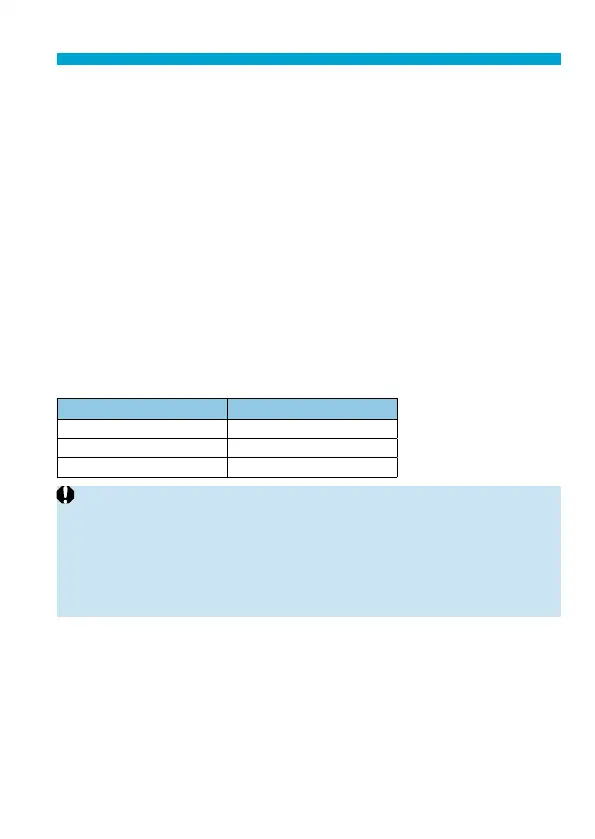
Speed and playback time (for a 1-minute movie)
Speed Playback Time
5× Approx. 12 sec.
10× Approx. 6 sec.
20× Approx. 3 sec.
o
The color gradation of the sky or white walls may not be reproduced correctly.
Irregular colors, irregular exposure or noise may appear.
[
o
] (Miniature Eff ect Movies)
o
Sound is not recorded.
o
Movie Servo AF will not function.
o
Editing is not available for movies with a playback time less than 1 sec.
(
=
338).



 To Next Page