60
Basic Operations
j
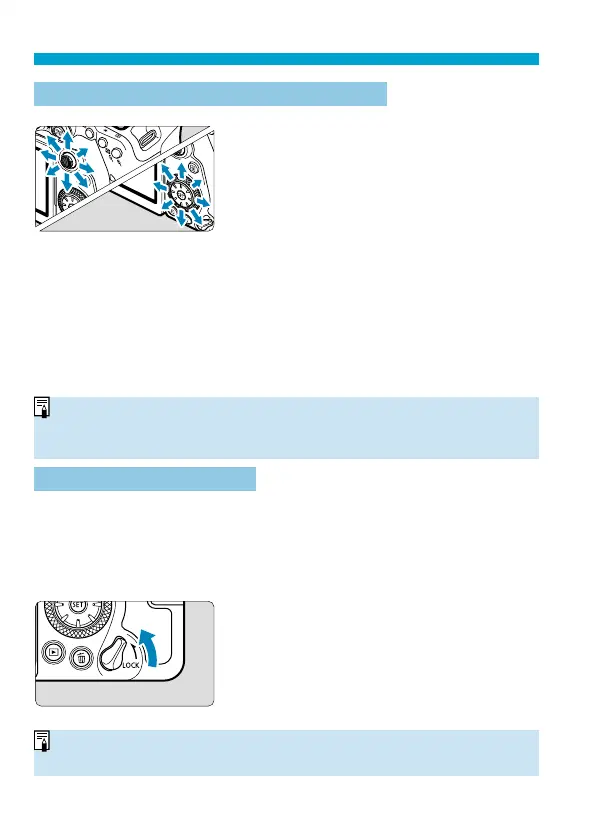
Multi-Controller 1/
9
Multi-Controller 2
<
j
> is an eight-direction key with
center button. To use it, press lightly with
the tip of your thumb.
<
9
> is an eight-direction key.
Used for operations such as AF point
selection, white balance correction, AF
point/magnifying frame movement in
Live View shooting or movie recording,
magnifying frame movement during
playback, or Quick Control settings.
Can also be used to select or set menu
items.
<
9
> can also be used for image
browsing during playback.
o
Correcting the white balance and moving the magnifying frame during
playback can be done even with the <
R
> switch set upward (Multi-function
lock).
R
Multi-Function Lock
With [
5
: Multi function lock] set and the <
R
> switch set upward, you
can prevent the settings from being changed by accidentally operating Main
dial, Quick control dial, or Multi-controller or by inadvertently tapping on the
touch-screen panel.
For [
5
: Multi function lock] details, see
=
545.
<
R
> switch set upward: Lock engaged
<
R
> switch set downward: Lock
released
o
By default, the <
5
> dial will be locked when the multi-function lock switch is
in the lock position.



 To Next Page