82
Fully Automatic Shooting (Scene Intelligent Auto)
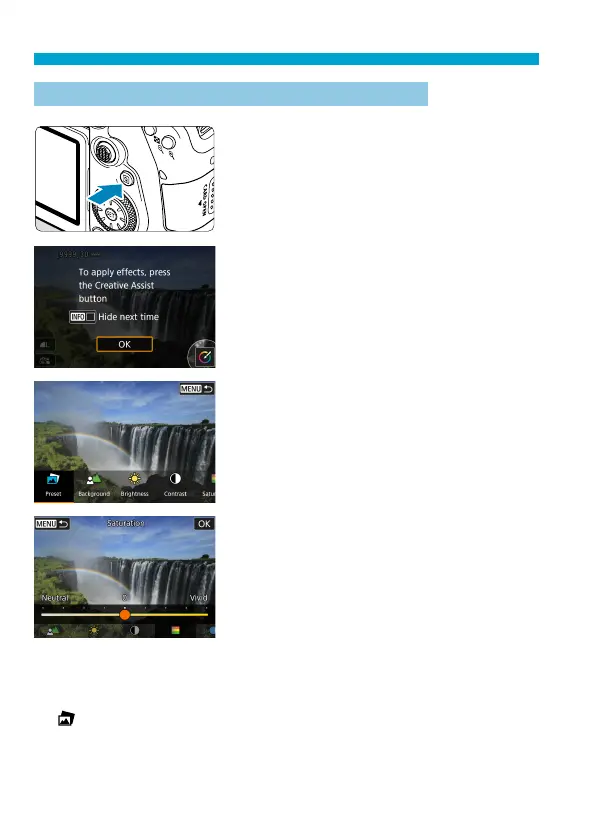
Shooting with Eff ects Applied (Creative Assist)
1
Press the <Q> button.
In viewfi nder shooting, use the <
Y
>
<
Z
> keys to select [Creative Assist],
then press <
0
>.
In Live View shooting, read the message
and select [OK].
2
Select an eff ect.
Use the <
Y
> <
Z
> keys to select an
eff ect, then press <
0
>.
You can also turn the <
6
> or <
5
>
dial to select it.
3
Select the eff ect level and other
details.
Use the <
Y
> <
Z
> keys to set it, then
press <
0
>.
To reset the setting, press the <
A
>
button, then select [OK].
You can also turn the <
6
> or <
5
>
dial to set it.
Creative Assist Eff ects
[
] Preset
Select one of the preset eff ects.
Note that [Saturation], [Color tone 1], and [Color tone 2] are not
available with [B&W].



 To Next Page