Displaying the Edit Window
2-3
2
Performing Detailed Edits in the Edit Window
Menu Bar
For the shortcut key list, see 4-5.
1-33
1-33
1-34
1-40
1-13
1-30, 1-31
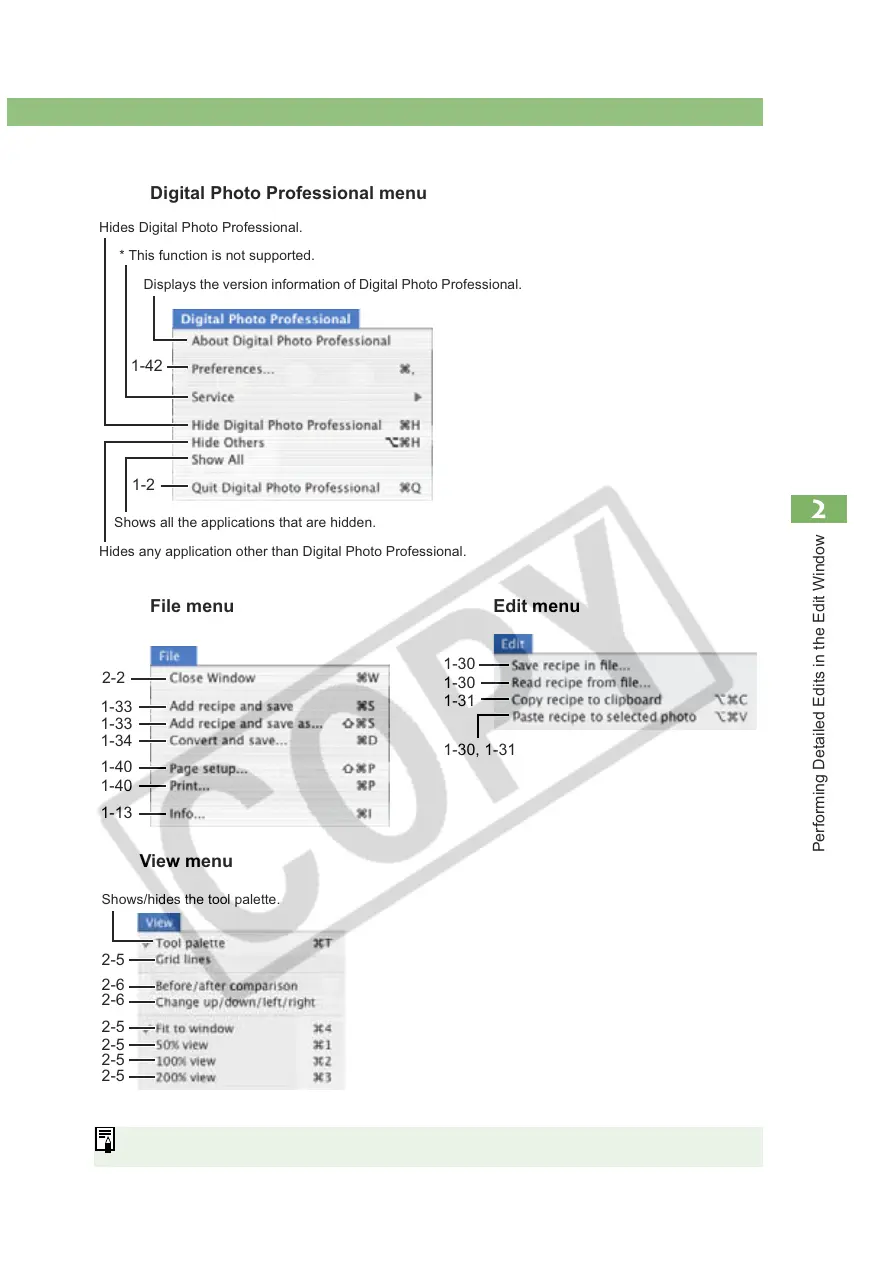
Digital Photo Professional menu
2-2
1-40
1-42
Hides Digital Photo Professional.
* This function is not supported.
Displays the version information of Digital Photo Professional.
Shows all the applications that are hidden.
Hides any application other than Digital Photo Professional.
1-2
File menu Edit menu
1-30
1-30
1-31
View menu
2-5
2-6
2-6
2-5
2-5
2-5
2-5
Shows/hides the tool palette.














 To Next Page