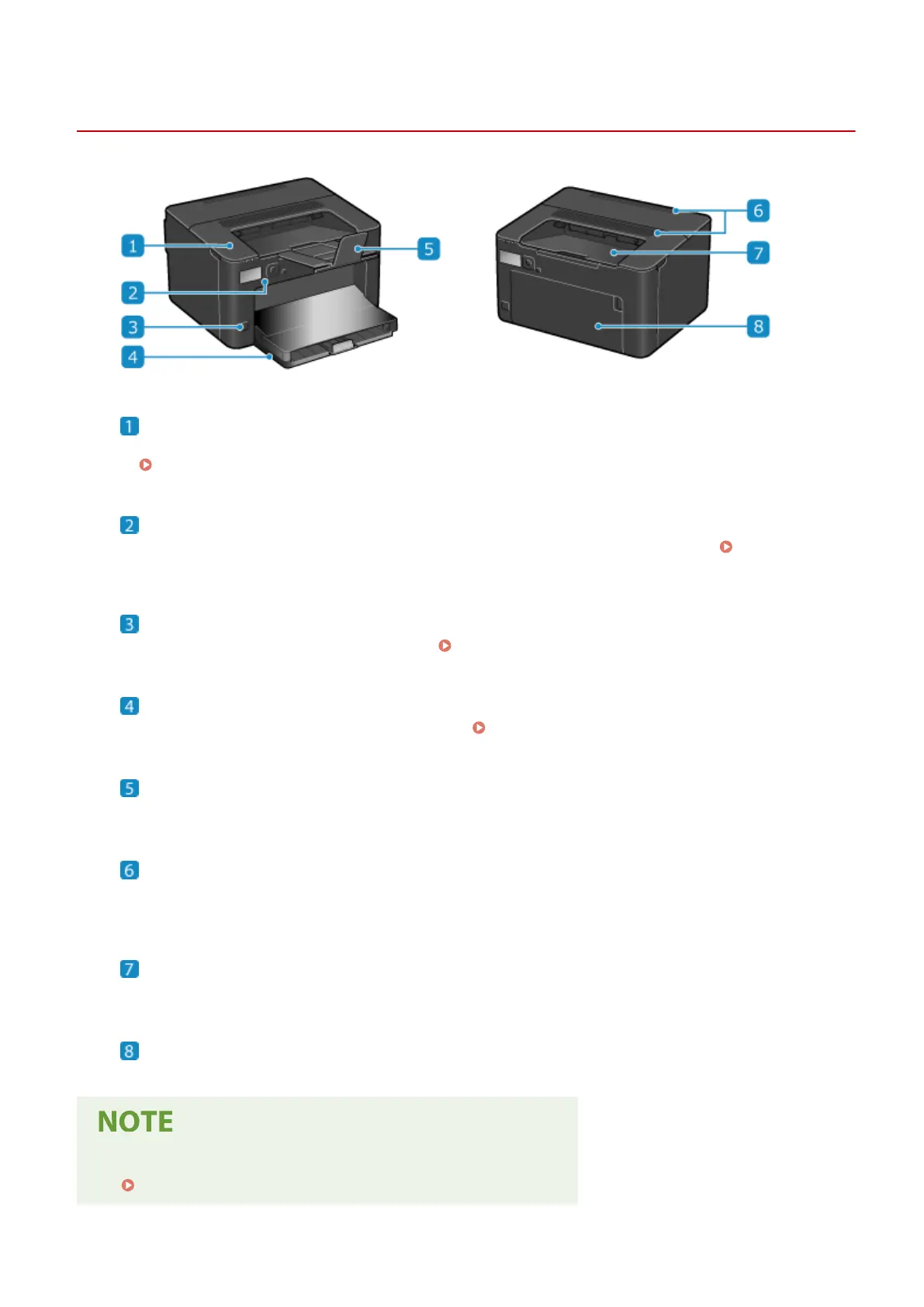
Front Side
95LW-005
Toner cover
Open the toner co
ver when replacing the toner cartridge.
Replacing the Toner Cartridge(P. 257)
Operation panel
Use the display and k
eys to operate the machine and conrm the operations and status.
Operation
Panel
(P. 10)
Power switch
Turns the power of the machine ON and OFF. Turning ON and OFF the Machine(P. 72)
Paper drawer
Load paper you usually use into the paper dr
awer.
Paper Drawer(P. 12)
Paper stopper
Open the paper stopper to pr
event paper from falling out of the output tray.
Ventilation slots
Air inside the machine is released through the ventilation slots to cool down the inside of the machine.
Do not place objects next to the ventilation slots, as this can prevent ventilation.
Output tray
Printed paper is ejected to the output tr
ay.
Front cover
Open the fr
ont cover when loading paper into the paper drawer.
● T
o ensure ecient use of the machine, regularly clean the surface.
Cleaning the Surface of the Machine(P. 253)
About the Machine
8













 To Next Page