Paper Curls
95LW-078
T
roubleshoot by checking the items below.
Are You Using Appropriate Paper?
● Check whether the paper in the machine is usable, and r
eplace it with appropriate paper, as needed.
Usable Paper(P. 13)
Loading Paper(P. 87)
● Set the paper size and type corr
ectly according to the loaded paper.
Specifying the Paper Size and
T
ype(P. 94)
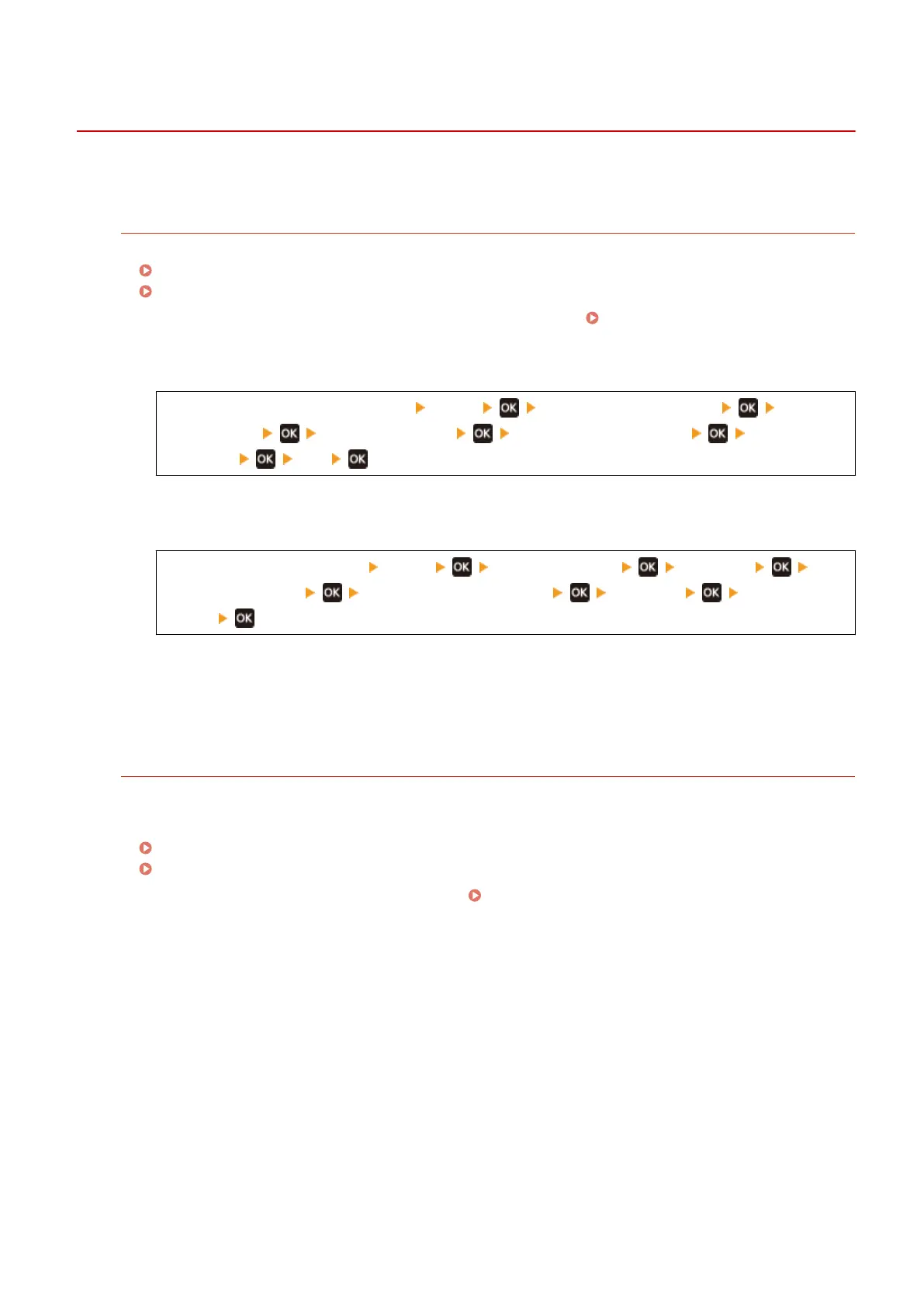
● Setting [Paper Curl Correction] to [On] may improve the problem.
[Home] screen on the operation panel [Menu] [Adjustment/Maintenance] [Adjust
Image Quality] [Special Processing] [Special Paper Processing] [Paper Curl
Corr
ection]
[On]
* When you select [On], this may result in faded printouts.
● Setting [Switch Paper Feed Method] to [Print Side Priority] may impr
ove the problem.
[Home] on the operation panel [Menu] [Function Settings] [Common]
[Paper Feed Settings] [Switch Paper Feed Method] [Drawer 1] [Print Side
Priority]
* When you select [Print Side Priority], the printing speed for 1-Sided printing will decrease.
● Load the paper with the side to be printed (paper fr
ont and back) reversed.
* In rare cases, the symptom may worsen depending on the paper used. In this case, print on the original
side of the paper.
Are You Using Paper That Has Absorbed Moisture?
Try the following in the order below:
● Check the pr
ecautions, and replace the paper with dry paper.
Precautions When Handling Paper(P. 16)
Loading Paper(P. 87)
● Change the paper type setting to a thinner paper. Specifying the Paper Size and Type(P. 94)
Troubleshooting
300













 To Next Page