Paper Jams in the Paper Drawer, Output Tray, and Rear
Side
95LW-06H
Use the pr
ocedure below to check the paper drawer, output tray, rear side, and to remove any jammed paper. If the
paper tears, be sure to remove the parts so that no pieces remain.
1
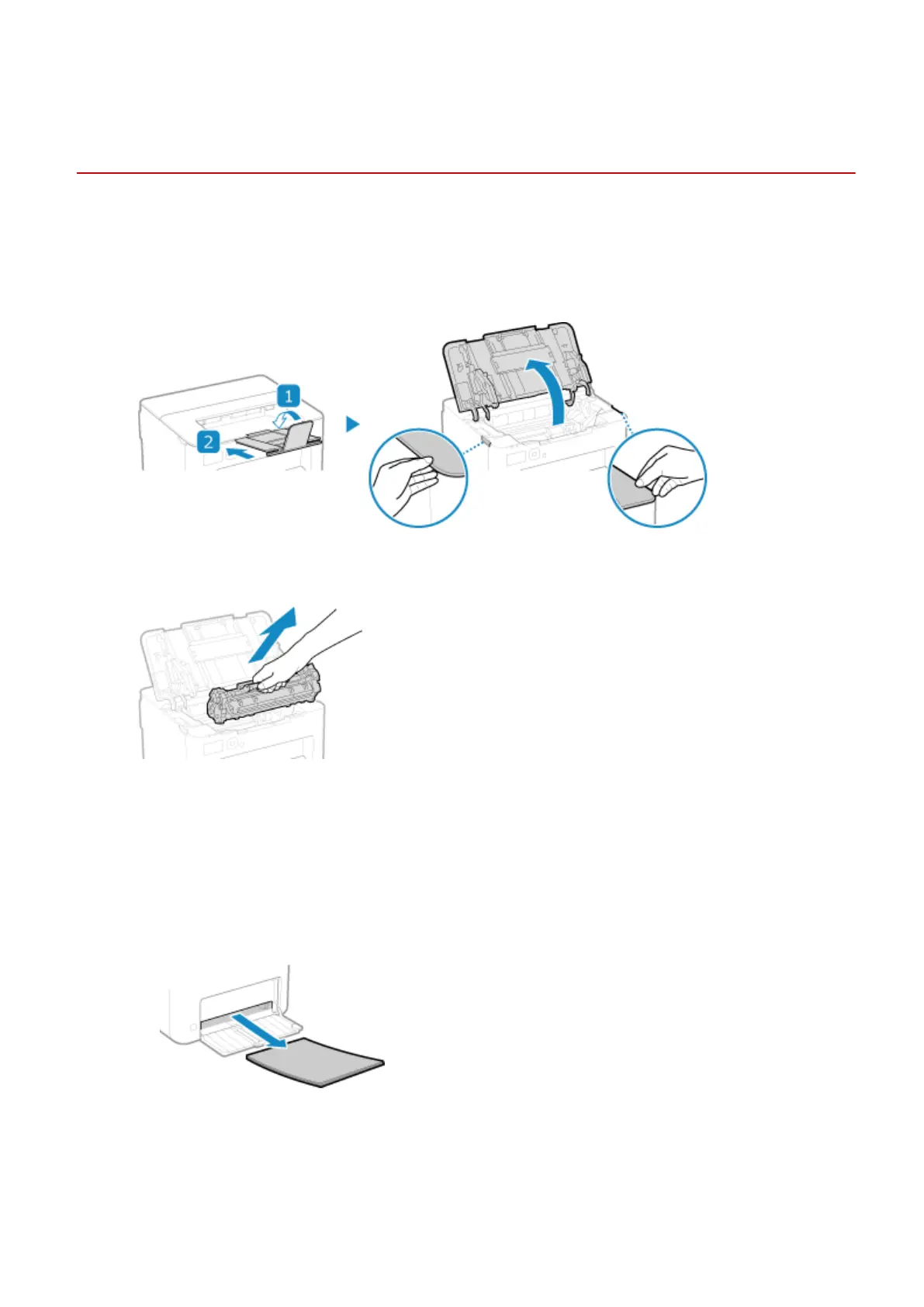
Close the paper stopper before opening the toner cover.
2
Remove the toner cartridge.
Slowly pull it out at the same angle as the slot.
3
Remove the paper jammed in the paper drawer.
1
Open the paper cover.
2
If other paper is loaded, remove that paper.
3
Gently pull out the paper.
4
Load the paper and close the paper cover.
4
Remove the paper jammed inside the paper exit guide.
Troubleshooting
272













 To Next Page