2
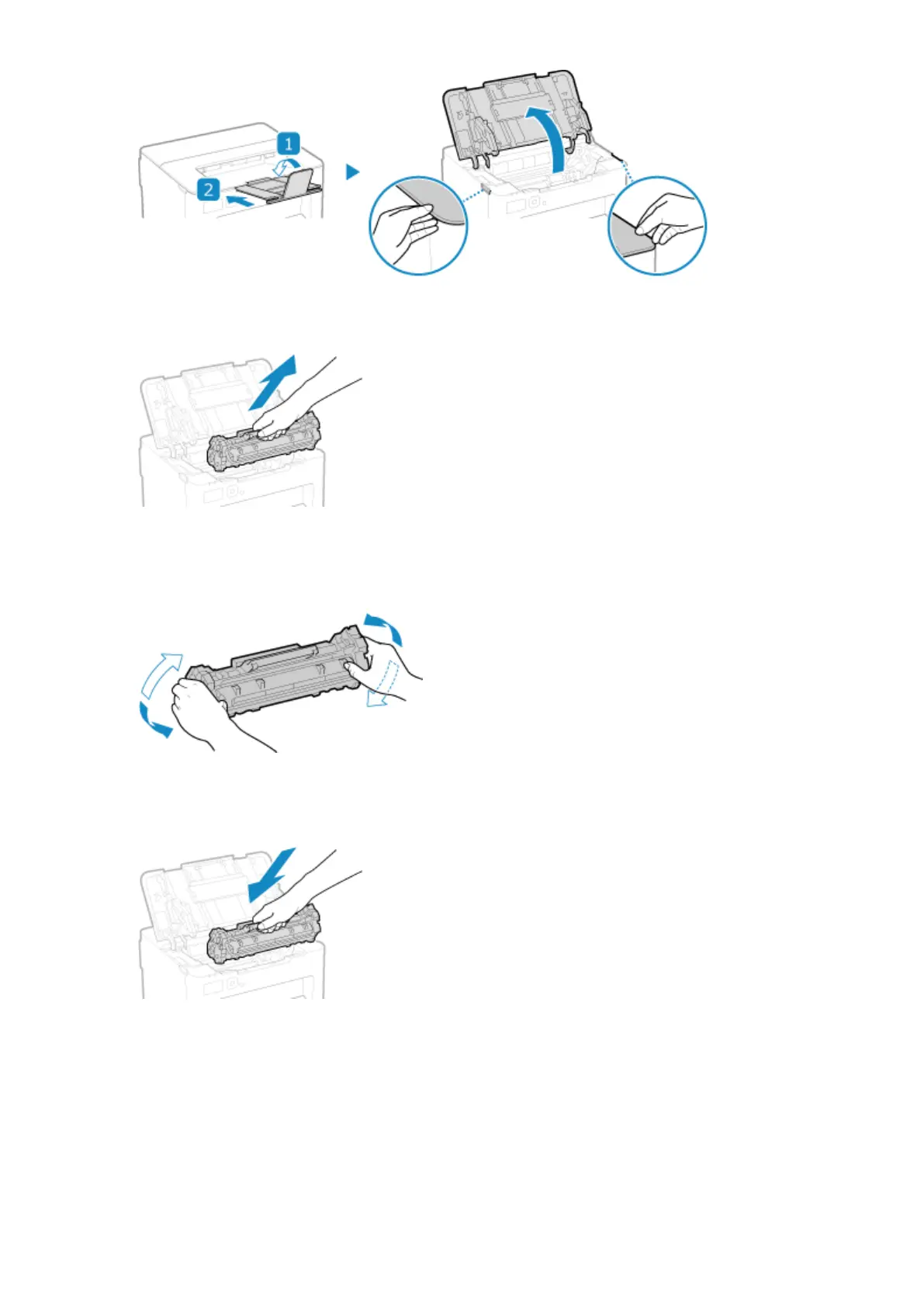
Remove the toner cartridge.
Slowly pull it out at the same angle as the slot.
3
Shake the toner cartridge ve or six times to evenly distribute the toner inside the
cartridge.
Be careful not to touch the drum surface on the bottom of the toner cartridge.
4
Install the toner cartridge.
The bottom of the toner cartridge is unprotected. Be careful not to bump the bottom of the toner cartridge
against the slot frame or other parts when installing.
5
Close the toner cover.
Maintenance
259













 To Next Page