● If the pr
oblem persists even after trying the troubleshooting methods, contact your dealer or service
representative.
If the Problem Persists(P. 339)
Cannot analyze the authentication server certicate.
The certicate of the authentication server may not be corr
ect, or it may be a format unsupported by the machine.
Check the Certicate of the Authentication Server, and Change the Setting, as Needed.
Setting IEEE 802.1X(P. 155)
Cannot nd the access point.
An err
or occurred, preventing the machine from detecting the wireless LAN router (access point).
Is Connection Type Congured Correctly?
Select the connection type (WPS) according to the method supported by the wireless LAN router.
Connecting to a Wireless LAN by Using the Router Button (Push Button Mode)(P. 41)
Did Y
ou Connect Within the Fixed Time?
When connecting by pressing a button on the wireless LAN router, set the connection type on the operation
panel of the machine, and then press the button on the wireless LAN router within one or two minutes.
Connecting to a Wireless LAN by Using the Router Button (Push Button Mode)(P. 41)
Ar
e the SSID and Network Key Congured Correctly?
When entering the wireless LAN router information manually, check the SSID and network key of the wireless
LAN router, and congure the settings correctly on the machine.
Connecting to a Wireless LAN by
Setting the Details (Manual Setup Method)(P
. 47)
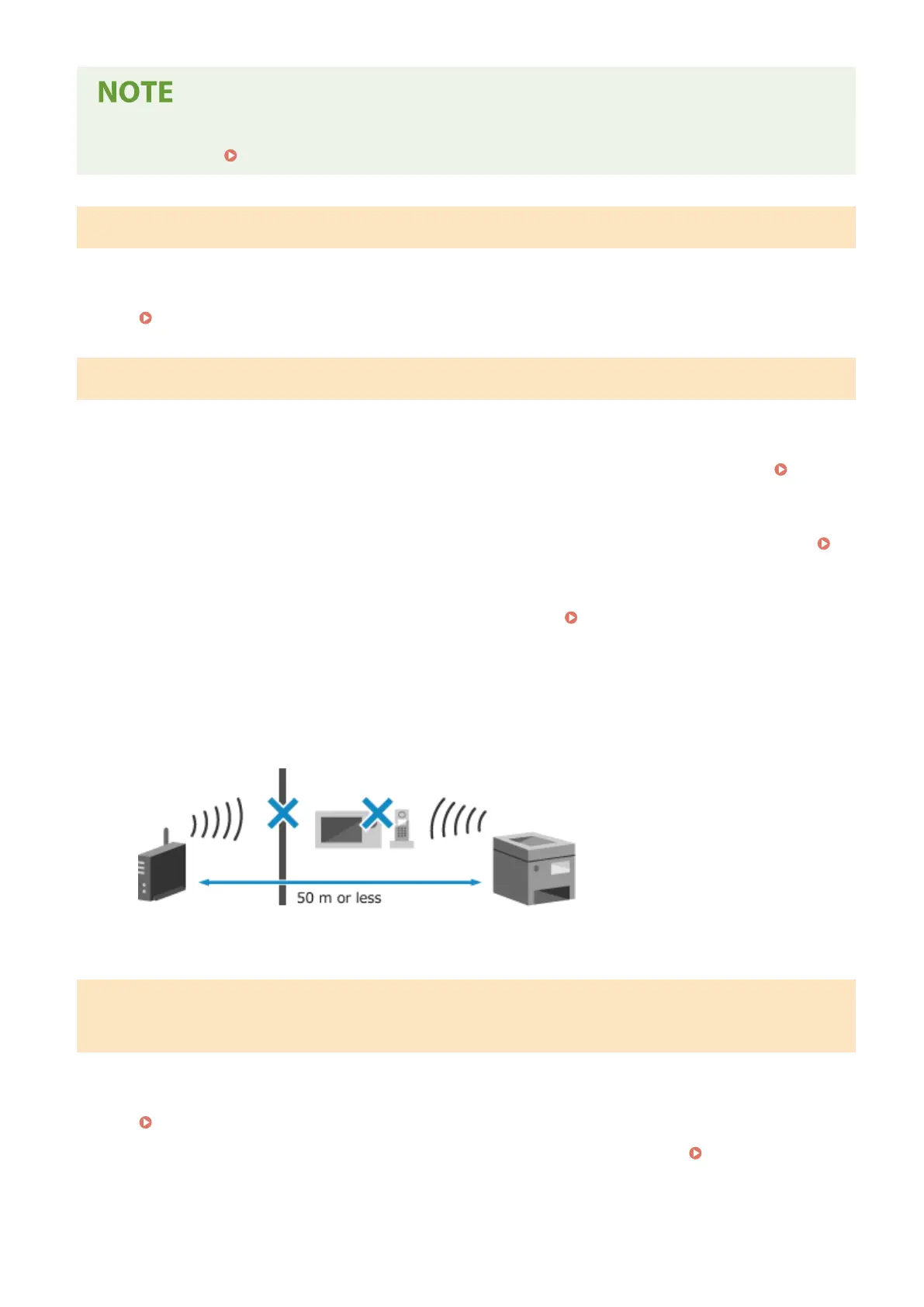
Are the Machine and Wireless LAN Router Located Appropriately?
● The machine and wireless LAN router should be installed in a location without walls or other obstructions
between the devices and within range of 50 m.
● Do not install near a microwave oven, digital cordless telephone, or other device that generates radio
waves.
Check the Security Settings of the Wireless LAN Router.
For details, see the manual of the wir
eless LAN router or contact the manufacturer.
Cannot print. A non-Canon or counterfeit cartridge may be in use. Close:
Pr
ess OK
Printing cannot be performed due to the use of a toner cartridge whose print quality cannot be guaranteed.
Replace with a New Toner Cartridge.
Replacing the Toner Cartridge(P. 257)
For optimum print quality, using Canon genuine toner cartridges is recommended. List of
Consumables(P. 263)
Troubleshooting
326













 To Next Page