Size/Settings Mismatch
The size of the paper loaded in the machine does not match that set on the operation panel or printer driver.
Match the Size of the Loaded Paper with the Paper Size Setting.
When Using the Loaded Paper
● Change the paper size setting on the operation panel to match the size of the loaded paper.
Setting the Paper Size and Type for the Paper Drawer(P. 95)
● When
printing from a computer, change the paper size setting on the printer driver to match the size of
the loaded paper.
Printing from a Computer(P. 115)
When Reloading Paper
Load paper of the size set on the oper
ation panel or printer driver.
Loading Paper(P. 87)
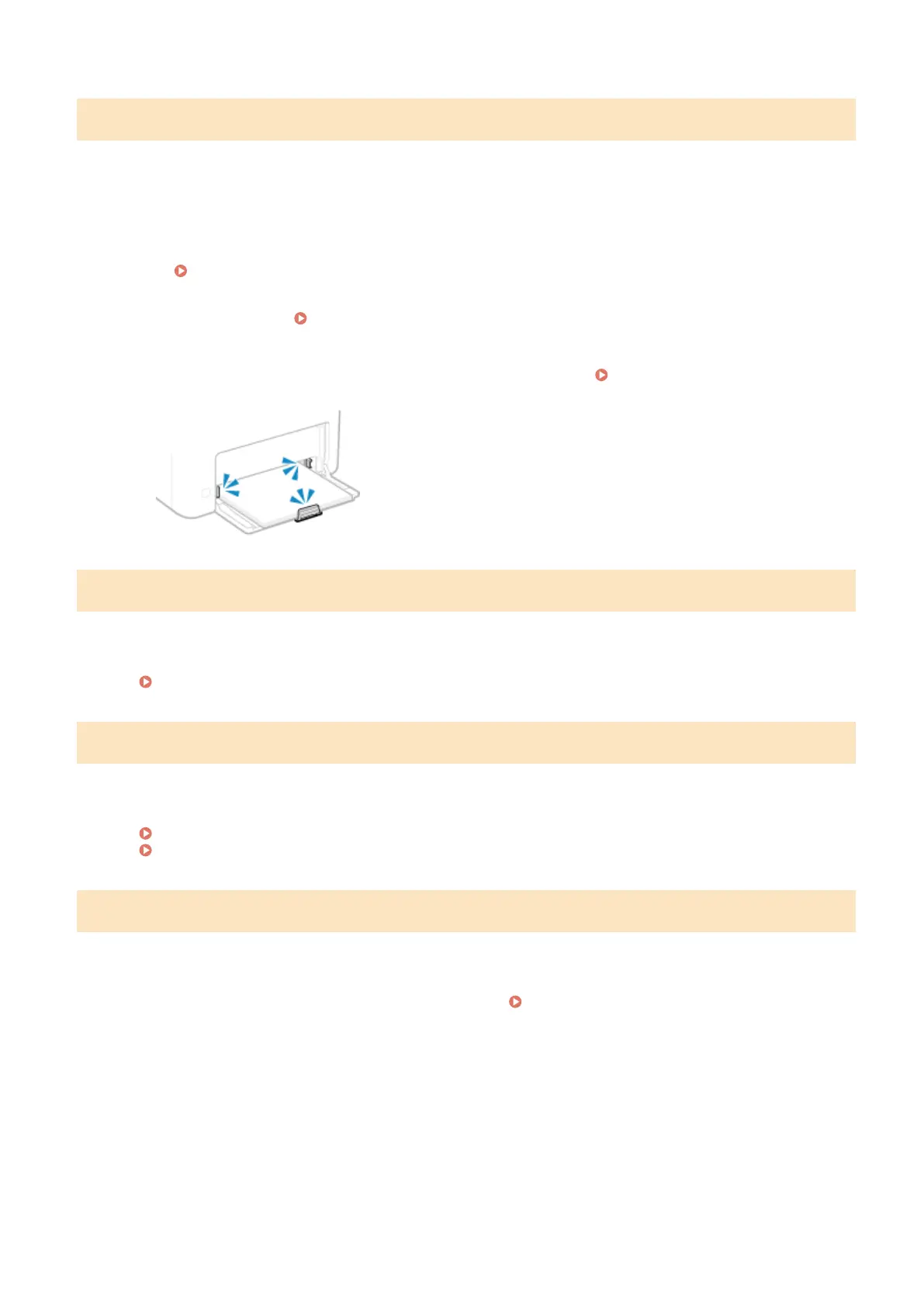
Check That the Paper Guides Ar
e Not Too Loose or Too Tight.
The authentication server certicate has expired.
The server certicate sent from the RADIUS server has expired.
Check the Expiry Date of the RADIUS Server.
Setting IEEE 802.1X(P. 155)
The authentication server certicate is incorrect.
A CA certicate that supports the certicate of the authentication server is not registered to the machine.
Check the certicate information of the authentication server, and register a supported CA certicate.
Setting IEEE 802.1X(P. 155)
Registering a Key and Certicate or CA Certicate Obtained fr
om an Issuing Authority(P. 163)
Use Remote UI to set info. necessary for authentication.
The authentication method or authentication information of IEEE 802.1X is not set corr
ectly.
Check the IEEE 802.1X Setting, and Set This Correctly.
Check the following, and change the setting, as needed.
Setting IEEE 802.1X(P. 155)
● The login name is specied corr
ectly.
● At least one of the following checkboxes is selected: [Use TLS], [Use TTLS], and [Use PEAP].
● When using TLS, a key and certicate are registered.
● When using TTLS or PEAP, the user name and password are set correctly.
Troubleshooting
335













 To Next Page