● Mak
e sure the loaded paper does not exceed the load limit line (
). If it exceeds the load limit line, there
may be misfeeds or a paper jam.
When Printing on the Back Side of Printed Paper (Manual 2-sided Printing)
Flatten the edge of the paper to remove any curls, and load the paper with the back (unprinted) side face up.
● You can use only paper printed with this machine.
● You cannot print on a side that has been previously printed on.
● If the printouts look faded, adjust the image quality. [Manual Back Side Print (2-Sided Only)](P. 221)
5
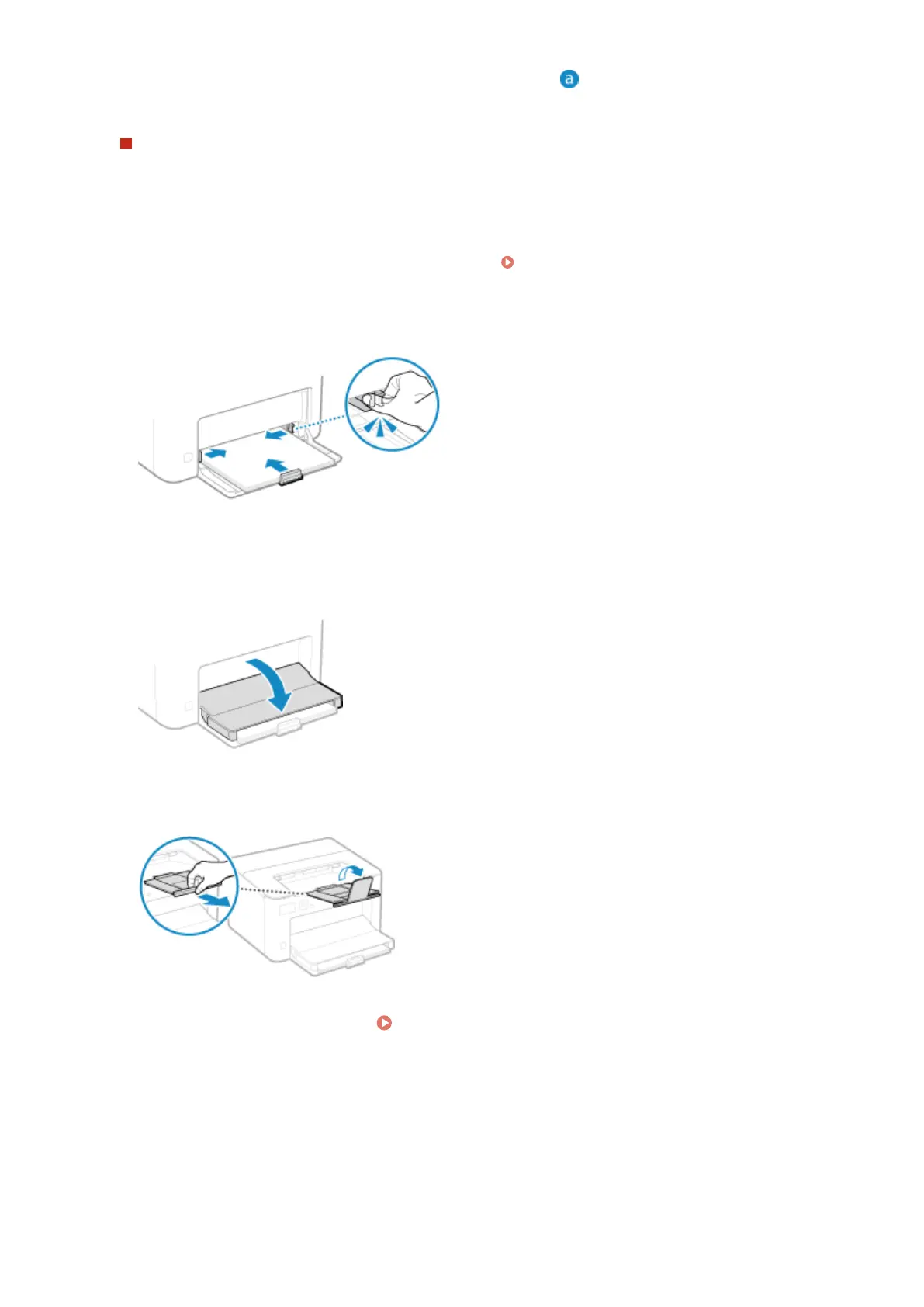
Align the paper guides with the width and length of the paper.
Paper guides that are aligned but too loose or too tight can cause misfeeds or a paper jam.
6
Close the paper cover.
7
Raise the paper stopper.
8
Set the paper size and type.
Setting the Paper Size and Type for the Paper
Dr
awer(P. 95)
By default, the paper size and type of the paper drawer are set to A4 and Plain 2. When paper of a different
size or type is loaded, change the paper settings.
Basic Operations
89













 To Next Page