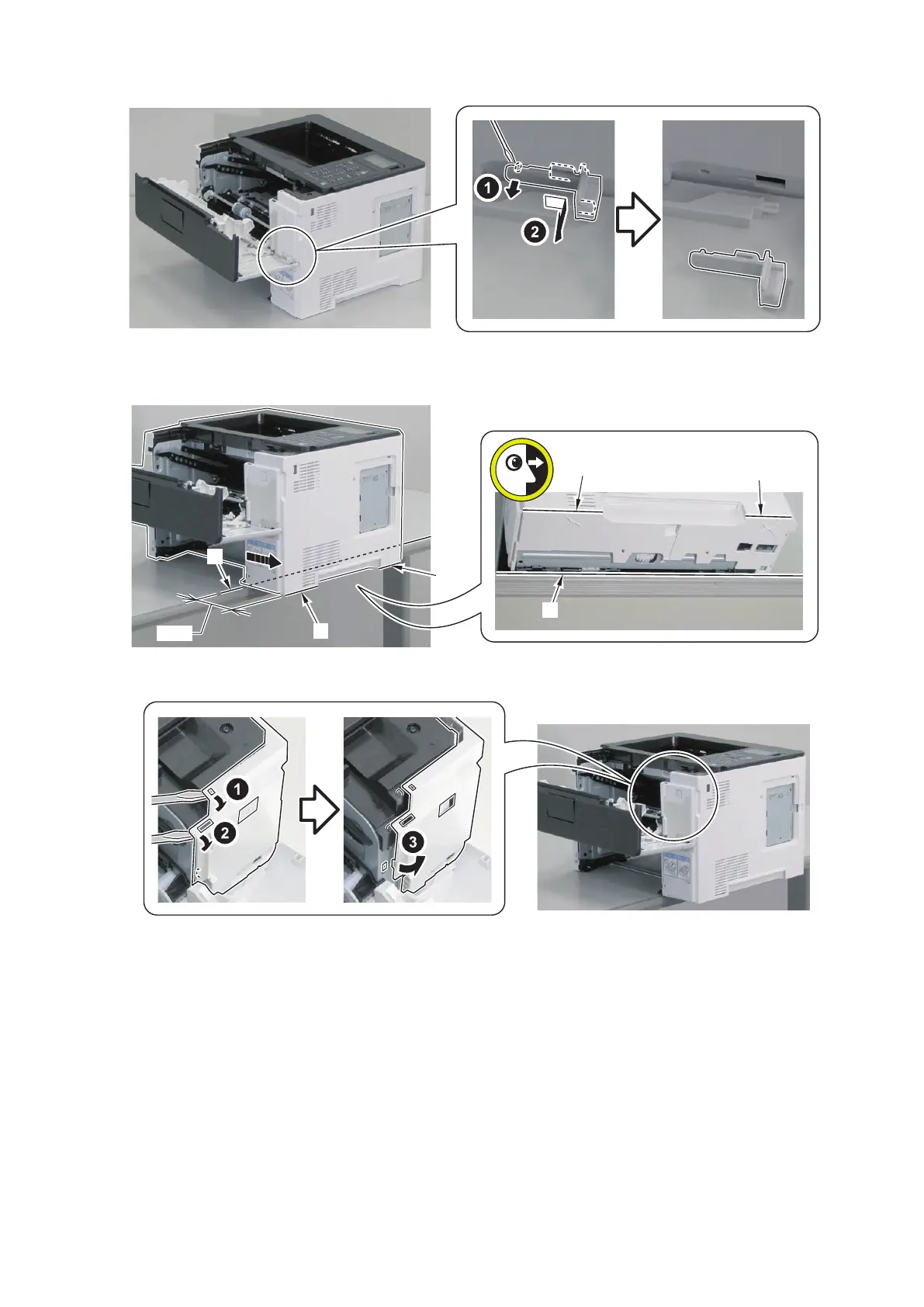
2. Remove the Cartridge Cover Fixation Member.
3. Place the host machine so that its right edge [A] is parallel with the edge [B] of the table, and then shift the host
machine so that it protrudes off the edge [B] of the table by 90 mm.
4. Release the 3 hooks of the Right Cover Unit.
5. Parts Replacement and Cleaning
130



 To Next Page