Version Upgrade
Overview
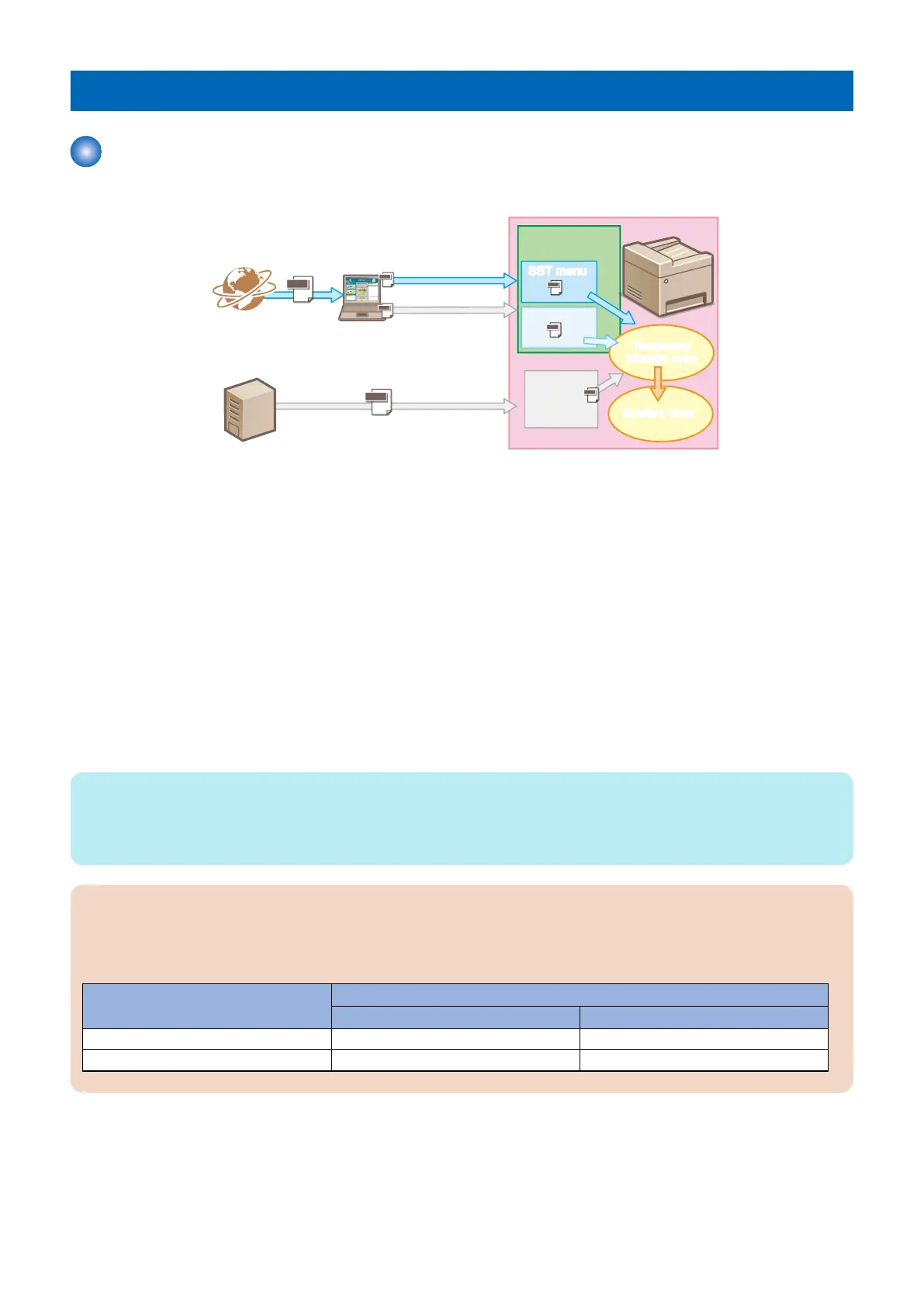
The following methods exist for version upgrade the system of the device.
PC for service
Device
Device
䝅䝇䝔䝮
䝋䝣䝖䜴䜵䜰
System
Software
Updater
Updater
USB menuUSB mneu
䝅䝇䝔䝮
䝋䝣䝖䜴䜵䜰
System
Software
CDS
䝃䞊䝞䞊CDS server
Temporary
storage area
Temporary
storage area
System area
System area
Setup menuSetup menu
SST menuSST menu
USB connection
USB connection
Internet
Network connection
Network connection
System
System
System
System
System
System
System
Version Upgrade Using UST (User Support Tool)
UST is a firmware update tool for general users that is included with the firmware for this machine.
Connect this machine to a PC with a USB cable or network cable, and execute UST on a PC to upgrade the firmware.
When connecting the host machine and the PC using a USB cable, version upgrades can be performed in an environment
where a network is not available.
Version Upgrade Using Updater (CDS)
Send a command using service mode or the [Settings/Registration] menu of the Remote UI to download the firmware data
from the CDS server to perform an upgrade.
When upgrading using the Updater, you can also link with the UGW server to automatically download the firmware.
Version upgrade using a USB flash drive (released only in special cases)
Upgrade the firmware of this machine using a USB flash drive.Connect a USB flash drive where the firmware is stored to
the device
Connect a USB flash drive where the firmware is stored to the device, and update the firmware in service mode.
Version upgrades can be performed in an environment where a PC or network is not available.
NOTE:
Firmware that can be used for version upgrade using a USB flash drive is released only in special cases such as a tender business,
and is not normally released. As for the detailed version upgrade procedure, follow the instructions given at the time of release of
the customized firmware for version upgrade using a USB flash drive.
CAUTION:
A message appears when an attempt is made to upgrade a host machine to which specified firmware has been applied.
This is a precaution not to use wrong firmware to upgrade a host machine to which specified firmware has been applied.
See the following regarding the combination of whether the message will be displayed:
Type of firmware applied to the
host machine
Firmware to upgrade
General firmware Specified firmware
General firmware No message No message
Specified firmware Message displayed Message displayed
3. Technical Explanation (System)
49














 To Next Page