Backup/Restoration Using a Function Other Than the DCM Function
This machine is equipped with functions other than the DCM function for migrating data to an unused Main Controller PCB when
the Main Controller PCB has failed.
Backup Method
This machine is equipped with the following backup methods other than the DCM function.
Backup Method Items which can be backed up
USB Setting Value(USER MODE, SERVICE MODE, etc)
Expansion ROM for
servicing/Sublog Board
Setting Value(USER MODE, SERVICE MODE, etc)
Management Data (Page Counter, Main Controller service counter, Serial No.)
■ Backup to/Restoration from a USB Flash Drive Using Service Mode
You can use service mode to back up settings information to a USB flash drive and restore data backed up to a USB flash drive,
without using the DCM function.
Target Data for Backup
• [Settings/Registration] menu setting values
• Service mode setting values
● Backing Up to a USB Flash Drive
This section describes the procedure for backing up to a USB flash drive.
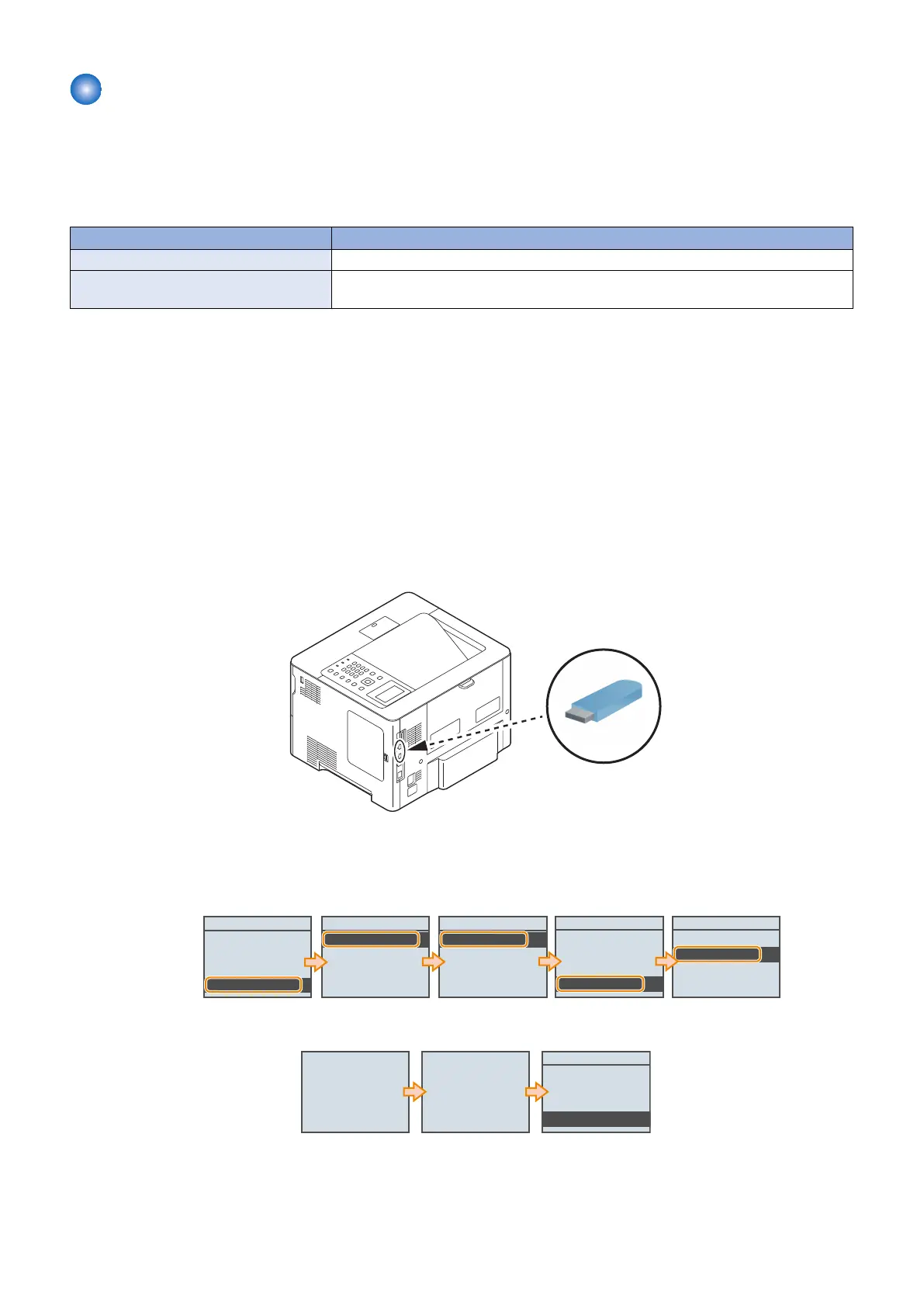
1. Connect the USB flash drive to the USB port of this machine.
*1
*1: USB port of the front side can also be used.
2. Execute the following service mode to export the setting values in the machine to the USB flash drive.
• SERVICE MODE > FUNCTION GR. > ECONF > EXPORT > ALL > Yes
FUNCTION GR.
ECONF
Import/Export Set.
SMD-EXPT
USB-H
ECONF
EXPORT
IMPORT
SERVICE MODE
COUNTER GR.
ADJUST GR.
OPTION GR.
FUNCTION GR.
EXPORT
GENERAL
DEPEND
SECURITY
ALL
Execute?
No
Yes
3. Remove the USB flash drive when the previous screen is displayed again after the export processing is complete.
EXPORT
GENERAL
DEPEND
SECURITY
ALL
Executing... Done.
4. Check the content of the USB flash drive to confirm that the setting information file has been saved (backed up).
• <Root directory>\SETTING\CGJLALL.BIN
3. Technical Explanation (System)
88














 To Next Page