Debug Log Collection Procedure
1. Push SW1 on the board and confirm that LED1 turns on.
If LED1 does not turn on, You need change the battery on Sublog board is located at BATS1 (CR2032) .
CAUTION:
There is danger of explosion if the battery is replaced with an incorrect type. Replace it only with the same type of battery.
Dispose of used batteries according to the manufacturer’s instructions.
2. Check that the power supply of the host machine is OFF. Remove the Right Cover on the right side of the host
machine.
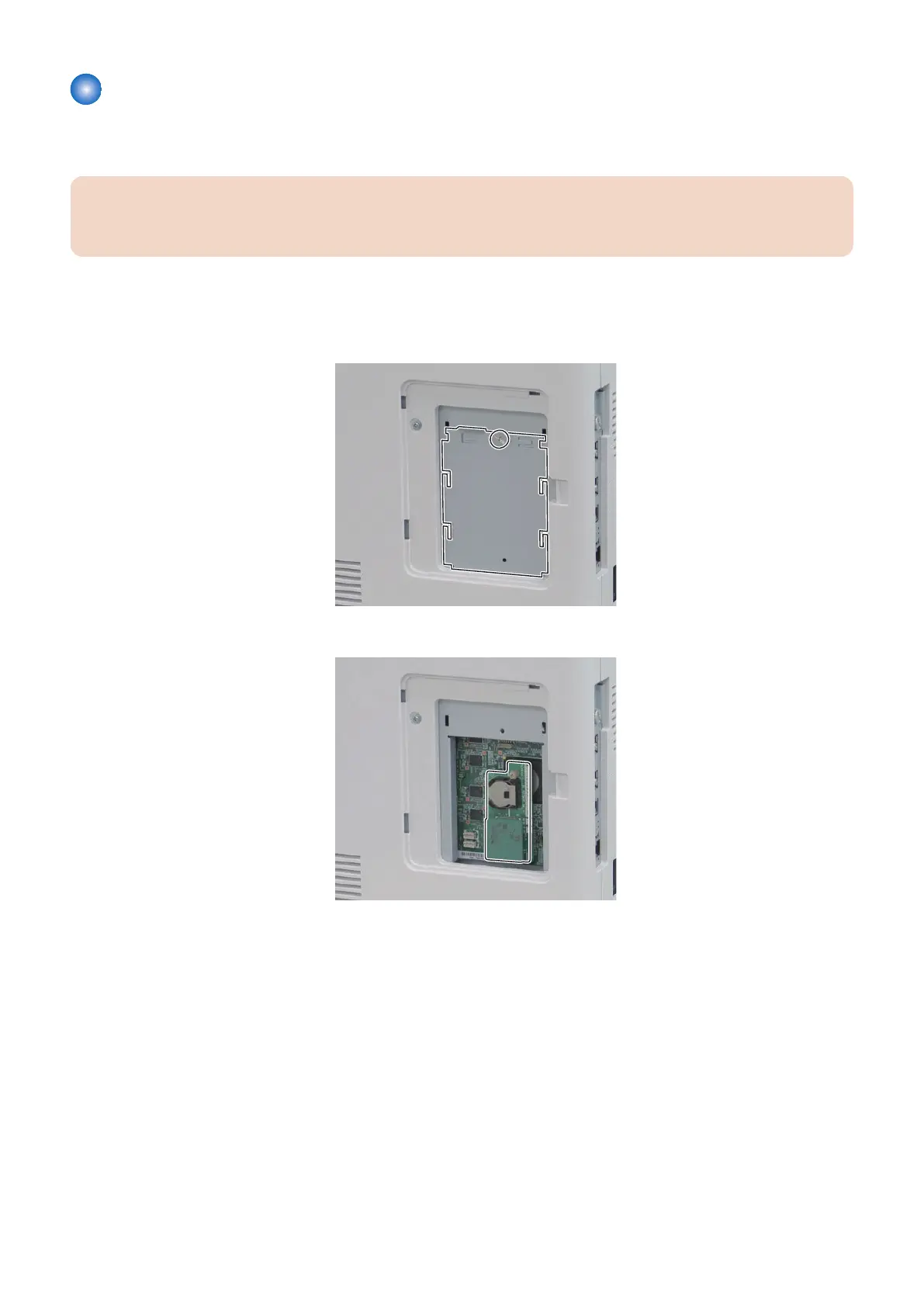
3. Remove the screw of the ROM Inner Cover, and then remove the cover.
4. Install the Sublog Board into the slot over the Controller.
5. Turn ON the power of the machine, and reproduce the problem that is occurring.
The log is automatically written to the ROM of the Sublog Board.
6. Turn OFF the power of the host machine.
7. Troubleshooting
191














 To Next Page